
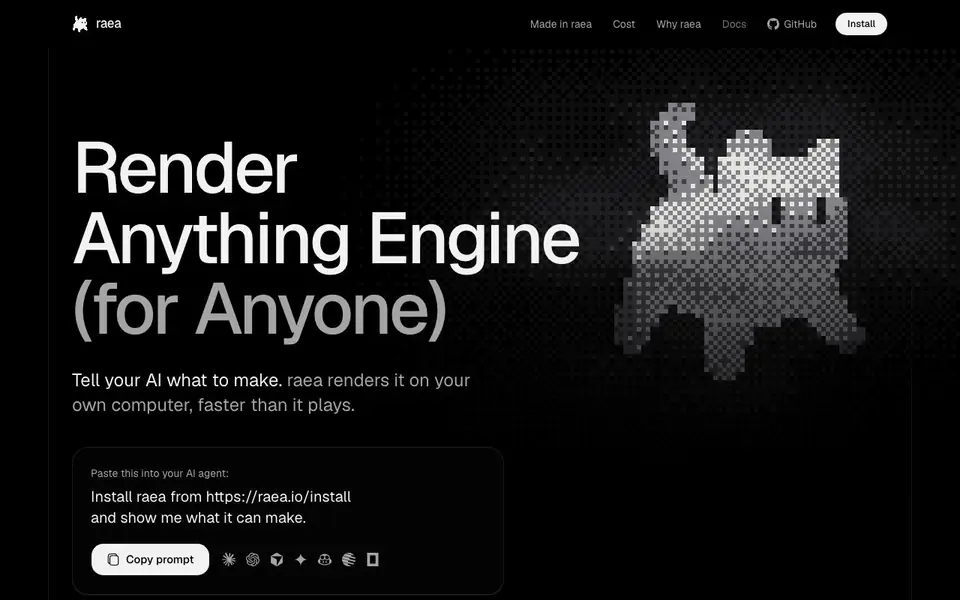
What is raea?
raea is a rendering engine that works with your existing AI agent. You describe what you want, and your agent writes the code. raea then renders that code into videos, motion graphics, 3D scenes, or games on your own computer.
To start, you install raea on your Mac with Apple Silicon or Linux x86_64. Then you paste a simple prompt into your AI agent, like Claude Code. The agent writes the code, and raea renders it locally. There are no per-render fees and no account needed.
raea is free to use and runs entirely on your hardware. It suits creators who want to produce ads, films, or games without renting cloud rendering. the website is available under FSL-1.1, with each version becoming Apache-2.0 two years after release.
raea features
- Local rendering: Renders on your own GPU, so there are no per-render costs or cloud dependencies.
- Agent-friendly: Works with your existing AI agent like Claude Code, or any agent you already use.
- Multi-format output: Creates videos, motion graphics, 3D scenes, and games from code.
- Headless mode: Run the same CLI on your own servers or machines for scale.
- Free and no account: No subscription, no account, and no model usage resale.
What you can do with raea
- Generate a UGC-style ad for your product by describing it to your AI agent.
- Create a short film with narration and music, all rendered locally.
- Build a simple game that runs on your Mac, with live narration.
- Produce motion graphics for social media without renting cloud rendering.
How to get started with raea
- Install raea on your Mac with Apple Silicon or Linux x86_64 from the website.
- Copy the prompt from the homepage and paste it into your AI agent.
- Let the agent write the code, then raea renders it on your machine.
Tips for better results with raea
- Start with the exact prompt from raea's site so your agent installs it correctly, then describe your project in plain language to get the best first render.
- Use raea with an agent you already pay for, like Claude Code, to avoid extra costs, and keep your prompts detailed about visuals, pacing, and audio.
- Run raea in headless mode on your own server when you need to render many projects at once, since it scales on your hardware without cloud fees.
- Test raea with a short clip first, like a 15-second ad, to learn how it handles your prompts before you commit to a longer film or game.
raea pricing
raea is free to use according to its website.
What to check before you rely on raea
- Check that your computer meets raea's requirements: a Mac with Apple Silicon or Linux on x86_64, since it won't run on other systems.
- Verify your AI agent's subscription or API key covers the code generation, because raea is free but your agent may have its own costs.
- Confirm the output formats raea supports for your project, since the site lists videos, motion graphics, 3D scenes, and games but doesn't specify file types.
Who raea is for
raea suits creators, marketers, game developers and AI enthusiasts. If that is not you, the AI video generators below may fit better.
Similar tools compared with raea
| Tool | What it is | Pricing |
|---|---|---|
| raea | AI video and game renderer for your Mac | Free |
| SiVideoGen | AI video generator with multiple models | Freemium |
| FreeSiTools | Free AI image prompt generator | Free |
| SiVideoAPI | Unified API for top AI video models | Freemium |
| Runway | AI video, image, and audio creation suite | Freemium |
raea FAQ
Is raea free to use?
Yes, raea is free to use. There are no per-render fees, and you don't need an account. It runs on your own hardware, so you only pay for your existing AI agent subscription if you use one.
What can I make with raea?
You can make videos, motion graphics, 3D scenes, and games. The website shows examples like UGC ads, short films, and a game. You describe what you want, and your AI agent writes the code that raea renders.
Do I need a specific AI agent to use raea?
No, you can use any AI agent you already have, like Claude Code, an API key, or a local model. raea doesn't resell model usage. You just paste a prompt into your agent, and it writes the code.
What hardware do I need to run raea?
You need a Mac with Apple Silicon or a Linux machine on x86_64. raea renders on your own GPU, so there are no cloud rendering costs. The website doesn't specify minimum specs, so check the docs for details.
What file formats can raea export?
The raea website does not list specific export file formats. It says raea creates videos, motion graphics, 3D scenes, and games from code, but you'll need to check the raea docs or GitHub for details on output formats.
Does raea work on Windows or Intel Macs?
The raea website says it runs on Mac with Apple Silicon or Linux x86_64. It does not mention Windows or Intel Macs. For the most current compatibility info, check the raea install page or GitHub.
What does the free plan include for raea?
raea is free to use with no per-render fees and no account needed. The free plan includes all features like local rendering, multi-format output, and headless mode. There is no paid tier mentioned on the website.


