

What is RabbitHoles AI?
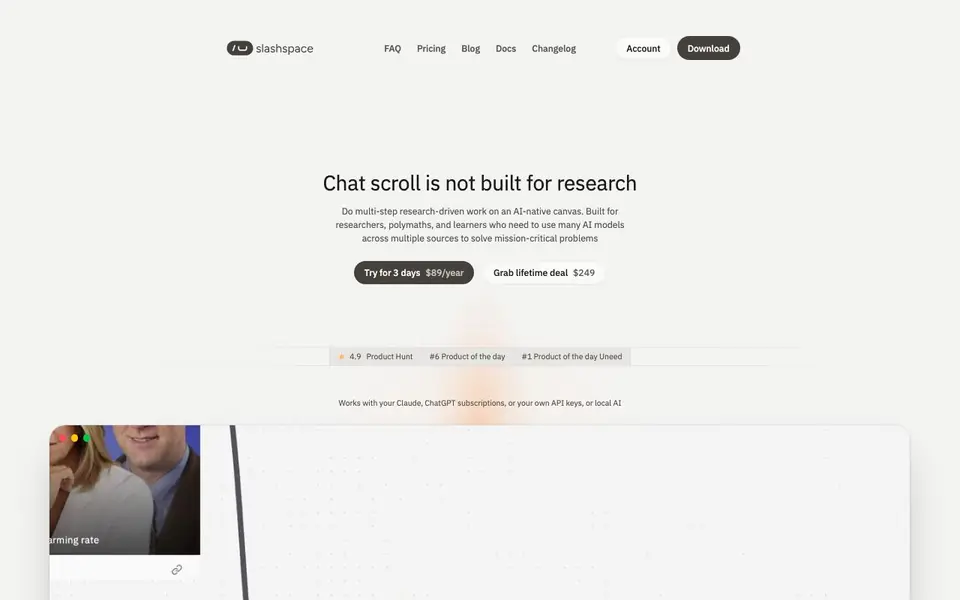
Slashspace (formerly RabbitHoles AI) is a desktop app that replaces the linear chat scroll with an infinite canvas for research and learning. You can fork any AI reply into a new branch, so tangents never get lost. It works with your existing Claude or ChatGPT subscriptions, or your own API keys, and even local AI models.
To get started, you open a canvas and start chatting. You can wire in PDFs, YouTube videos, web pages, and notes as context, and the AI reads the full sources. You can ask questions by typing or dictating. When you want to go deeper, select any line to branch off and explore a tangent while keeping the main thread intact.
For bigger tasks, Orchestrator mode plans the work, creates nodes, hands pieces to subagents, and brings results back. You can connect tools like Notion, GitHub, and Gmail through Composio and MCP. The site mentions coming features like video generation, team sharing, and cloud sync, but they are not available yet.
RabbitHoles AI features
- Branching: Fork any answer to explore tangents without losing your main thread.
- Context wiring: Add PDFs, videos, web pages, and notes as full context for chats.
- Orchestrator mode: Give a goal and the AI plans, creates nodes, and uses subagents.
- Multi-model support: Use Claude, GPT, Gemini, and local models side by side.
- BYOK and subscriptions: Use your own API keys or existing AI subscriptions.
What you can do with RabbitHoles AI
- Research a complex topic by branching off every question you have.
- Compare answers from multiple AI models on the same question side by side.
- Wire in lecture PDFs and videos to study a subject on one canvas.
- Analyze a market or competitor with several models and keep the reasoning visible.
How to get started with RabbitHoles AI
- Download the desktop app from the website.
- Start a 3-day free trial or buy a lifetime deal.
- Open a canvas, wire in your sources, and start chatting or dictating questions.
Tips for better results with RabbitHoles AI
- Start each research session by wiring in your PDFs, videos, and notes as context before asking questions, so the AI reads full sources rather than relying on search snippets.
- When you hit a tangent, select that line and branch off immediately with RabbitHoles AI instead of following it in the main thread, keeping your original reasoning intact.
- Use Orchestrator mode in Slashspace for multi-step goals, letting it plan nodes and delegate to subagents, then review the returned results on the canvas for gaps.
- Compare answers from Claude, GPT, Gemini, and local models side by side on the same question to catch biases, but remember you pay each provider separately at their rates.
RabbitHoles AI pricing
RabbitHoles AI has a free way to start, with paid plans for heavier use. Check slashspace.ai for current limits and prices.
What to check before you rely on RabbitHoles AI
- Verify whether your existing Claude or ChatGPT subscription covers all features, since the site does not list which plans work with which models or limits.
- Confirm your API key costs and usage before heavy work, as Slashspace charges you directly through providers and the website does not state any built-in usage caps.
- Check that your needed integrations like Notion or Gmail are available through Composio or MCP, as the site does not list a full directory of supported tools.
Who RabbitHoles AI is for
RabbitHoles AI suits researchers, students, polymaths and business owners. If that is not you, the AI productivity tools below may fit better.
Similar tools compared with RabbitHoles AI
| Tool | What it is | Pricing |
|---|---|---|
| RabbitHoles AI | AI-native canvas for deep research | Freemium |
| Mem | AI chief of staff and workspace | See website |
| Reclaim | AI calendar for work and life | Freemium |
| Otter.ai | AI meeting notetaker and transcription tool | Freemium |
| Motion | AI-powered productivity and project platform | Free trial |
RabbitHoles AI FAQ
What is Slashspace?
Slashspace is an AI-native canvas for deep work, research, and learning. Instead of a chat scroll, you get an infinite canvas where you can branch replies, wire in sources, and use multiple AI models side by side.
How much does Slashspace cost?
You can try it for 3 days free, then it's $89 per year. There's also a lifetime deal for $249 one-time. Both plans include full access and 500 credits for hosted AI models.
Can I use my existing AI subscriptions?
Yes. Slashspace works with your Claude, ChatGPT, or other subscriptions, and you can add API keys for OpenAI, Anthropic, Gemini, Grok, and more. You pay your providers directly at their prices.
Who is Slashspace for?
It's built for researchers, academics, students, polymaths, and business owners who need to do multi-step research. The site says it's for people who create new knowledge and want AI as a partner, not a replacement.
Can I use Slashspace on my phone or tablet?
Slashspace is a desktop app, so it runs on your computer, not on mobile devices. The website does not mention a mobile version or a web app. For the latest updates on supported platforms, check the official Slashspace site or changelog.
What can Slashspace export or connect to?
Slashspace lets you connect external tools like Notion, GitHub, and Gmail through Composio and MCP. It also supports various AI models and local models. However, the website does not specify export formats or file export options. For details, check the docs or contact support.
Does Slashspace have a free plan?
Slashspace is freemium, but the website does not list a free tier. It offers a 3-day trial, then paid plans at $89/year or a lifetime deal at $249. For the most current pricing and any free options, visit the pricing page on the official site.


