

What is Powtoon?
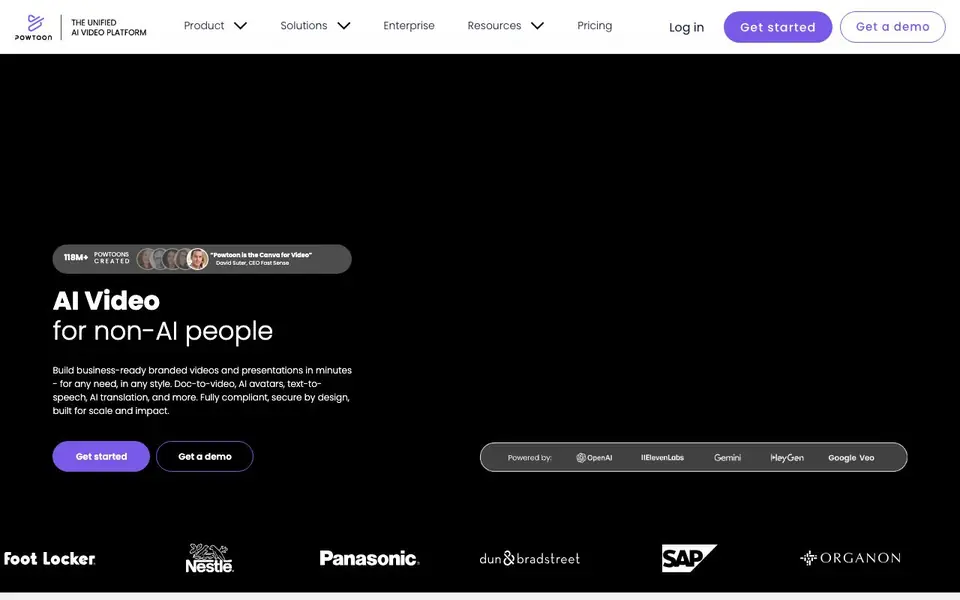
Powtoon is a unified AI video platform for people who are not video experts. It helps you build business-ready, branded videos and presentations in minutes. You can create animated presentations, footage-based videos, infographics, screen recordings, and whiteboard explainers. The platform includes AI tools for turning documents into videos, generating scripts, text-to-speech voiceovers, AI avatars, captions, and translations.
You start by choosing a professionally designed template or using an AI tool. For example, you can upload a document and let AI turn it into a video, or describe an idea and get a polished video with visuals and synced audio. You keep creative control and can customize everything with drag-and-drop editing, a character builder, and a stock media library of over 4 million assets.
Powtoon suits marketers, trainers, HR teams, and business communicators who need to explain concepts, share policies, or create engaging content. The enterprise version adds security features like ISO-27001 certification, GDPR compliance, brand locking, and team collaboration tools. The website mentions that over 118 million Powtoons have been created and that 50 million people use the platform.
Powtoon features
- AI doc to video: Turn static files, presentations, and PDFs into engaging videos instantly.
- AI scriptwriter: Generate professionally written video scripts that match your creative specifications.
- AI text-to-speech: Create natural-sounding voiceovers from text for an authentic feel.
- AI avatars: Deliver lifelike videos with custom avatars, lip-syncing, and voice options.
- AI translations: Translate scripts, captions, and voiceovers into multiple languages instantly.
What you can do with Powtoon
- Turn a PowerPoint deck into a narrated video for a meeting.
- Create a whiteboard explainer to break down a complex concept.
- Generate a branded training video with AI avatars and voiceovers.
- Translate a corporate policy video into several languages for global teams.
How to get started with Powtoon
- Sign up or log in on Powtoon's website and choose a template or AI tool.
- Upload your document or type your idea, then let AI generate the video or script.
- Customize with drag-and-drop editing, brand assets, and voiceovers, then export.
Tips for better results with Powtoon
- Start with the AI doc-to-video tool in Powtoon by uploading a finished presentation or PDF, then refine the result with drag-and-drop editing to match your brand style.
- Use Powtoon's AI scriptwriter to draft your narration first, then paste the script into the text-to-speech tool to ensure the voiceover timing aligns with your visuals.
- For global teams, run Powtoon's AI translation on your script and captions before exporting, then review the translated voiceover for accuracy and tone.
- Build a reusable template in Powtoon with your logo, colors, and fonts, then apply it to every new project to keep videos consistent without redoing design work.
Powtoon pricing
Powtoon has a free way to start, with paid plans for heavier use. Check powtoon.com for current limits and prices.
What to check before you rely on Powtoon
- Check whether the free plan includes watermarks or limits on video length and exports, since the website does not state these details.
- Verify if your chosen AI features like avatars or translations are available on your plan, as pricing tiers are not fully listed on the site.
- Confirm that Powtoon's export formats and resolution options meet your delivery needs, because the website does not specify them clearly.
Who Powtoon is for
Powtoon suits marketers, trainers, HR teams and business communicators. If that is not you, the AI video generators below may fit better.
Similar tools compared with Powtoon
| Tool | What it is | Pricing |
|---|---|---|
| Powtoon | AI video and presentation platform | Freemium |
| SiVideoGen | AI video generator with multiple models | Freemium |
| FreeSiTools | Free AI image prompt generator | Free |
| SiVideoAPI | Unified API for top AI video models | Freemium |
| Runway | AI video, image, and audio creation suite | Freemium |
Powtoon FAQ
What is Powtoon and how does it work?
Powtoon is an AI video platform for creating branded videos and presentations. You pick a template or use AI tools like doc-to-video or text-to-video, then customize with drag-and-drop editing, characters, and stock media.
Can I create videos with AI using Powtoon?
Yes. Powtoon offers AI doc-to-video, AI scriptwriter, AI text-to-speech, AI text-to-video, AI avatars, AI captions, and AI translations. These tools help you generate videos from documents or ideas quickly.
Is Powtoon free to use?
Powtoon offers free video templates, and the site mentions a free plan. For advanced features like AI tools and enterprise options, you likely need a paid plan. Check the pricing page for details.
Do I need video editing experience to use Powtoon?
No. Powtoon is designed for non-AI people and requires no design skills. The drag-and-drop editor and AI tools handle the heavy lifting, so you can create videos in minutes.
Can Powtoon export videos in HD or 4K?
Powtoon lets you create videos in various resolutions, but the website does not specify exact export options like HD or 4K. For detailed export settings, check the pricing page or help center after you log in.
Does Powtoon work on mobile devices or only on desktop?
Powtoon is a web-based platform, so you can access it from any device with a browser. The website does not mention dedicated mobile apps, but you can likely use it on tablets and phones. For the best experience, use a desktop computer.
What does the Powtoon free plan include?
Powtoon offers a free plan, but the website does not list its specific limits. You can create videos with templates and some AI features, but watermarks and export options may be restricted. Check the pricing page for current details on what's included free.


