

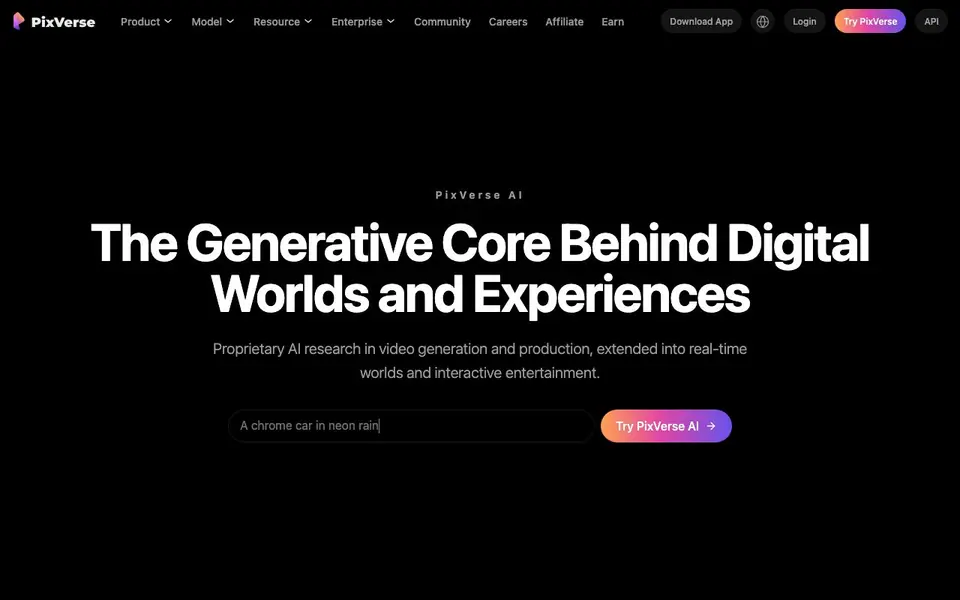
What is PixVerse?
PixVerse is a full-stack AI media generation platform built on proprietary video foundation models. It turns prompts or images into video clips, and extends into real-time interactive worlds. The platform includes several models, such as PixVerse V6, C1, and R2, each designed for different levels of cinematic control and production needs.
You start by typing a prompt or uploading an image. From there, you can use the Agent feature to describe changes and refine motion through conversation, or use Canvas to map out complex workflows with nodes. The Marketing Hub guides you through creating ready-to-use ads, and the CLI lets you generate videos from your terminal, keeping everything inside your existing tools.
PixVerse also offers features like Lip Sync for voice and sound, Character for consistent characters, and Mini-Apps for quick utilities. The website mentions cost efficiency and faster production, but does not list specific pricing plans. It serves teams and enterprises worldwide, with a community showcase of creator works.
PixVerse features
- Text & Image to Video: Prompt or image in, video out for quick clip generation.
- Agent: Describe changes and refine motion through natural conversation.
- Marketing Hub: Guided workflows for generating ready-to-use AI video ads.
- Canvas: Build and edit video workflows with a node-based graph.
- CLI: Generate videos from the terminal with prompts, ratios, and batches.
What you can do with PixVerse
- Create cinematic film shots from detailed text prompts.
- Generate e-commerce video ads from product images or URLs.
- Produce consistent characters across multiple video clips.
- Plan and rerun complex video production workflows visually.
How to get started with PixVerse
- Go to the PixVerse website and click Try PixVerse AI.
- Enter a text prompt or upload an image to start generating video.
- Use Agent, Canvas, or Marketing Hub for more guided or complex workflows.
Tips for better results with PixVerse
- Start with a detailed prompt that specifies subject, lighting, camera movement, and style to get the most cinematic results from PixVerse V6.
- Use the Agent feature to refine motion through conversation instead of rewriting prompts from scratch when you need precise adjustments.
- Plan complex productions in Canvas by connecting references and prompts visually, then rerun the workflow to keep consistency across clips.
- Generate batches from the terminal with the CLI to speed up testing different ratios and durations without switching between apps.
PixVerse pricing
PixVerse’s homepage does not list prices. Check pixverse.ai for current plans.
What to check before you rely on PixVerse
- Check whether your plan includes commercial rights for ads or client work, since the website does not state licensing terms.
- Verify if the free tier or trial has watermarks or length limits, as pricing and plan details are not listed on the site.
- Confirm that your team's data policies allow uploading proprietary images, because the platform's data retention and privacy terms are not disclosed.
Who PixVerse is for
PixVerse suits video creators, marketers, enterprise teams and developers. If that is not you, the AI video generators below may fit better.
Similar tools compared with PixVerse
| Tool | What it is | Pricing |
|---|---|---|
| PixVerse | AI video generation and production platform | See website |
| SiVideoGen | AI video generator with multiple models | Freemium |
| FreeSiTools | Free AI image prompt generator | Free |
| SiVideoAPI | Unified API for top AI video models | Freemium |
| Runway | AI video, image, and audio creation suite | Freemium |
PixVerse FAQ
What can I create with PixVerse?
You can create videos from text prompts or images, including cinematic clips, marketing ads, and character-driven content. The platform also supports lip sync, mini-apps, and node-based workflows for more complex productions.
Does PixVerse offer a free plan?
The website does not state whether a free plan exists. It highlights cost efficiency and lists API pricing per minute for models, but you would need to check the pricing or contact page for plan details.
Who is PixVerse for?
PixVerse is built for creators, marketers, and enterprise teams. It offers guided workflows for ads, a CLI for developers, and API access for teams shipping production-ready video workflows.
Can I use PixVerse from the command line?
Yes. The CLI lets you run prompts, references, output ratios, and batches from the terminal. This keeps your video workflow inside the tools your team already uses.
Can I use PixVerse on my phone or tablet?
PixVerse offers a downloadable app, as indicated by the 'Download App' link on its website. The website does not specify which mobile platforms are supported, so check the app store or the PixVerse site for details on iOS and Android availability.
Does PixVerse have an API for developers?
Yes, PixVerse provides an API for developers, as shown in the website's navigation menu. The website does not detail the API's capabilities or pricing, so visit the API section on pixverse.ai for documentation and access information.
What can I export from PixVerse, and can I connect it to other tools?
PixVerse lets you generate videos from prompts or images, and you can use the CLI to run batches and output ratios. The website does not mention specific export formats or integrations with other software. For details on exporting or connecting to external tools, check the PixVerse documentation or contact support.


