

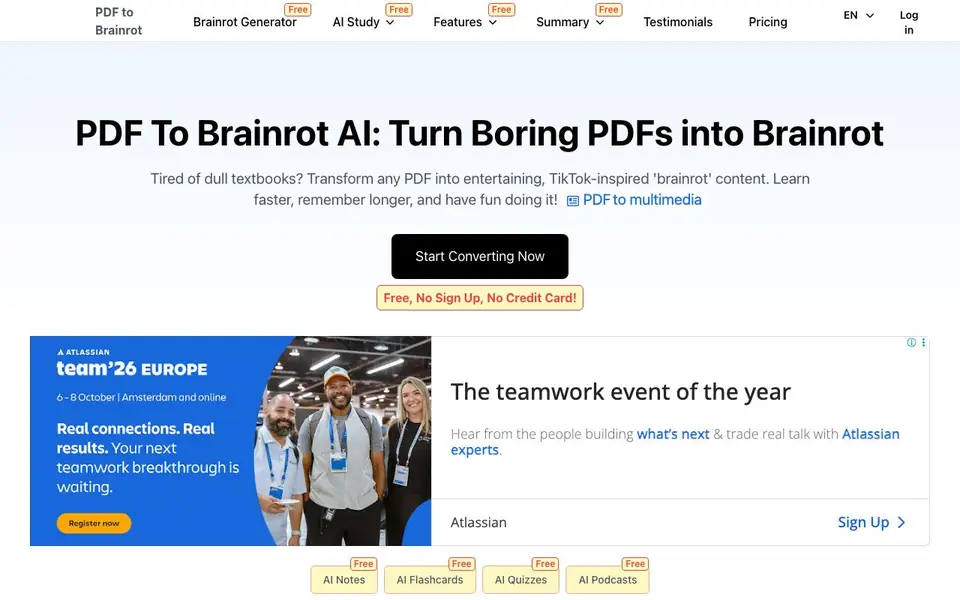
What is PDF To Brainrot?
PDF To Brainrot is an AI tool that converts PDFs into short, engaging TikTok-style videos. It targets students, teachers, and lifelong learners who want to make studying more entertaining. The tool also creates AI notes, flashcards, quizzes, and podcasts from your PDFs.
You upload a PDF or paste text, and the AI transforms it into a brainrot video in seconds. You can choose from video types like brainrot, raw, or quiz videos. The content is accessible on any device, so you can study or share it anywhere.
It suits students preparing for exams, teachers creating relatable content, and professionals making training materials. The website mentions a free plan with no sign-up or credit card required, plus paid pricing options.
PDF To Brainrot features
- Any PDF, Any Topic: Converts dense textbooks, research papers, or creative writing into engaging brainrot videos.
- Lightning-Fast Conversion: Turns PDFs into bite-sized videos in seconds, ideal for last-minute study sessions.
- Boost Retention with Brainrot: Uses an entertaining format to help you remember information longer.
- Learn Anywhere, Anytime: Access your converted content on smartphones, tablets, or desktops.
- Text to Brainrot: Paste lecture notes or web articles to transform them into scroll-worthy clips.
What you can do with PDF To Brainrot
- Convert a boring economics textbook into funny TikTok-style clips for exam prep.
- Create relatable brainrot videos to explain biology topics to your students.
- Turn lecture notes into quick study videos for on-the-go review.
- Make training materials or team-building quizzes for corporate workshops.
How to get started with PDF To Brainrot
- Go to the PDF To Brainrot website and click Start Converting Now.
- Upload your PDF or paste text into the tool.
- Choose your video type and let the AI generate your brainrot video.
Tips for better results with PDF To Brainrot
- Upload a clean, well-structured PDF with clear headings and short paragraphs, since dense or scanned text can confuse the AI and produce garbled video content.
- Choose the video type that matches your goal, such as quiz videos for self-testing or raw videos for straightforward review, to get the most useful output from PDF To Brainrot.
- Paste text directly instead of uploading a PDF when your source is a lecture note or web article, as PDF To Brainrot handles pasted text quickly and avoids formatting issues.
- Review the generated video for accuracy against your original PDF, since the AI may skip or oversimplify key details, and edit or regenerate if something important is missing.
PDF To Brainrot pricing
PDF To Brainrot has a free way to start, with paid plans for heavier use. Check pdftobrainrot.org for current limits and prices.
What to check before you rely on PDF To Brainrot
- Confirm what the free plan actually includes beyond the stated no-sign-up and no-credit-card claim, since the website does not list specific limits on video length, number of conversions, or features.
- Check whether your PDF contains sensitive or confidential information, because the website does not state how uploaded files are stored, processed, or deleted after conversion.
- Verify the output format and download options before relying on it for a class or work, as the website does not specify whether videos export in MP4, have watermarks, or support offline saving.
Who PDF To Brainrot is for
PDF To Brainrot suits students, teachers, lifelong learners and corporate trainers. If that is not you, the AI video generators below may fit better.
Similar tools compared with PDF To Brainrot
| Tool | What it is | Pricing |
|---|---|---|
| PDF To Brainrot | AI tool that turns PDFs into brainrot videos | Freemium |
| SiVideoGen | AI video generator with multiple models | Freemium |
| FreeSiTools | Free AI image prompt generator | Free |
| SiVideoAPI | Unified API for top AI video models | Freemium |
| Runway | AI video, image, and audio creation suite | Freemium |
PDF To Brainrot FAQ
What exactly is 'brainrot' content?
Brainrot content refers to short, engaging, and often humorous videos inspired by TikTok trends. It presents academic or informational material in a fun way that's easier to digest and remember.
Is PDF To Brainrot suitable for all subjects?
Yes. The algorithm adapts to any topic, including literature, biology, history, and advanced physics, creating fun and engaging brainrot videos for each.
What video types can I create?
You can choose from brainrot videos, raw videos, and quiz videos. The website shows examples of each type in its latest videos section.
Is there a free plan?
Yes, the website says it's free with no sign-up and no credit card required. It also lists paid pricing options, so there's a freemium model.
Can PDF To Brainrot export my videos or connect to other apps?
The PDF To Brainrot website does not mention any export options or integrations with other apps. You can access your converted content on any device, but for specific export or connection details, check the site's features or contact support.
Does PDF To Brainrot work on both iPhone and Android devices?
PDF To Brainrot is accessible on any device, including smartphones, tablets, and desktops, according to the website. It does not specify separate apps for iPhone or Android, but you can use it through a browser on those devices.
What does the free plan on PDF To Brainrot include exactly?
The free plan on PDF To Brainrot requires no sign-up or credit card, as stated on the site. It includes access to AI notes, flashcards, quizzes, and podcasts, along with video creation. For limits on usage or features, the website does not provide specifics, so check the pricing page for details.


