

What is PDF Guru?
PDF Guru is an online PDF editor that handles a wide range of document tasks without requiring any software installation. You can edit text directly in your PDFs, annotate files, add images or shapes, and fill out forms. It also includes a converter that supports formats like Word, Excel, JPG, PNG, and DWG, plus tools for compressing, merging, splitting, and rotating PDFs.
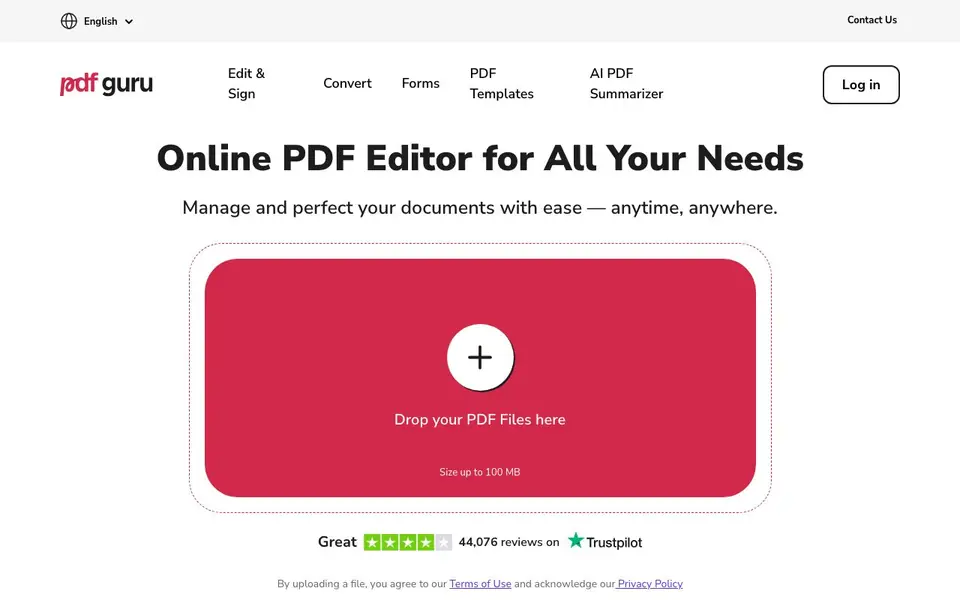
To get started, you upload a file up to 100 MB, and the tool works in your browser. You can click to edit text, highlight key information, or leave notes. For signing, there are three e-signature options. The platform also offers OCR for scanned documents, a PDF summarizer, and a book summarizer, along with translation and transcription tools.
PDF Guru is suited for anyone who regularly works with documents, from professionals to students. It reports 8 million monthly users across 180 countries. The website mentions a free first download, with subscription plans for continued use. It also states GDPR compliance and SSL encryption for file safety.
PDF Guru features
- Simple text editing: Click and type to fix typos or update form fields without conversions or extra steps.
- All-in-one editing suite: Highlight key info, add images, insert shapes, or leave notes to polish your PDF.
- Flexible file conversion: Switch between formats like Word, PPTX, or JPG without losing layout or structure.
- Built-in eSignature: Choose from three simple signing options to authorize documents in seconds.
- Fillable forms: Browse professional forms for tax, military, financial, and real estate needs, ready to fill and download.
What you can do with PDF Guru
- Edit text directly in a PDF without converting it to another format.
- Convert a PDF to Word or JPG while keeping the original layout intact.
- Sign a contract electronically using one of three e-signature options.
- Summarize a long PDF or book to quickly grasp the key points.
How to get started with PDF Guru
- Go to the PDF Guru website and upload your PDF file, up to 100 MB.
- Use the editing tools to click and type text, annotate, or add elements as needed.
- Download your first file for free, then choose a subscription plan for continued use.
Tips for better results with PDF Guru
- Upload files up to 100 MB directly in your browser, then click and type to fix typos or update form fields without converting the PDF first.
- Use PDF Guru's converter to switch between formats like Word, PPTX, or JPG, and check that the layout stays intact before you download the final file.
- Try PDF Guru's OCR on scanned documents to make text searchable and editable, which helps when you need to extract or revise information from a scan.
- For long documents, run PDF Guru's summarizer to get key points quickly, then review the summary against the original to ensure it captures what you need.
PDF Guru pricing
PDF Guru has a free way to start, with paid plans for heavier use. Check pdfguru.com for current limits and prices.
What to check before you rely on PDF Guru
- Check the free plan's limits: the website states a free first download, but does not specify how many files or pages you can process before needing a subscription.
- Verify the subscription pricing and renewal terms, as the website mentions plans but does not list exact prices or what features each tier includes.
- Confirm data handling for sensitive documents: the site claims GDPR compliance and SSL encryption, but does not state how long files are stored or if they are deleted after processing.
Who PDF Guru is for
PDF Guru suits professionals, students, office workers and small business owners. If that is not you, the AI productivity tools below may fit better.
Similar tools compared with PDF Guru
| Tool | What it is | Pricing |
|---|---|---|
| PDF Guru | Online PDF editor and converter | Freemium |
| Mem | AI chief of staff and workspace | See website |
| Reclaim | AI calendar for work and life | Freemium |
| Otter.ai | AI meeting notetaker and transcription tool | Freemium |
| Motion | AI-powered productivity and project platform | Free trial |
PDF Guru FAQ
What can I do with PDF Guru?
You can edit PDF text, annotate, compress, merge, split, rotate, and sign files. It also converts between formats like Word, Excel, JPG, and PNG, and offers OCR for scanned documents.
Is PDF Guru safe to use?
Yes. The website states it follows GDPR rules, uses SSL encryption for uploads, and protects files on servers with AES encryption. Your data is handled responsibly with your permission.
Is there a free plan?
PDF Guru lets you download your first file for free. After that, you need to choose one of the subscription plans to continue using the tool.
Do I need to install software?
No. PDF Guru works entirely in your browser. You upload a file and use the online tools without any installation or hassle.
Can PDF Guru export or convert PDFs to formats like Word, Excel, or JPG?
Yes, PDF Guru includes a converter that supports formats like Word, Excel, JPG, PNG, and DWG. You can switch between these formats while keeping your layout and structure. The website also mentions converting to and from PDF, so you can use it for both directions.
Does PDF Guru work on mobile devices or only on desktop browsers?
PDF Guru works in your browser without needing to install software, so you can use it on any device with a modern web browser, including smartphones and tablets. The website does not specify dedicated mobile apps, but the browser-based approach means it should function on mobile browsers as well.
What does the free plan of PDF Guru include, and are there any limits?
PDF Guru offers a free first download for any file you process. After that, you need a subscription to continue using the tool. The website does not list specific limits on file size or number of files for the free plan beyond the 100 MB upload size, so check the pricing page for details.


