

What is Parrot?
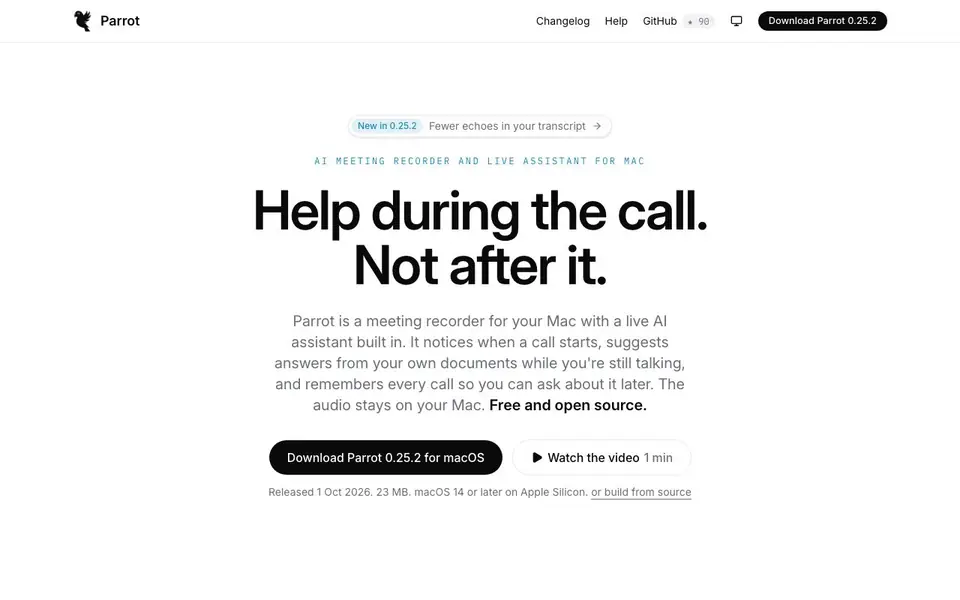
Parrot is a meeting recorder for your Mac with a built-in live AI assistant. It notices when a call starts, suggests answers from your own documents while you're still talking, and remembers every call so you can ask about it later. The audio stays on your Mac. It's free and open source.
You can prep for a call by typing a line or two before you hit record, so the Assistant knows who you're talking to. Your documents are already in play. Parrot records what your Mac already plays and hears, so no bot joins your meeting. Transcription, speaker detection, and your documents run on your own machine. Cloud transcription happens only if you switch it on.
Parrot works with anything that makes sound: Google Meet, Zoom, Teams, or a phone on speaker. When a call app starts, it asks whether to record. You can drop in your pricing sheet, FAQ, or playbook, and Parrot reads them on your Mac and answers from them on the call. It cites the website for each answer. You can choose to run the AI on your Mac with Ollama, or bring a key for Claude, OpenAI, Gemini, and more. Each choice says exactly what it sends.
Parrot features
- Live assistant: Suggests answers from your documents while you're still talking.
- On-device transcription: Transcribes and detects speakers on your Mac, keeping audio local.
- Knowledge base: Indexes PDF, text, or markdown files on your Mac and grounds answers in them.
- Profiles: Seven built-in profiles for sales, interviews, and more, with custom rules.
- Calendar integration: Picks a profile based on your calendar event type.
What you can do with Parrot
- Prep for a sales discovery call by briefing the assistant with context.
- Answer a hard question mid-call using your own documents.
- Handle an objection with suggested responses from your playbook.
- Ask about past calls to recall what was discussed.
How to get started with Parrot
- Download Parrot 0.25.2 for macOS from the website.
- Add your documents (PDF, text, or markdown) to the knowledge base.
- Type a brief line before a call, then hit record.
- Let Parrot transcribe and assist live during the call.
Tips for better results with Parrot
- Brief Parrot with a line or two about the person and topic before recording, so its live suggestions stay relevant from the first second of the call.
- Drop in your pricing sheet, FAQ, or playbook as PDF, text, or markdown files, and Parrot will ground answers in them and cite the exact source.
- Choose a profile that matches your call type, like sales or interview, so Parrot watches for the right cues and follows your standing coaching rules.
- Test Parrot with a phone call on speaker or a low-stakes meeting first, so you know how it handles your voice and documents before relying on it live.
- Keep your documents organized and up to date on your Mac, because Parrot indexes them locally and answers from what it finds there, not from memory.
- Use the pre-call brief to note open items from a previous meeting, and Parrot will start the next call with what still needs resolution.
Parrot pricing
Parrot is free to use according to its website.
What to check before you rely on Parrot
- Check that your Mac runs macOS 14 or later on Apple Silicon, because Parrot requires that and the website does not list support for older systems.
- Confirm your meeting app produces sound through your Mac, since Parrot records what your Mac plays and hears, and it may not capture calls on other devices.
- Review the privacy settings for cloud transcription and AI provider choices, because the website says audio stays local by default but does not detail every data flow.
- Verify that your documents are in PDF, text, or markdown format, as Parrot indexes those types and the website does not mention support for other file formats.
- Check the open source license and build options on GitHub if you plan to modify or self-host, since the website does not state all deployment or support details.
Who Parrot is for
Parrot suits sales professionals, interviewers, coaches and investors. If that is not you, the AI transcription tools below may fit better.
Similar tools compared with Parrot
| Tool | What it is | Pricing |
|---|---|---|
| Parrot | Free open-source AI meeting recorder for Mac | Free |
| Otter.ai | AI meeting notetaker and transcription tool | Freemium |
| Fireflies.ai | AI meeting assistant for transcription and notes | Freemium |
| Fathom | AI notetaker for online meetings | Freemium |
| Turboscribe | Unlimited audio and video transcription | Freemium |
Parrot FAQ
Is Parrot free?
Yes, Parrot is free and open source. You can download it for macOS from the website. There's no mention of a paid plan.
Does Parrot work with Zoom or Teams?
Yes, Parrot works with anything that makes sound, including Google Meet, Zoom, Teams, or a phone on speaker. It records what your Mac plays and hears.
Where does my audio and data go?
Audio stays on your Mac by default. Transcription and document indexing run locally. Cloud transcription only happens if you switch it on, and you can choose which AI provider sends data.
Can I use my own AI model?
Yes, you can run the AI on your Mac with Ollama, or bring a key for Claude, OpenAI, Gemini, Groq, OpenRouter, or LM Studio. Each choice shows exactly what it sends.
Does Parrot work on Windows or Linux?
Parrot is a Mac-only app. The website says it requires macOS 14 or later on Apple Silicon. It does not mention Windows or Linux versions. If you need to run it on another platform, check the GitHub repository for build instructions or updates.
Can Parrot export transcripts or notes to other apps?
The website does not mention exporting transcripts or notes to other apps. It focuses on recording, live assistance, and asking about past calls within the app. For specific export options, check the help section or changelog on the official site.
Does Parrot require an account to use?
No, Parrot does not require an account. The website states 'NO ACCOUNT' as a feature. You can download and use it without signing up. This applies to the free version, and there is no mention of a paid plan or account-based restrictions.


