

What is Paper Animator?
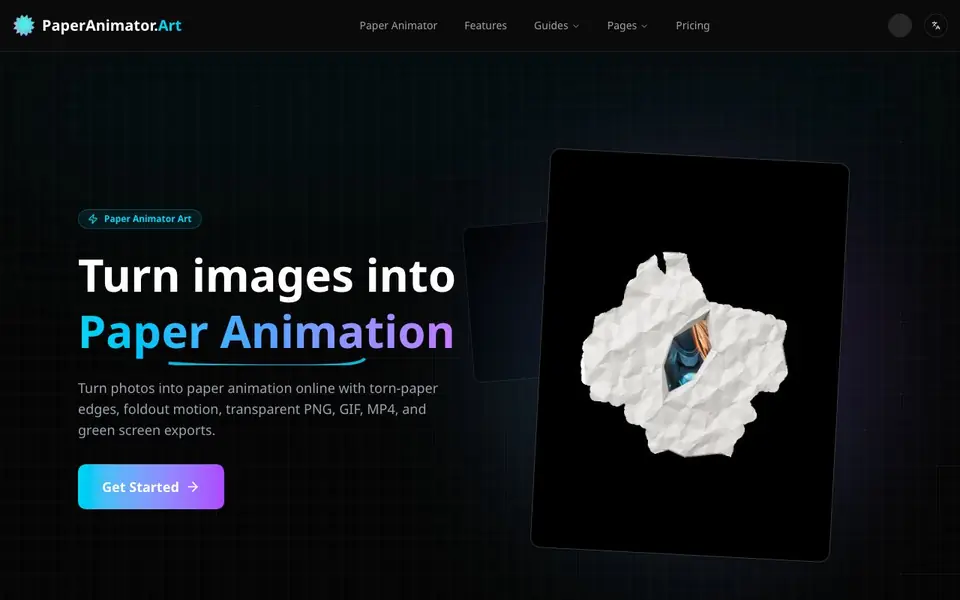
Paper Animator is an online tool that transforms your images into paper animation videos and graphics. It adds torn-paper edges, natural shadows, and a foldout motion effect that makes your subject look like a handcrafted paper cutout. You can export the result as a transparent PNG, looping GIF, MP4, or green screen video.
To use it, you upload a PNG or JPG image (up to 10MB). The AI removes the background automatically, then traces your subject and applies organic torn edges. You can customize edge thickness, details, animation size, and shadows. In one click you can switch between backgrounds like classic paper, pure white, transparent, or green screen, and preview before exporting.
It suits social media marketers, brand storytellers, product launch teams, and creators who need fresh visuals weekly. You can download crisp 1080p video or looping GIFs ready for Reels, TikTok, and Shorts. The green screen mode lets editors drop the animation into any timeline easily. The website does not mention pricing details.
Paper Animator features
- AI background removal: Removes the background from your image in seconds without manual cut-out work.
- Smart torn edge effect: AI applies organic, handcrafted-looking torn paper edges while keeping the main subject intact.
- Paper unfold animation: Simulates a crumpled sheet opening into shape with depth, bends, and tuned pacing.
- Customizable animation: Adjust edge thickness, details, animation size, and shadow to match your style.
- Multiple export formats: Download 1080p MP4, looping GIF, transparent PNG, or green screen video for editing.
What you can do with Paper Animator
- Turn product photos into scroll-stopping paper animation for social ads.
- Create brand storytelling visuals with tactile depth and layered shadows.
- Announce product launches with paper animation hero shots and crisp 1080p video.
- Generate fresh weekly content for Reels, TikTok, and Shorts without complex editing.
How to get started with Paper Animator
- Upload your image by dragging and dropping a PNG or JPG file (up to 10MB).
- Let the AI remove the background and apply torn paper edges and unfolding motion automatically.
- Choose your background and aspect ratio, then export as GIF or MP4.
Tips for better results with Paper Animator
- Upload a high-contrast PNG or JPG under 10MB so Paper Animator's AI can trace the subject cleanly and avoid merging it with the background.
- Adjust edge thickness and animation size before exporting to match your platform, since Paper Animator lets you fine-tune these for each use case.
- Preview the background switch between classic paper, white, transparent, or green screen in Paper Animator before exporting to avoid rework.
- Export a looping GIF for social posts and a 1080p MP4 for video timelines, using Paper Animator's green screen mode for easy editing.
- checks
Paper Animator pricing
Paper Animator’s homepage does not list prices. Check paperanimator.art for current plans.
What to check before you rely on Paper Animator
- Check the website for pricing details before committing, as it does not list any costs or plan limits for Paper Animator.
- Verify your image meets the 10MB size limit and PNG/JPG/WEBP format requirements, since larger or other formats may fail.
- Confirm the export formats you need are available in your chosen workflow, as the site lists GIF, MP4, transparent PNG, and green screen but not all options for every background.
Who Paper Animator is for
Paper Animator suits social media marketers, brand storytellers, product launch teams and content creators. If that is not you, the AI video generators below may fit better.
Similar tools compared with Paper Animator
| Tool | What it is | Pricing |
|---|---|---|
| Paper Animator | AI paper animation and video maker | See website |
| SiVideoGen | AI video generator with multiple models | Freemium |
| FreeSiTools | Free AI image prompt generator | Free |
| SiVideoAPI | Unified API for top AI video models | Freemium |
| Runway | AI video, image, and audio creation suite | Freemium |
Paper Animator FAQ
What is Paper Animator?
Paper Animator is an AI-powered online studio that transforms your images into paper animation with torn-paper depth. It creates tactile, handcrafted-looking visuals ready for campaigns and social posts.
What formats can I export?
You can export paper animation as 1080p MP4, looping GIF, or PNG. The tool also preserves clean edges for transparent or green screen outputs, which are useful for video editing.
What can I use paper animation for?
Creators use it for social ads, launch teasers, product spotlights, and storytelling posts. The tactile depth makes people pause and notice the content in fast-moving feeds.
How does the torn edge look work?
The AI maps your subject, applies organic torn edges, and balances shadows to keep the paper animation believable. The website does not state the exact technical process in more detail.
Does Paper Animator require an account to use?
The Paper Animator website does not mention whether you need to create an account to use the tool. To find out, check the site's sign-up or login options, or try using the tool directly to see if it prompts you for an account.
Can I use Paper Animator on my mobile device or tablet?
Paper Animator is an online tool, so it likely works in a web browser on any device, but the website does not specifically mention mobile or tablet support. For the best experience, try accessing it from your device's browser to see if it functions properly.
What does the free plan of Paper Animator include?
The Paper Animator website does not mention any pricing or free plan details. To learn about what's included at no cost, check the pricing page or contact support, as this information is not currently stated on the site.


