

What is O.Translator?
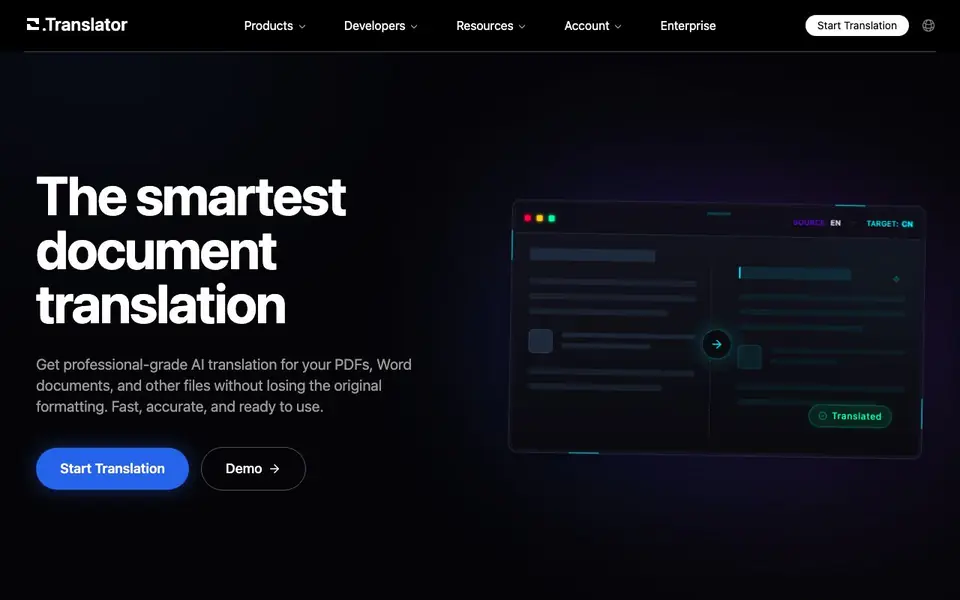
O.Translator is an online document translation service that focuses on preserving the original layout of your files. It supports PDF, Word (DOCX), Excel (XLSX), EPUB, and many other formats. The tool uses AI to understand context, aiming for translations that feel natural and professional, similar to human expert work.
You start by uploading your document. You can preview the translated layout before paying, which lets you check the quality first. The service supports custom term bases, so you can keep brand language and professional terminology consistent across projects. It also offers team collaboration features, allowing multiple members to share translation projects and term bases.
The platform reports over 2 million global users and more than 4 million translated documents. It supports over 100 languages and 50 file formats. For security, documents are transmitted with end-to-end encryption and stored in a private cloud. Pricing is competitive, with up to 20,000 words per 1 USD, but the site does not list specific plan details.
O.Translator features
- Context-aware AI translation: Produces natural, fluent translations by understanding the document's context.
- Format preservation: Keeps the original layout of PDFs, Word files, and other documents intact.
- Custom term bases: Lets you manage terminology for consistent brand and professional language.
- Preview before payment: Shows translation results first, so you pay only if satisfied.
- Team collaboration: Allows multiple members to share projects and term bases for efficient work.
What you can do with O.Translator
- Translate business documents like contracts and reports while keeping their layout.
- Localize marketing materials such as brochures and presentations into multiple languages.
- Convert academic papers or research PDFs into another language for wider reach.
- Collaborate with a team to translate large projects with consistent terminology.
How to get started with O.Translator
- Go to the website and click Start Translation.
- Upload your PDF, Word, Excel, or EPUB file.
- Choose your target language and preview the translated layout before paying.
Tips for better results with O.Translator
- Upload a sample file with complex layout to preview the translated result before paying, so you can verify format preservation and translation quality firsthand.
- Build a custom term base in O.Translator before starting a large project to keep brand names and technical terms consistent across all translated documents.
- Use O.Translator's preview feature to check the translated layout on a short section first, then adjust your source file if any elements break or shift.
- Share your term base and project with team members in O.Translator to streamline collaboration and avoid rework when multiple people handle different parts of a document.
O.Translator pricing
O.Translator’s homepage does not list prices. Check otranslator.com for current plans.
What to check before you rely on O.Translator
- Check whether your file size and page count fit within the supported limits, since the website does not state maximum upload sizes or page restrictions.
- Verify if O.Translator supports your specific file version, such as older DOCX or PDF formats, because the site lists formats but not version compatibility.
- Confirm the privacy policy for document storage duration and deletion options, as the site mentions encryption but not how long files are retained after translation.
Who O.Translator is for
O.Translator suits business professionals, translators, international teams and researchers. If that is not you, the AI translation tools below may fit better.
Similar tools compared with O.Translator
| Tool | What it is | Pricing |
|---|---|---|
| O.Translator | AI document translator preserving original layout | See website |
| DeepL | AI translation platform for text, voice, and documents | Freemium |
| Wordtune | AI writing and paraphrasing assistant | Freemium |
| AI Manga Translator | AI manga and comic translator | Freemium |
| AI Manga Translator | AI manga and comic image translator | Freemium |
O.Translator FAQ
What file formats and sizes are supported?
The site mentions support for PDF, Word (DOCX), Excel (XLSX), EPUB, and over 50 file formats. It does not specify maximum file size limits, so check the upload page for details.
Which languages do you support?
O.Translator supports over 100 languages, including English, Simplified Chinese, Japanese, Korean, Spanish, Russian, and Ukrainian. You can select your target language during the translation process.
Does it support translation of scanned PDFs or images?
The FAQ section lists a question about scanned PDFs or images, but the visible text does not provide a direct answer. You may need to contact support or check the demo page for this feature.
What is your pricing strategy?
The site states pricing is highly cost-effective, with up to 20,000 words per 1 USD. It also offers a preview-first model where you pay only after seeing results. Specific plan details are not listed on the homepage.
Can O.Translator export translated documents to the same file format as the original?
O.Translator preserves the original layout of your files, so translated PDFs, Word documents, and other supported formats keep their structure. The website does not specify whether you can export to a different format than the original, so check the tool's interface or contact support for details.
Does O.Translator require creating an account to use the service?
O.Translator's website does not explicitly state whether an account is required to start a translation. You can upload a document and preview the translated layout before paying, but the site does not mention if this requires registration. Check the tool's upload page or sign-up flow for clarification.
Can O.Translator handle audio files for translation?
O.Translator supports over 50 file formats, including PDF, Word, Excel, and EPUB, and its demo mentions audio as a format. The website does not list specific audio file types, so verify supported audio formats on the tool's documentation or demo page before uploading.


