

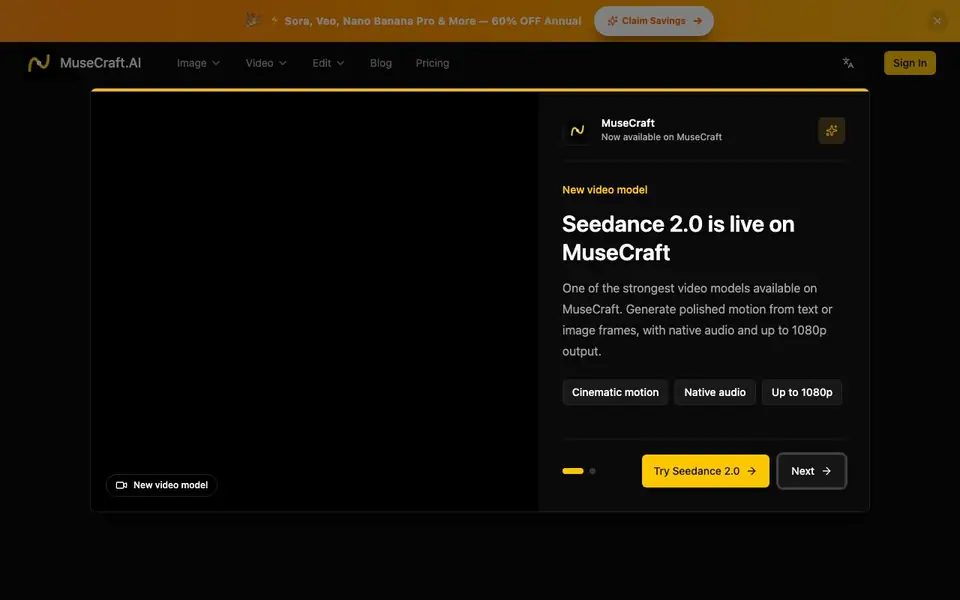
What is MuseCraft?
MuseCraft is an all-in-one AI creative platform that brings together top models like Flux, Sora, Kling, and Veo. You can generate images from text, create cinematic videos from prompts, animate static photos, and edit with tools like background removal and skin enhancement. Instead of juggling multiple subscriptions, you get everything under one roof with a unified credit system.
To get started, you sign in and pick a model from the 15+ available. You type a text prompt for an image or video, or upload a reference image for style transfer or animation. The platform handles the generation quickly, and you can edit results with one-click tools like background removal or skin retouching. Credits work across all models, so you don't need separate plans.
MuseCraft suits creators, designers, and marketers who want professional-quality visuals without managing multiple AI tools. The website highlights testimonials from e-commerce owners, bloggers, and freelancers who save money and time. It mentions a free trial and a 60% discount on annual plans, but doesn't specify exact pricing or credit costs on the homepage.
MuseCraft features
- Text to Image: Generate stunning images from text descriptions using models like Flux and Seedream.
- Text to Video: Create cinematic videos from text prompts with Sora, Runway, Kling, and other leading video AI.
- Image to Video: Animate your static images into dynamic videos with smooth motion and camera control.
- Background Removal: Remove backgrounds from any image with one click, perfect for product photos.
- Skin Enhancer: Retouch portraits naturally with AI, restoring skin texture without looking fake.
What you can do with MuseCraft
- Create product photos with clean backgrounds for your e-commerce store.
- Turn a text story into a cinematic video for social media or marketing.
- Animate a static portrait or illustration into a dynamic clip.
- Retouch client portraits for studio-quality commercial use.
How to get started with MuseCraft
- Sign in to MuseCraft and choose a model from the 15+ available.
- Enter a text prompt or upload an image to generate or animate.
- Use the unified credits to pay for generations and edit with one-click tools.
Tips for better results with MuseCraft
- Pick the specific model that matches your task, like Flux for images or Kling for video, since MuseCraft offers 15+ options with different strengths.
- Write detailed prompts with subject, style, lighting, and camera movement to get the best results from MuseCraft's text-to-image and text-to-video tools.
- Use MuseCraft's one-click background remover and skin enhancer after generating, so you can polish product photos or portraits without switching tools.
- Test different models on the same prompt in MuseCraft to compare outputs, since each AI engine handles style and motion differently.
MuseCraft pricing
MuseCraft has a free way to start, with paid plans for heavier use. Check musecraft.ai for current limits and prices.
What to check before you rely on MuseCraft
- Check the pricing page for exact credit costs and what the free trial includes, since the homepage mentions a trial and 60% discount but lists no specific prices.
- Verify which models are actually available on your plan, because MuseCraft lists 15+ but the homepage doesn't state model access per tier.
- Confirm export formats and resolution limits for images and videos before relying on MuseCraft for client work, as the site doesn't specify these details.
Who MuseCraft is for
MuseCraft suits e-commerce owners, social media managers, freelance designers and digital artists. If that is not you, the AI video generators below may fit better.
Similar tools compared with MuseCraft
| Tool | What it is | Pricing |
|---|---|---|
| MuseCraft | All-in-one AI video and image creation platform | Freemium |
| SiVideoGen | AI video generator with multiple models | Freemium |
| FreeSiTools | Free AI image prompt generator | Free |
| SiVideoAPI | Unified API for top AI video models | Freemium |
| Runway | AI video, image, and audio creation suite | Freemium |
MuseCraft FAQ
What is MuseCraft?
MuseCraft is an all-in-one AI creative platform that integrates top models like Flux, Sora, Kling, and Veo. You can generate images and videos, animate photos, and edit with tools like background removal and skin enhancement, all in one place.
Do I need technical skills to use MuseCraft?
No, MuseCraft is designed for easy use. You just type a text prompt or upload an image, and the platform handles the generation. The website emphasizes a simple workflow, so even beginners can create professional-quality visuals without coding or technical knowledge.
Which models are available on MuseCraft?
MuseCraft offers 15+ models including Flux, Sora, Kling, Veo, Seedream, Nano Banana Pro, and Hailuo. Specific versions mentioned include Kling 2.6, Sora 2, Veo 3.1, and Flux 2 Pro. The exact list may change, so check the platform for the latest.
Is there a free trial?
Yes, the website mentions a free trial is available. It also advertises a 60% discount on annual plans. However, the homepage doesn't specify how many credits you get in the trial or what the paid plans cost, so you'd need to check the pricing page for details.
Can I use MuseCraft on my phone or tablet?
MuseCraft is a web-based platform, so you can access it through a browser on any device with internet, including phones and tablets. The website does not mention dedicated mobile apps, so for the best experience, use a modern web browser on your device.
What can I export from MuseCraft and where can I share my creations?
MuseCraft lets you generate images and videos, and you can download them to your device. The website does not list specific export formats or direct sharing integrations with social media platforms. For details on export options, check the platform's help or support section after signing in.
Does MuseCraft have a free plan or only a trial?
MuseCraft is freemium, meaning there is a free tier with limited credits, and you can also try it with a free trial. The website mentions a free trial and a 60% discount on annual plans, but it does not specify exact free credit amounts or trial duration. Check the pricing page for current details.


