

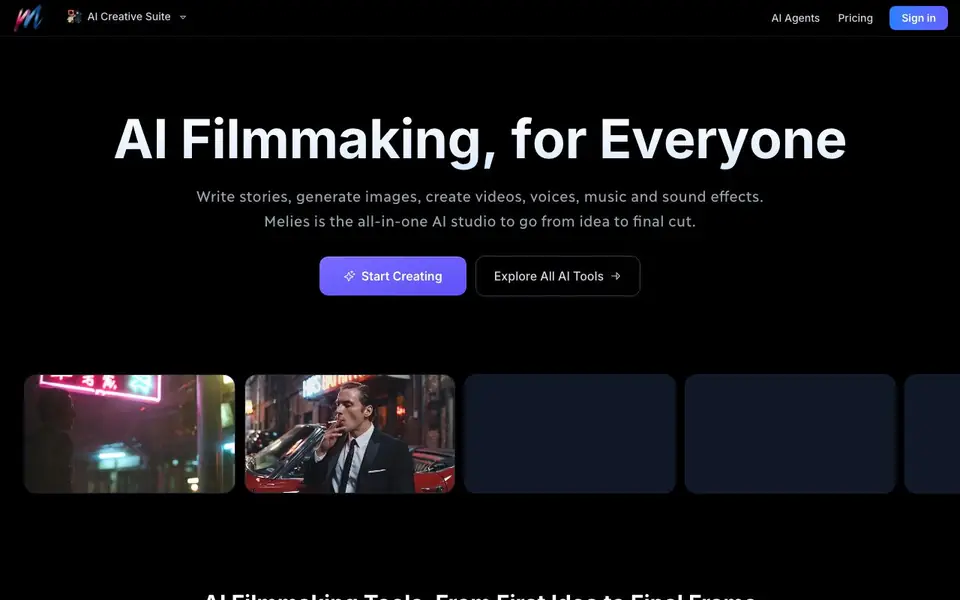
What is Melies AI?
Melies is an all-in-one AI studio for filmmakers. You can write stories, generate images, create videos, add voices, music, and sound effects. It brings together 42 focused tools and 30+ AI models, so you can move from your first idea to a finished film in one place.
You start by writing or importing a story, then storyboard and cast characters. Melies offers a library of 150+ ready-to-use AI actors, or you can train custom characters from a single photo. These actors stay consistent across images, videos, and movie posters. You can direct every detail, like expressions, camera angles, lighting, weather, and art style.
You can turn any image into a cinematic video clip with one click, using models like Kling, Runway, Luma, and Hailuo. A curated library of 220+ visual styles lets you apply anime, cinematic, cartoon, or minimalist looks. For developers, Melies offers a CLI toolkit that works with agents like Claude Code, Cursor, and GitHub Copilot.
Melies AI features
- AI image generator: Create images with top AI models like FLUX, Luma, and Recraft.
- AI video generator: Turn images or text into cinematic clips up to 10 seconds long.
- AI movie poster generator: Make professional posters in any style with AI.
- 150+ AI actors: Use ready-made actors or train custom ones from a single photo.
- Character consistency: Keep the same face and identity across every scene and format.
What you can do with Melies AI
- Write a short film script and generate matching visuals.
- Create a consistent cast of characters for a web series.
- Produce a movie poster for your indie film project.
- Turn a still image into a short cinematic video clip.
How to get started with Melies AI
- Sign in or create an account on Melies' website.
- Choose a tool like the AI image or video generator to start your project.
- Write a story, pick an actor, apply a style, and generate your first asset.
Tips for better results with Melies AI
- Start by writing or importing a full story in Melies, then storyboard and cast characters before generating visuals to keep scenes coherent and save rework.
- Train a custom actor from a single clear, front-facing photo in Melies, then reuse that actor across images, videos, and posters to maintain consistent identity.
- Use Melies' visual style library to apply a specific look like anime or cinematic to your images, then stick with that style throughout your project for a unified feel.
- Turn a still image into a video clip in Melies by selecting a model like Kling or Runway, and adjust camera movement and duration to match your intended shot.
Melies AI pricing
Melies AI’s homepage does not list prices. Check melies.co for current plans.
What to check before you rely on Melies AI
- Check whether Melies offers a free tier or trial, since the website does not list any pricing or plan details, so you may need to contact support.
- Verify the export formats and resolution for images and videos, as the site does not specify file types or quality limits beyond 10-second clips.
- Review the data and privacy policy for uploaded photos and stories, especially if you train custom actors, because the site does not state how your content is handled.
Who Melies AI is for
Melies AI suits indie filmmakers, content creators, video editors and AI enthusiasts. If that is not you, the AI video generators below may fit better.
Similar tools compared with Melies AI
| Tool | What it is | Pricing |
|---|---|---|
| Melies AI | All-in-one AI filmmaking studio | See website |
| SiVideoGen | AI video generator with multiple models | Freemium |
| FreeSiTools | Free AI image prompt generator | Free |
| SiVideoAPI | Unified API for top AI video models | Freemium |
| Runway | AI video, image, and audio creation suite | Freemium |
Melies AI FAQ
What is Melies?
Melies is an all-in-one AI studio for filmmaking. You can write stories, generate images and videos, add voices and music, and edit everything in one place. It is designed for indie filmmakers and creators who want to produce movies without a big studio.
What AI models does Melies use?
Melies integrates with 30+ leading AI models, including FLUX, Kling, Runway, Luma, Veo, Sora, and ElevenLabs for voice. You can compare models and choose the best one for each task, like image generation, video creation, or voiceover.
Is Melies free to use?
The website does not state whether Melies has a free plan. It mentions choosing a plan and viewing pricing, but the details are not listed on the homepage. You would need to check the pricing page on their site for current options.
Can I use AI-generated content commercially?
The FAQ section on Melies' website includes a question about commercial use, but the answer is not shown. You should visit their FAQ or contact support to get the specific terms for commercial usage.
Can Melies AI export my finished film or project files?
The Melies AI website does not mention specific export formats or file types for completed projects. It focuses on creating and editing within the platform. To learn about export options, check the tool's documentation or contact support through the site.
Does Melies AI require an account to use its tools?
The Melies AI website does not state whether an account is required to access its tools. Since it offers a sign-in option and pricing is not listed, you likely need an account to start creating. Check the sign-up flow on the site for the most accurate details.
Can Melies AI be used on mobile devices or only on desktop?
The Melies AI website does not specify device compatibility. It mentions a CLI toolkit for developers, which suggests desktop use, but it does not confirm mobile support. For the latest information, visit the site or check their help resources.


