

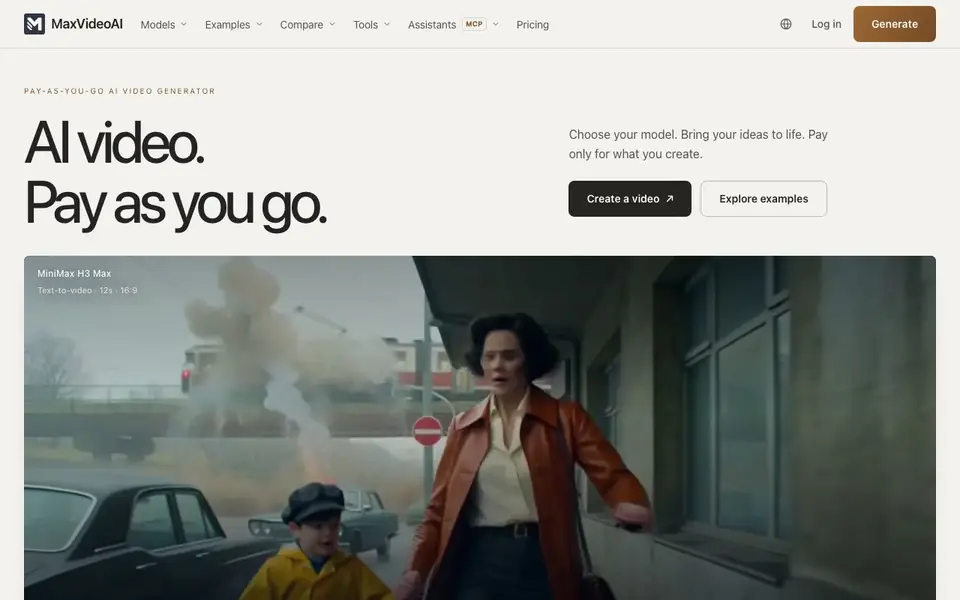
What is MaxVideoAI?
MaxVideoAI is a pay-as-you-go AI video generator that lets you choose from leading models like MiniMax H3, Seedance 2.5, Kling 3 Pro, Veo 3.1, LTX 2.5 Pro, Wan 3, and Happy Horse. You see the live price before generating, and you only pay for successful videos. There is no subscription, so you control your costs.
You start by describing a scene, creating an image, or bringing your own references. Then you pick a model and shape the result in one workspace. You can also create images and audio alongside your videos. The platform shows real examples and lets you compare models side-by-side before you commit.
MaxVideoAI also connects with AI assistants like Claude, ChatGPT, Codex, and OpenClaw through MCP. You can turn a conversation into a video, review the price, approve the generation, and find the result in your workspace. It suits creators who want flexibility and transparency in AI video production.
MaxVideoAI features
- Live pricing: See the exact cost to generate a video before you commit.
- Pay only for success: You are charged only for videos that generate successfully.
- Model comparison: Compare engines like Kling, Seedance, and Veo side-by-side.
- Character Builder: Create consistent characters for your video projects.
- Assistant integration: Generate videos through Claude, ChatGPT, Codex, or OpenClaw via MCP.
What you can do with MaxVideoAI
- Turn a text description into a short video clip.
- Create a starting image and animate it into a video.
- Build a character and use it across multiple scenes.
- Compare different AI models on the same prompt before generating.
How to get started with MaxVideoAI
- Choose a model from the list or compare options first.
- Describe your scene, upload an image, or create one in the workspace.
- Review the live price and generate your video.
Tips for better results with MaxVideoAI
- Start with a detailed scene description or a reference image you create in MaxVideoAI, then compare two models side-by-side on the same prompt to see which style fits your project before paying.
- Use MaxVideoAI's Character Builder to lock in a consistent character across multiple scenes, then reuse that character with different models to test which one renders them most reliably.
- Review the live price shown before you generate, and if the cost feels high, try shortening the scene description or switching to a cheaper model like LTX 2.5 Pro to bring the price down.
- When you work through an assistant like Claude or ChatGPT via MCP, approve the generation only after checking the price in MaxVideoAI, then locate the finished video in your workspace to verify it matches your intent.
MaxVideoAI pricing
MaxVideoAI is a paid product. Check maxvideoai.com for current plans and whether a demo or trial is offered.
What to check before you rely on MaxVideoAI
- Check the pricing page for per-second or per-video rates, since the site shows example costs but does not list a full rate card for every model and duration.
- Verify which output resolutions and formats each model supports, as the website mentions specs and pricing links but does not state export options directly.
- Confirm your data and privacy policy by reading the Legal Center, because the homepage does not explain how your prompts, images, or generated videos are stored or used.
Who MaxVideoAI is for
MaxVideoAI suits Video creators, Content marketers, AI enthusiasts and Agencies. If that is not you, the AI video generators below may fit better.
Similar tools compared with MaxVideoAI
| Tool | What it is | Pricing |
|---|---|---|
| MaxVideoAI | Pay-as-you-go AI video generator | Paid |
| SiVideoGen | AI video generator with multiple models | Freemium |
| FreeSiTools | Free AI image prompt generator | Free |
| SiVideoAPI | Unified API for top AI video models | Freemium |
| Runway | AI video, image, and audio creation suite | Freemium |
MaxVideoAI FAQ
How does pricing work?
MaxVideoAI is pay-as-you-go. You see the cost before generating, and you only pay for successful generations. There is no subscription required.
Which AI models can I use?
You can choose from models like MiniMax H3, Seedance 2.5, Kling 3 Pro, Veo 3.1, LTX 2.5 Pro, Wan 3, and Happy Horse. The site lists all available models.
Can I use my own images or clips?
Yes, you can bring your own references, create a starting image in the workspace, or describe a scene. You can also turn an existing clip into a new video.
Can I generate videos with my AI assistant?
Yes, MaxVideoAI connects with Claude, ChatGPT, Codex, and OpenClaw through MCP. You can turn a conversation into a video, approve the price, and find the result in your workspace.
What video formats and export options does MaxVideoAI support?
The MaxVideoAI website does not specify the exact export formats or resolutions available for your generated videos. To find this information, check the platform's documentation or contact their support team directly.
Does MaxVideoAI work on mobile devices or only on desktop?
The MaxVideoAI website does not mention whether it is available on mobile devices or only on desktop. You can try accessing the platform from your mobile browser to see if it works, or check their documentation for more details.
Can I use MaxVideoAI without creating an account?
The MaxVideoAI website does not state whether you can use the platform without an account. Typically, you need to log in to manage your credits and videos, but you should check the sign-up process or contact support to confirm.


