

What is Mango AI?
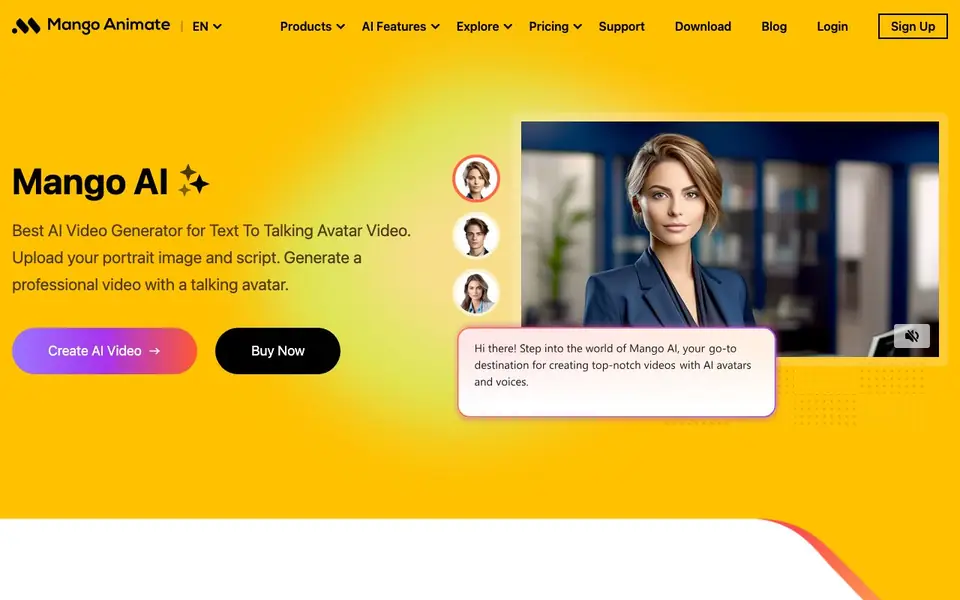
Mango AI is a video generator that creates talking avatar videos from a portrait image and a script. You upload a photo, type your script, and the tool produces a video where the avatar speaks with AI voice. It also offers face swap, image-to-video, and fun tools like talking animals or singing photos.
To start, you provide a portrait image and a script. The AI generates a video with a talking avatar that delivers your message. You can choose from various video tools like Talking Photo, Image to Video, or Video Face Swap. The process is designed to be quick and simple, saving you time compared to traditional video production.
It suits marketers, teachers, designers, and anyone needing explainer videos, training videos, or personalized content. The website mentions budget-friendly costs and ease of use, but does not specify exact pricing or free plan details. You can explore templates for business, education, and personal projects.
Mango AI features
- Talking Photo: Turn a static portrait into a video where the person speaks your script.
- Talking Animals: Make animal images talk with AI-generated voices for fun or creative content.
- Image to Video: Convert still images into animated video scenes with motion.
- Video Face Swap: Swap faces in videos with AI for creative or practical effects.
- AI Dance Generator: Create videos of avatars dancing, adding entertainment value.
What you can do with Mango AI
- Create explainer videos for your business with a virtual spokesperson.
- Make training videos for employees using AI avatars.
- Generate educational videos for students with talking avatars.
- Produce personalized videos for personal storytelling or social media.
How to get started with Mango AI
- Upload a portrait image of yourself or choose an avatar.
- Type or paste your script for the avatar to speak.
- Generate the video and download or share it.
Tips for better results with Mango AI
- Start with a clear, well-lit portrait photo where the face is fully visible, and write a concise script to get the most accurate talking avatar video from Mango AI.
- Experiment with Mango AI's different video tools like Talking Photo, Image to Video, and Video Face Swap to see which one best matches your project's goal before committing to a final render.
- Use the built-in templates for business, education, or personal projects as a starting point, then customize the script and avatar to save time and improve the relevance of your Mango AI output.
- Review your generated Mango AI video carefully for lip-sync accuracy and voice clarity, and re-generate with adjusted scripts or images if the result doesn't meet your expectations.
Mango AI pricing
Mango AI’s homepage does not list prices. Check mangoanimate.com for current plans.
What to check before you rely on Mango AI
- Check whether Mango AI offers a free plan or trial, as the website does not state any pricing details or free tier information.
- Verify the export formats and resolution options for your generated videos, since the website does not list supported output files or quality settings.
- Review the privacy policy to understand how your uploaded portrait images and scripts are stored or used, as the website does not clearly explain data handling practices.
Who Mango AI is for
Mango AI suits marketers, teachers, designers and business owners. If that is not you, the AI video generators below may fit better.
Similar tools compared with Mango AI
| Tool | What it is | Pricing |
|---|---|---|
| Mango AI | AI video maker with talking avatars | See website |
| SiVideoGen | AI video generator with multiple models | Freemium |
| FreeSiTools | Free AI image prompt generator | Free |
| SiVideoAPI | Unified API for top AI video models | Freemium |
| Runway | AI video, image, and audio creation suite | Freemium |
Mango AI FAQ
What does Mango AI do?
Mango AI creates videos with talking avatars. You provide a portrait photo and a script, and it generates a video where the avatar speaks with AI voice. It also offers face swap and image-to-video tools.
Is Mango AI free?
The website does not state whether Mango AI has a free plan or trial. It mentions budget-friendly costs, but you need to check the pricing page or contact support for exact details.
Who is Mango AI for?
It is for anyone needing video content, including marketers, teachers, designers, and individuals. It helps create business videos, educational content, and personal videos with AI avatars.
Can I use my own photo?
Yes, you can upload your portrait image to generate a personalized digital avatar. The tool then uses that avatar to speak your script, saving time and resources.
What video formats and resolutions can Mango AI export?
The Mango AI website does not specify the exact video formats or resolutions it can export. To find this information, check the platform's support center or contact their support team directly for details on output options.
Does Mango AI offer a free plan or trial?
The Mango AI website mentions budget-friendly costs but does not provide specific details about a free plan or trial. To know if a free tier exists, visit the pricing page on the site or reach out to their support for clarification.
Can I use Mango AI on a mobile device or desktop app?
The Mango AI website does not mention a dedicated mobile app or desktop software. It appears to be a web-based tool, so you can likely use it through a browser on various devices. For confirmed platform support, check the site's support center.


