

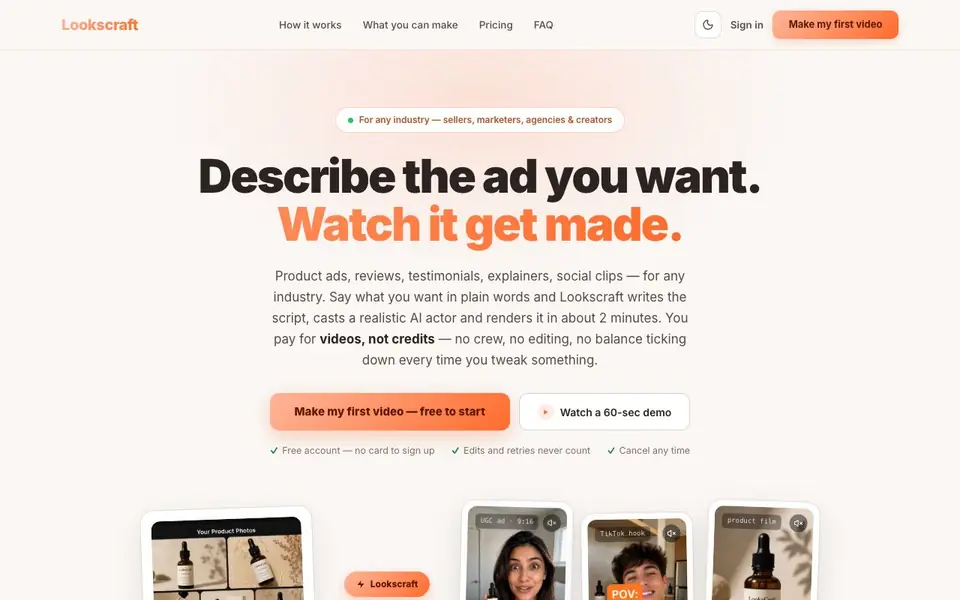
What is LooksCraft?
LooksCraft is an all-in-one canvas for creating AI-generated UGC videos, product images, and voiceovers. You describe the ad you want in plain words, and it writes the script, casts a realistic AI actor, and renders the video in about two minutes. It works for sellers, marketers, agencies, and creators across any industry.
You start by saying what you want, like "3 TikTok ads for my coffee mug," and paste a product link or photo. LooksCraft picks the models, casts the actor, writes the script, and shows you the plan and cost before anything runs. After generation, you can download or ask for changes like "make the hook punchier" or "translate it to Spanish," and it redoes only that part.
The platform includes a library of realistic AI presenters, ready-made ad templates, and built-in editing tools for captions, trimming, reframing, music, and translation. It supports 96 models, including Veo 3, Sora 2, Kling 3.0, ElevenLabs, Imagen 4, and Suno. You pay for videos, not credits, and edits, trims, captions, and retries never count against your plan. A free account is available with no card required.
LooksCraft features
- Plain-language briefs: Describe your ad in words, and LooksCraft writes the script and picks the actor.
- Actor library: Choose from realistic AI presenters filtered by look, age, and setting like gym or cafe.
- Product photography: Generate studio-quality shots in any scene or style, from white backgrounds to hands.
- Voiceover and lip sync: Natural voice in any language, synced to your actor automatically.
- Edit by description: Ask for changes like swapping music or cutting seconds, and only that part is redone.
What you can do with LooksCraft
- Create product ads for your e-commerce store in minutes.
- Produce realistic customer reviews and testimonials for your brand.
- Generate explainer videos for your service without hiring a crew.
- Make social media clips for TikTok or Instagram with captions and music.
How to get started with LooksCraft
- Sign up for a free account — no card required.
- Describe the ad you want, like "3 TikTok ads for my coffee mug," and paste a product link or photo.
- Review the plan and cost, press Generate, then download or ask for changes.
Tips for better results with LooksCraft
- Start with a clear, specific brief like '3 TikTok ads for my coffee mug' and paste a product link or photo to give LooksCraft the context it needs for better results.
- Review the plan and cost shown before generating, then use LooksCraft's edit-by-description feature to tweak only the part you want changed, like the hook or music.
- Pick an actor from LooksCraft's library that matches your brand's vibe, filtering by look, age, and setting, to make the video feel more authentic and targeted.
- Use LooksCraft's ready-made templates for common ad types like UGC reviews or unboxings, then swap in your product to save time and get a proven structure.
LooksCraft pricing
LooksCraft has a free way to start, with paid plans for heavier use. Check lookscraft.com for current limits and prices.
What to check before you rely on LooksCraft
- Check if the free plan includes enough video generations for your needs, since the website lists it as freemium but doesn't state specific limits.
- Verify the pricing for paid plans, as LooksCraft says you pay per video but doesn't list exact prices on the page.
- Confirm your data and privacy terms, because the website doesn't explain how your product photos or briefs are handled or stored.
Who LooksCraft is for
LooksCraft suits sellers, marketers, agencies and creators. If that is not you, the AI video generators below may fit better.
Similar tools compared with LooksCraft
| Tool | What it is | Pricing |
|---|---|---|
| LooksCraft | AI UGC video and product image maker | Freemium |
| SiVideoGen | AI video generator with multiple models | Freemium |
| FreeSiTools | Free AI image prompt generator | Free |
| SiVideoAPI | Unified API for top AI video models | Freemium |
| Runway | AI video, image, and audio creation suite | Freemium |
LooksCraft FAQ
How does LooksCraft pricing work?
You pay for videos, not credits. Plans start at $16 per month for 8 video generations and 100 product photos, with higher tiers for more volume. Edits, trims, captions, and retries never count against your plan. A free account is available to start.
What can I create with LooksCraft?
You can make UGC video ads, reviews, testimonials, explainers, product photos, voiceovers, and music. All are generated together so they match your brand. You can also edit videos by describing changes like trimming, translating, or adding captions.
Who is LooksCraft for?
It's built for sellers, marketers, agencies, and creators who need product ads or social content. You don't need video editing skills — you just describe what you want, and LooksCraft handles the script, actor, voice, and rendering.
Does LooksCraft offer a free plan?
Yes, you can sign up for a free account with no card. The website says "free to start" and includes a free account option, but it doesn't specify exactly what the free plan includes. Check the pricing section on their site for details.
What file formats can I export from LooksCraft?
The LooksCraft website does not list specific export file formats. After generating a video, you can download it directly. For details on available formats or resolutions, check the LooksCraft dashboard or contact support through the site.
Does LooksCraft run on mobile devices or only on desktop?
The LooksCraft website does not mention specific device support. It is a web-based platform, so you can likely access it through a browser on most devices. For the best experience, check the site's system requirements or try it on your device.
What does the LooksCraft free plan include exactly?
The LooksCraft free plan lets you start without a card and includes access to the platform. You can generate videos, but the website does not specify how many videos or which features are free. Check the pricing page or sign up to see your free plan limits.


