

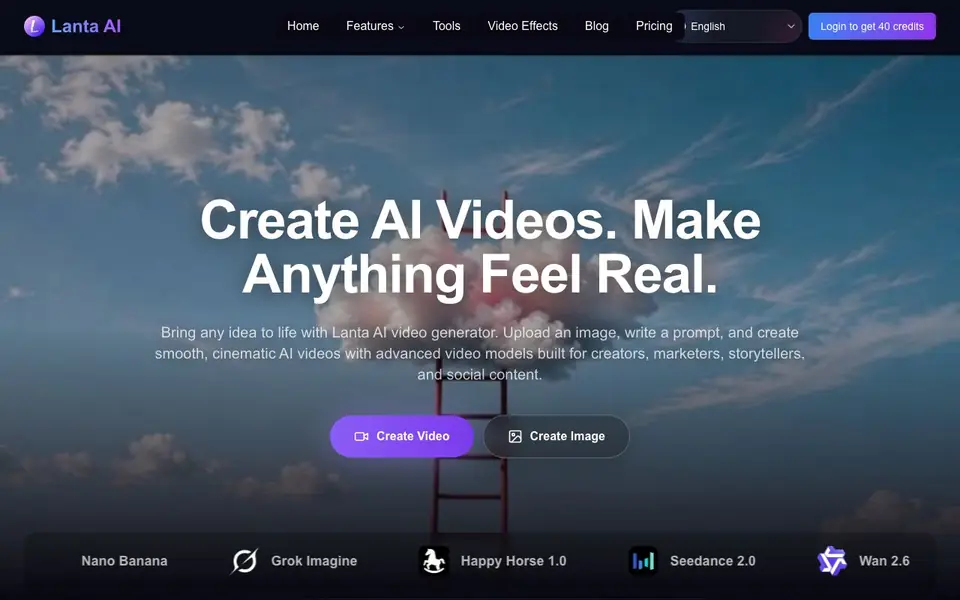
What is Lanta AI?
Lanta AI is an online video generator that creates smooth, cinematic videos from text prompts, uploaded images, or existing footage. It is built for creators, marketers, storytellers, and social content producers who want professional-looking results without complex editing software.
You start by writing a prompt, uploading an image, or choosing a video clip. Then you can control shot types, angles, camera movement, and scene timing. The tool keeps characters consistent across frames, preserves facial features and clothing, and can add native audio like sound effects, dialogue, and music in multiple languages.
You can also use its image generator to create first frames, end frames, and storyboard references, then import them into the video generator with one click. It supports models like Seedance 2.0, Kling 3.0, Veo 3, and Sora 2. A free plan is available without a credit card.
Lanta AI features
- Camera control: Direct shot types, angles, movement, and scene timing for cinematic results.
- Character consistency: Keeps facial features, hairstyles, clothing, and body shape stable across scenes.
- Native audio: Generates synchronized sound effects, ambient noise, dialogue, and music cues.
- All-in-one workflow: Create and edit first frames and storyboards, then import them into video generation.
- Physical realism: Produces natural motion for running, jumping, skating, and other action scenes.
What you can do with Lanta AI
- Create scroll-stopping clips for TikTok, Reels, and Shorts in seconds.
- Turn a still image into a dynamic video with natural motion.
- Make a music video from images, audio, and prompts with lip sync.
- Localize content by syncing lip movements with any audio track.
How to get started with Lanta AI
- Go to the Lanta AI website and log in to get 40 credits.
- Choose a creation mode: text to video, image to video, or video to video.
- Write a prompt or upload an image, adjust camera and scene settings, then generate your video.
Tips for better results with Lanta AI
- Write detailed prompts that specify shot type, angle, and camera movement, since Lanta AI gives you direct control over these elements for more cinematic results.
- Use Lanta AI's image generator to create consistent first frames and storyboards, then import them into the video generator to maintain character and scene continuity.
- For action scenes, describe the motion explicitly, like running or jumping, because Lanta AI is built to simulate physically realistic movement in your videos.
- Experiment with different models available in Lanta AI, such as Seedance or Kling, to see which one best matches your desired style and audio needs.
- When localizing content, provide the audio track and let Lanta AI sync lip movements, but review the output for accuracy in your target language.
- Start with the free plan to test Lanta AI's features, but keep track of your credit usage since the website does not list specific free plan limits.
Lanta AI pricing
Lanta AI has a free way to start, with paid plans for heavier use. Check lantaai.com for current limits and prices.
What to check before you rely on Lanta AI
- Check whether the free plan's credit allowance and video length limits are enough for your project, since the website does not state these details.
- Verify if Lanta AI supports the specific video models you need, like Veo 3 or Sora 2, because availability may vary by plan or region.
- Review the export formats and resolution options, including whether 4K export is available on your plan, as the website does not list all output specs.
- Confirm the data privacy policy for uploaded images and videos, since the website does not clearly state how your content is stored or used.
- Check if native audio supports all the languages you need, as the listed languages may not cover every market you target.
Who Lanta AI is for
Lanta AI suits creators, marketers, storytellers and social media managers. If that is not you, the AI video generators below may fit better.
Similar tools compared with Lanta AI
| Tool | What it is | Pricing |
|---|---|---|
| Lanta AI | AI video and image generator | Freemium |
| SiVideoGen | AI video generator with multiple models | Freemium |
| FreeSiTools | Free AI image prompt generator | Free |
| SiVideoAPI | Unified API for top AI video models | Freemium |
| Runway | AI video, image, and audio creation suite | Freemium |
Lanta AI FAQ
What can I create with Lanta AI?
You can create AI videos from text prompts, images, or existing videos. It also has an image generator for stills, plus tools like lip sync, music videos, and Ghibli-style transformations.
Is Lanta AI free?
Yes, you can start free without a credit card. Logging in gives you 40 credits to begin. The website does not list full pricing details for paid plans on its homepage.
Which AI models does Lanta AI support?
It supports several models, including Seedance 2.0, Happy Horse 1.0, Kling 3.0, Veo 3, Sora 2, and Wan 2.6 for video, plus GPT Image and Nano Banana for images.
Can I control camera movement in my videos?
Yes. You can control shot types, angles, camera movement, and scene timing. Advanced techniques like montage, long takes, dolly zooms, and transitions are also available.
What can Lanta AI export and to which platforms can I connect it?
Lanta AI lets you export 4K images from its image generator, but the website does not mention specific export formats for videos or direct integrations with platforms like YouTube or TikTok. For details on export options and integrations, check the Lanta AI website's features or help section.
Does Lanta AI work on mobile devices or only on desktop?
Lanta AI is an online video generator, so it runs in a web browser. The website does not specify whether it has dedicated mobile apps or if it is optimized for tablets or phones. To find out about device compatibility, visit the Lanta AI website and look for system requirements or app information.
What does the free plan of Lanta AI include and do I need to create an account?
Lanta AI offers a free plan that does not require a credit card. You can start creating videos without payment, but the website does not list the exact number of credits or features included in the free plan. To see what you get for free, sign up or check the pricing page on the Lanta AI website.


