

What is Krisp?
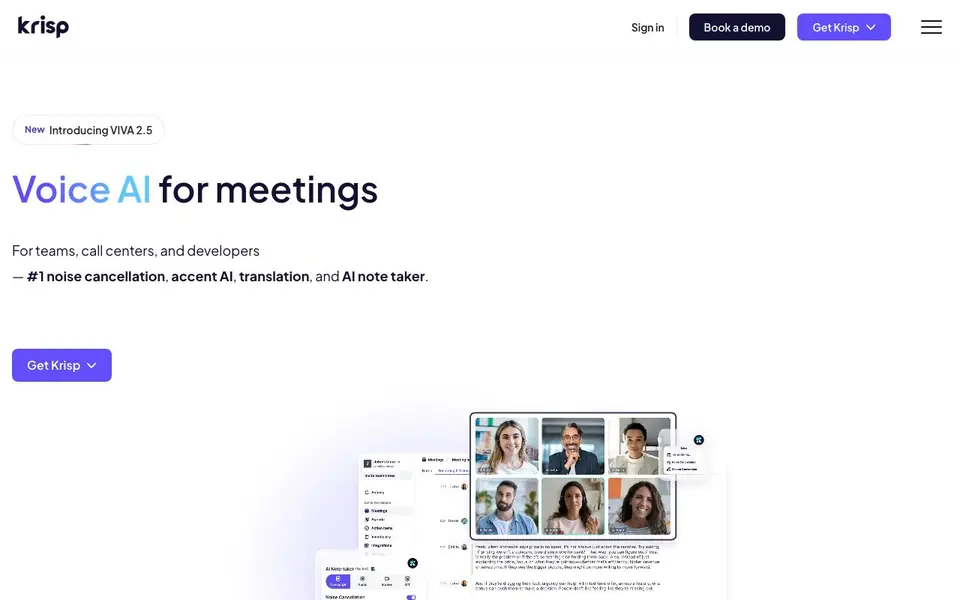
Krisp is a voice AI tool for meetings. It combines noise cancellation with an AI note taker, accent conversion, and translation. It works across your existing calling apps, so you can keep using Zoom, Google Meet, or your phone.
During a call, Krisp removes noise, echo, and cross-talk so you can focus. It silently records and transcribes the conversation. After the meeting, it creates summaries and action items, and can push them to tools like Salesforce, HubSpot, Slack, and Zapier. You can also upload audio or video files to transcribe later.
Krisp suits teams, call centers, and developers. It supports transcripts in 16 languages, offers a mobile app, and includes features like custom vocabulary and recording presets. The website mentions enterprise-grade security with SOC 2, GDPR, HIPAA, and PCI-DSS compliance. You can get Krisp for free, with paid plans for more features.
Krisp features
- Noise Cancellation: Removes background noise, echo, and cross-talk from any meeting call.
- AI Note Taker: Automatically creates transcripts, summaries, and action items after meetings.
- Accent Conversion: Adjusts your accent in real time for clearer communication.
- CRM Sync: Pushes meeting notes and action items to Salesforce, HubSpot, Slack, and more.
- Multilingual Support: Provides transcripts and summaries in 16 languages for global teams.
What you can do with Krisp
- Clean up audio on remote calls with barking dogs or keyboard clicks.
- Generate meeting summaries and action items without manual note-taking.
- Sync follow-up tasks from calls directly into your CRM or Slack.
- Transcribe in-person conversations using the mobile app.
How to get started with Krisp
- Download Krisp and install it on your desktop or mobile device.
- Connect your favorite calling apps like Zoom, Google Meet, or Slack.
- Start a meeting and let Krisp handle noise cancellation, recording, and notes automatically.
Tips for better results with Krisp
- Turn on Krisp's noise cancellation before joining a call to remove background noise, echo, and cross-talk, so you stay focused on the conversation.
- Use Krisp's AI note taker during meetings to automatically capture transcripts and action items, then sync them to your CRM or Slack afterward.
- For clearer communication, try Krisp's accent conversion feature during calls to adjust your accent in real time, especially if you work with international teams.
- Upload audio or video files to Krisp after meetings to transcribe them later, and use the mobile app for in-person conversations to keep notes organized.
Krisp pricing
Krisp has a free way to start, with paid plans for heavier use. Check krisp.ai for current limits and prices.
What to check before you rely on Krisp
- Check Krisp's free plan limits before relying on it for regular meetings, since the website does not specify how many minutes or features are included free.
- Verify that Krisp supports the specific calling apps you use, as the website lists Zoom, Google Meet, and phone but may not cover every platform.
- Confirm Krisp's export formats for transcripts and summaries, because the website does not state which file types you can download or share.
Who Krisp is for
Krisp suits remote teams, call center agents, developers and sales professionals. If that is not you, the AI productivity tools below may fit better.
Similar tools compared with Krisp
| Tool | What it is | Pricing |
|---|---|---|
| Krisp | AI meeting assistant with noise cancellation | Freemium |
| Mem | AI chief of staff and workspace | See website |
| Reclaim | AI calendar for work and life | Freemium |
| Otter.ai | AI meeting notetaker and transcription tool | Freemium |
| Motion | AI-powered productivity and project platform | Free trial |
Krisp FAQ
What does Krisp do?
Krisp is a voice AI tool for meetings. It cancels background noise, records and transcribes calls, and generates meeting notes and action items. It also offers accent conversion and translation.
Does Krisp integrate with Zoom, Google Meet, and Slack?
Yes. Krisp works with any calling app and integrates with tools like Google Calendar, Zoom, Slack, HubSpot, Salesforce, and Zapier. You can share notes directly to Slack.
Is there a free plan?
The website says you can get Krisp for free. It also mentions flexible pricing for teams of all sizes, so there are likely paid plans with more features.
Which languages does Krisp support for transcription?
Krisp provides transcripts and summaries in 16 languages. The website does not list the specific languages, so check the site for the full list.
Can Krisp export meeting notes to Salesforce, HubSpot, or Slack?
Yes, Krisp can push meeting notes and action items directly to Salesforce, HubSpot, Slack, and other tools. This helps you automate follow-ups and keep your CRM updated without manual entry. For a full list of supported integrations, check the Krisp website.
Does Krisp have a mobile app for recording in-person meetings?
Yes, Krisp offers a mobile app that lets you record and transcribe in-person conversations, like walk-and-talks or sit-down meetings. The app works alongside the desktop version, so you can capture meetings wherever you are. For specific device requirements, visit the Krisp website.
What does the Krisp free plan include?
Krisp offers a free plan that gives you access to core features like noise cancellation and AI note-taking. The free plan is a good way to try the tool, but paid plans unlock more advanced features like CRM sync and additional transcription minutes. For exact limits, check the Krisp pricing page.


