

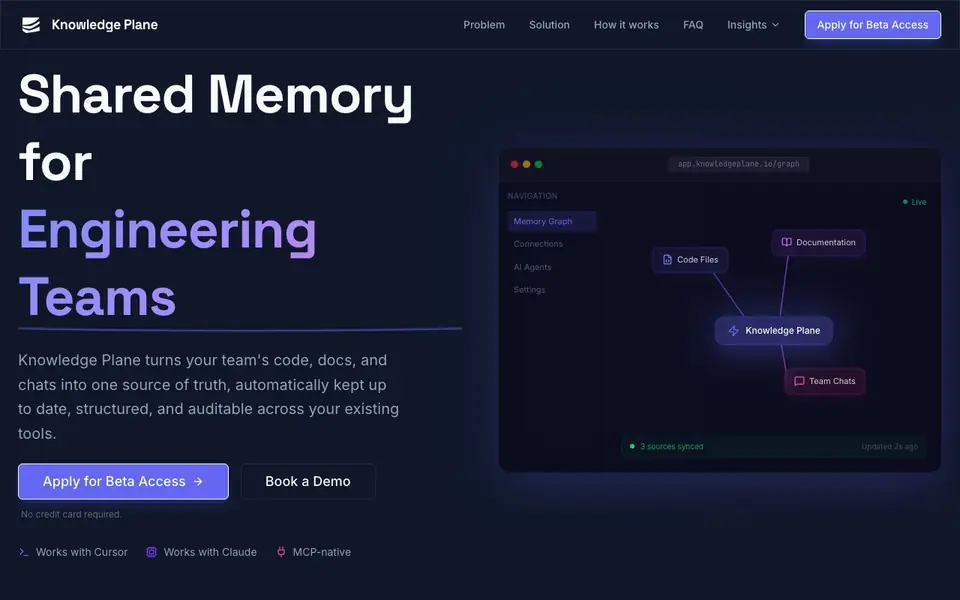
What is Knowledge Plane?
Knowledge Plane is a shared memory layer for engineering teams. It turns your code, documentation, and chats into one source of truth that stays automatically updated, structured, and auditable. Your AI tools like Cursor and Claude can pull from this shared memory instead of working off stale or siloed context.
You connect your sources first—docs, repos, chats, or any tool with an API. Knowledge Plane then extracts what matters and keeps it structured. Background jobs called Skills detect when your sources change and update the stored knowledge automatically. The memory is stored as a graph with typed relationships, plus vector embeddings, so agents can reason about dependencies and ownership.
This suits teams that rely on AI assistants but struggle with outdated context or disconnected tools. You can trace where every answer came from, since each fact has a source, owner, and timestamp. The website mentions cloud and self-hosted options, and you can apply for beta access or book a demo. No credit card is required for the beta.
Knowledge Plane features
- Auto-refresh: Background skills detect changes in your sources and update stored knowledge automatically.
- Graph memory: Stores facts with typed relationships so agents understand dependencies and ownership, not just keywords.
- MCP-native: Works with any MCP or HTTP-compatible AI agent out of the box.
- Source traceability: Every piece of knowledge has a source, owner, and timestamp for full auditability.
- Tool integrations: Connects to docs, repos, Slack, tickets, and any service with an API via Skills.
What you can do with Knowledge Plane
- Connect your GitHub repos and docs so AI tools always use current code context.
- Share a solved bug's reasoning across the team so no one re-solves it from scratch.
- Trace where an AI answer came from before shipping AI-assisted work to production.
- Keep Slack decisions and tickets synced into one structured memory for all agents.
How to get started with Knowledge Plane
- Apply for beta access on the website or book a demo—no credit card required.
- Connect your sources like docs, repos, chats, or any API-enabled tool.
- Let Knowledge Plane auto-refresh and structure the memory, then use it from your AI agents.
Tips for better results with Knowledge Plane
- Connect your GitHub repos and docs first so Knowledge Plane builds its graph from current code, not stale snippets. This gives your AI agents accurate context from day one.
- Use Knowledge Plane's Skills to watch Slack and ticket systems, so decisions and fixes sync automatically. You avoid re-explaining solved problems to your team's AI tools.
- Trace every AI answer back to its source, owner, and timestamp before shipping code. Knowledge Plane's audit trail lets you verify that the context your agent used is still valid.
- Book a demo or apply for beta access to test Knowledge Plane with your own tools. The website lists no pricing, so confirm fit and limits before committing your team.
Knowledge Plane pricing
Knowledge Plane’s homepage does not list prices. Check knowledgeplane.io for current plans.
What to check before you rely on Knowledge Plane
- Check if the beta access includes usage limits or data retention caps, since the website does not state any plan details or pricing.
- Verify which integrations are supported beyond docs, repos, and chats, because the site only mentions API-based Skills without listing specific platforms.
- Confirm whether self-hosted options include full data control and export formats, as the website mentions cloud and self-hosted but provides no specifics.
Who Knowledge Plane is for
Knowledge Plane suits engineering teams, software consultancies, product studios and AI tool users. If that is not you, the AI productivity tools below may fit better.
Similar tools compared with Knowledge Plane
| Tool | What it is | Pricing |
|---|---|---|
| Knowledge Plane | Shared memory layer for engineering teams | See website |
| Mem | AI chief of staff and workspace | See website |
| Reclaim | AI calendar for work and life | Freemium |
| Otter.ai | AI meeting notetaker and transcription tool | Freemium |
| Motion | AI-powered productivity and project platform | Free trial |
Knowledge Plane FAQ
Is this just vector RAG?
No. Most RAG tools dump documents into a vector store and rely on semantic search. Knowledge Plane combines graph memory with typed relationships and vector embeddings, so agents can reason about dependencies and timelines, not just match keywords.
What does 'graph memory' mean?
Graph memory stores knowledge as a network of connected facts with typed relationships like depends_on or decided_by. This lets AI agents traverse connections and understand context the way a senior team member would, following chains of decisions rather than just finding similar text.
How do Skills keep memory fresh?
Skills are scheduled jobs that automatically fetch, reconcile, and update your knowledge base. They detect drift between your sources and the stored knowledge, then update facts accordingly. You don't need to manually re-upload docs when things change.
Can I self-host Knowledge Plane?
Yes, the website says both options are available. You can use the managed cloud deployment for fast setup, or deploy within your own infrastructure for full control. Specific pricing or setup details are not stated on the site.
Does Knowledge Plane work with Cursor and Claude out of the box?
Yes, Knowledge Plane is MCP-native, so it works with any MCP or HTTP-compatible AI agent, including Cursor and Claude, without extra setup. You connect your sources first, and then your AI tools can pull from the shared memory. The website lists both Cursor and Claude as supported tools.
What integrations does Knowledge Plane support besides Cursor and Claude?
Knowledge Plane connects to docs, repos, Slack, tickets, and any service with an API via Skills. The website mentions it works with any AI agent that supports MCP or HTTP, and via Skills it can integrate with internal systems. For a full list, check the integrations section on the site.
Does Knowledge Plane require a credit card for the beta?
No, the website states that no credit card is required for the beta. You can apply for beta access or book a demo directly. Pricing is not listed on the site, so for details on plans after beta, you would need to contact the team through the demo or beta application.


