What is kinetograph?
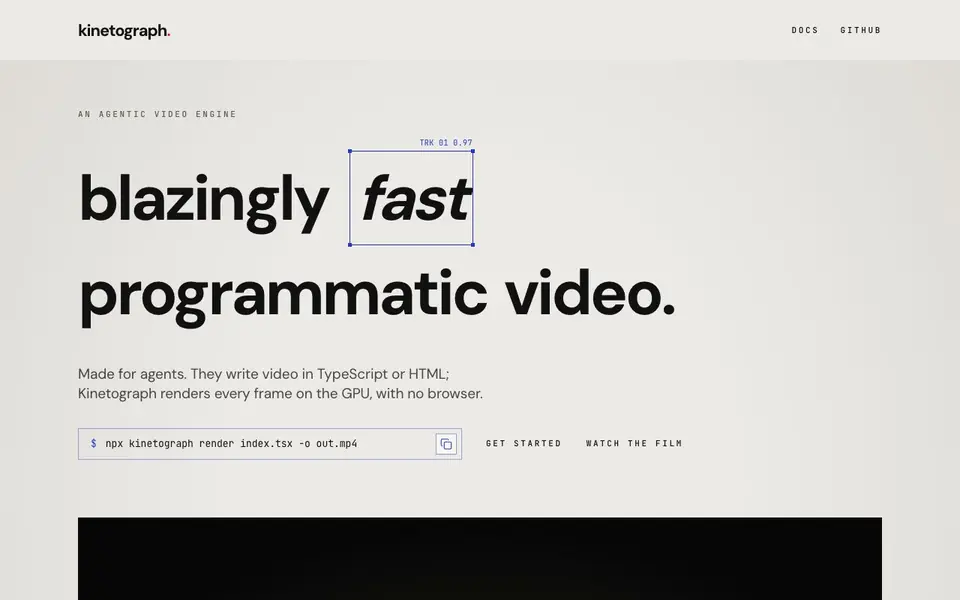
Kinetograph is a programmatic video engine that renders video from code. You write video projects in TypeScript using Remotion's API, or as HTML pages with GSAP. It renders every frame on the GPU, with no browser involved. This makes it fast: a 928-frame, 1920×1080 video rendered in 13 seconds on a laptop.
You get started by installing the npm package. Then you write your video code in a TSX or HTML file. Use the command line to render a still, open the studio, or render the final video to an MP4 file. The engine uses the GPU when available (Metal, Vulkan, or D3D12) and falls back to the CPU otherwise. It needs no display, so it runs on servers too.
Kinetograph is designed for AI agents. Every command takes JSON output, and the MCP server exposes them as tools. An agent can write the code, render a still, inspect the scene graph, and fix issues before you watch the final video. It's free for individuals and small companies under the PolyForm Small Business license.
kinetograph features
- GPU rendering: Renders every frame on the GPU for fast video production.
- Remotion compatibility: Works with TypeScript projects using Remotion's API.
- HTML support: Renders HTML pages with GSAP as video, so HyperFrames projects work.
- Agent-friendly tools: Every command outputs JSON and MCP serves them as tools.
- Server-ready: No display needed, so it runs on servers and in CI environments.
What you can do with kinetograph
- Render a product demo video from a TypeScript project.
- Generate animated social media clips from HTML pages.
- Automate video creation in an AI agent workflow.
- Produce 3D scenes and video overlays programmatically.
How to get started with kinetograph
- Install Node 22 or later and run npm install kinetograph.
- Write your video in a TSX or HTML file using Remotion's API or GSAP.
- Run npx kinetograph render src/index.tsx -o out.mp4 to render the video.
Tips for better results with kinetograph
- Install Kinetograph with npm and render a still first to verify your scene before committing to a full video render, saving time on errors.
- Use Kinetograph's --json output on every command so you or your agent can inspect the scene graph and catch visual issues early.
- Write your video in TypeScript with Remotion's API or as HTML with GSAP, then test Kinetograph on a few frames to confirm GPU acceleration works.
- Run Kinetograph on a server or CI environment since it needs no display, and leverage its speed for rapid iteration on complex scenes.
kinetograph pricing
kinetograph has a free way to start, with paid plans for heavier use. Check kinetograph.dev for current limits and prices.
What to check before you rely on kinetograph
- Check that your Node version is 22 or later, as Kinetograph requires it, and verify your GPU supports Metal, Vulkan, or D3D12 for acceleration.
- Review the PolyForm Small Business license terms to confirm your company size qualifies for free use, since the site does not list specific employee or revenue limits.
- Confirm the output format meets your needs, as the site mentions MP4 rendering but does not state whether other formats like GIF or MOV are supported.
Who kinetograph is for
kinetograph suits developers, AI agents and video automation engineers. If that is not you, the AI video generators below may fit better.
Similar tools compared with kinetograph
| Tool | What it is | Pricing |
|---|---|---|
| kinetograph | GPU-accelerated programmatic video engine | Freemium |
| SiVideoGen | AI video generator with multiple models | Freemium |
| FreeSiTools | Free AI image prompt generator | Free |
| SiVideoAPI | Unified API for top AI video models | Freemium |
| Runway | AI video, image, and audio creation suite | Freemium |
kinetograph FAQ
What is Kinetograph?
Kinetograph is a programmatic video engine. You write video in TypeScript or HTML, and it renders every frame on the GPU, without a browser. It's built for AI agents to create video from code.
Is Kinetograph free?
Kinetograph is free for individuals and small companies under the PolyForm Small Business license. For larger organizations, there's a commercial license, which you can find on their website.
Who is Kinetograph for?
Kinetograph is for developers and AI agents. If you write code to generate video, whether for product demos, social media, or automated content, you can use it. It's especially useful if you want agents to create and iterate on video.
What can I make with Kinetograph?
You can make various types of video, including 3D scenes, video overlays, canvas animations, and card-style videos. The examples show 2-second to 37-second clips at resolutions up to 1920×1080.
What can Kinetograph export to, and can it connect to other tools?
Kinetograph renders videos to MP4 files using the command line. The website does not mention exporting to other formats or connecting to external tools beyond its MCP server for AI agents. For specific integration details, check the documentation on kinetograph.dev.
Does Kinetograph run on Windows, macOS, or Linux, and does it need a GPU?
Kinetograph runs on systems with Node 22 or later. It uses the GPU when available (Metal, Vulkan, or D3D12) and falls back to the CPU otherwise. The website does not specify operating system support, so check the documentation for platform details.
What does the free plan include, and are there any limits?
Kinetograph is free for individuals and small companies under the PolyForm Small Business license. The website does not specify usage limits or what the paid plan includes. For commercial use beyond that, see the commercial license information on kinetograph.dev.


