

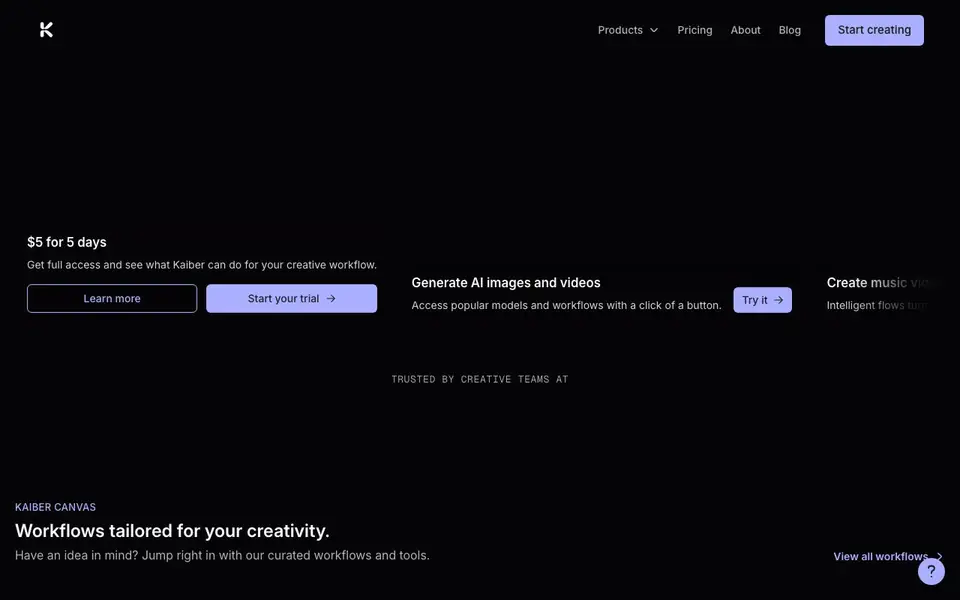
What is Kaiber?
Kaiber is an AI-powered video creation platform for artists, creators, and teams. It combines image generation, video generation, and music-synced workflows into one canvas. You can turn a song into a music video, animate still images, or make characters talk, all from a single interface.
You start by choosing a workflow on the Canvas, like Animate Image, Make Them Talk, or Background Swap. Then you pick a model, such as Seedance, Minimax, or Veo, and generate your video. For music, Beat Sync lets you drop in images or clips plus a track, and it returns up to 10 beat-synced videos in minutes, with options like Auto Lyrics and Auto-Clipping.
Kaiber suits creative teams, musicians, and social media creators who want quick, polished video assets. The site mentions a trial for full access, but it does not list ongoing pricing details or specific plan costs on its homepage.
Kaiber features
- Canvas workflows: Curated tools like Animate Image and Make Them Talk let you jump into video creation quickly.
- Beat Sync: Drop in assets and a track to get up to 10 beat-synced videos without prompting.
- Model variety: Access leading models like Seedance, Kling, and Veo all in one place.
- Character lip sync: Make a single character talk for ads, film, or social content.
- Auto lyrics and clipping: Beat Sync can add lyrics and cut clips automatically for your track.
What you can do with Kaiber
- Turn a music track into a full lyric video with auto-generated captions.
- Animate a still image to create a short cinematic clip for social media.
- Swap a background in a video to change its setting or mood.
- Make a character speak to create an ad or film asset.
How to get started with Kaiber
- Start a trial to get full access to Kaiber's features.
- Choose a workflow on the Canvas, like Animate Image or Beat Sync.
- Add your assets and pick a model, then generate your video.
Tips for better results with Kaiber
- Start with the Canvas workflows like Animate Image or Make Them Talk to get familiar with Kaiber's interface before experimenting with advanced model choices.
- In Beat Sync, feed Kaiber raw clips or images plus a track, then use Auto Lyrics and Auto-Clipping to get finished videos without writing prompts.
- Try different models like Seedance, Minimax, or Veo for the same project in Kaiber, since each produces distinct styles and audio handling.
- For character lip sync, use a clear, front-facing image of a single character in Kaiber to get the most reliable talking results for ads or social content.
Kaiber pricing
Kaiber offers a free trial before you pay. Check kaiber.ai for current plans.
What to check before you rely on Kaiber
- Confirm the trial's $5 for 5 days covers the specific models and workflows you need, since the homepage does not list ongoing plan prices.
- Check whether Kaiber's output formats and export options match your editing workflow, as the website does not state supported file types.
- Review Kaiber's privacy and data terms before uploading proprietary images or music, since the homepage does not detail how assets are stored or used.
Who Kaiber is for
Kaiber suits musicians, video creators, creative teams and social media managers. If that is not you, the AI video generators below may fit better.
Similar tools compared with Kaiber
| Tool | What it is | Pricing |
|---|---|---|
| Kaiber | AI video and music-synced creation platform | Free trial |
| SiVideoGen | AI video generator with multiple models | Freemium |
| FreeSiTools | Free AI image prompt generator | Free |
| SiVideoAPI | Unified API for top AI video models | Freemium |
| Runway | AI video, image, and audio creation suite | Freemium |
Kaiber FAQ
What can I create with Kaiber?
You can generate AI images and videos, create music videos from a track, animate images, make characters talk, swap backgrounds, and combine images. The Canvas offers curated workflows for each task.
Does Kaiber have a free plan?
Kaiber's website mentions a trial for full access, but it does not state whether a free plan exists. Check the pricing page for current options and costs.
Who is Kaiber for?
Kaiber is built for artists, creators, and teams. It suits musicians making music videos, social media creators producing clips, and creative teams working on ads or film assets.
How does Beat Sync work?
You drop in one or more images, clips, or a long video, plus a track. Beat Sync returns up to 10 beat-synced videos in minutes, with options like Scene Cut, Auto Lyrics, and Auto-Clipping. No prompting is needed.
What video formats and export options does Kaiber support?
The Kaiber website does not list specific export formats or resolutions. It shows example outputs and mentions generating videos, but you will need to check the Help Center or start a trial to see the exact export options available for your projects.
Can I use Kaiber on my mobile phone or tablet?
The Kaiber website does not mention a dedicated mobile app or specific device requirements. It describes a canvas-based workflow that you access through a browser, so you can likely use it on a phone or tablet, but for the best experience, check the Help Center for any device guidance.
Does Kaiber require an account to start the trial?
Yes, to start the $5 for 5 days trial, you will need to create an account on Kaiber. The website shows a 'Start your trial' button that leads to sign-up, and your account will be used to manage your projects and access during the trial period.


