

What is InstantMind?
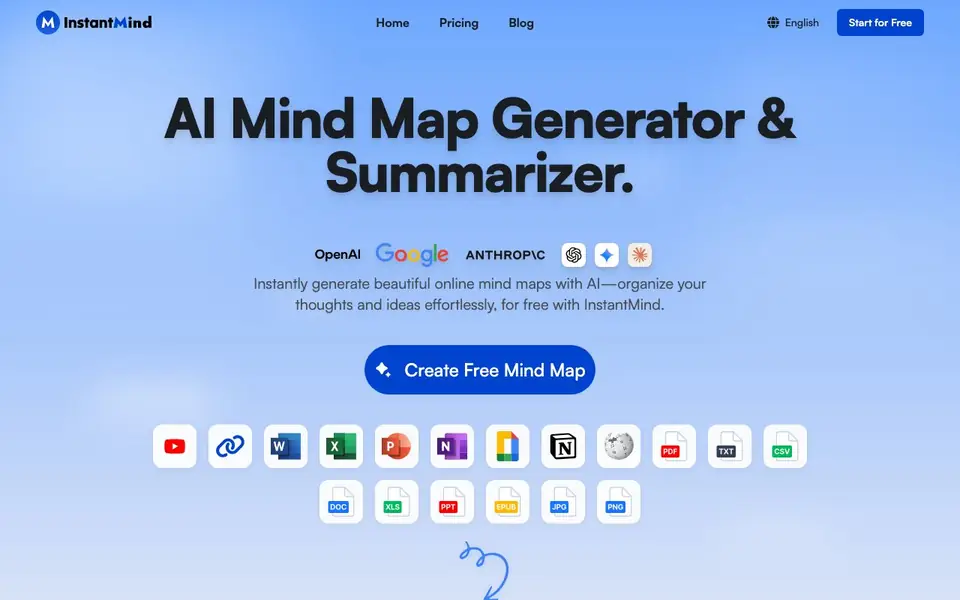
InstantMind is an online tool that uses AI to turn almost any content into a visual mind map. You can start from plain text, PDFs, Word documents, Excel sheets, PowerPoint files, ebooks, Markdown, images, YouTube videos, or web pages. It supports over 30 file formats, so you rarely need to reformat your material before generating a map.
Once your mind map is created, you can chat with it. Ask questions about the content and get answers based on your actual documents, not generic responses. You can also expand any node with AI-generated explanations, examples, and related concepts to build richer maps. Custom instructions let you guide the AI to focus on your goals, style, or structure.
The editor offers themes, colors, layouts, and multiple structures like classic, logic, org chart, catalog, fishbone, and timeline. You can switch between a visual map and an outline view, export as PNG, PDF, SVG, or Markdown, and present directly from the tool. Your maps are saved to the cloud, synced across devices, and protected with encrypted storage. A free plan gives you 400 AI credits and basic features, while paid plans add unlimited creation and larger file uploads.
InstantMind features
- AI mind map generation: Converts text, documents, videos, and web pages into structured mind maps instantly.
- Chat with content: Ask questions about your documents and mind maps to get contextual answers and insights.
- AI node expansion: Generate explanations, examples, and related concepts for any node to enrich your map.
- Custom AI instructions: Guide the AI to focus on specific goals, style, or structure for tailored results.
- Multiple export options: Save your mind maps as PNG, PDF, SVG, or Markdown for sharing and integration.
What you can do with InstantMind
- Turn a long PDF into a visual summary for quick review.
- Brainstorm ideas from a YouTube video into an organized map.
- Chat with a research paper to extract key points and insights.
- Create a presentation directly from your mind map structure.
How to get started with InstantMind
- Sign up for a free account on InstantMind's website.
- Paste text, upload a file, or provide a link to a video or webpage.
- Let the AI generate your mind map, then edit, chat, or export it.
Tips for better results with InstantMind
- Start with clean, well-structured source files like PDFs or Word docs to give InstantMind clearer material to map, reducing the need for manual node fixes later.
- Use InstantMind's custom instructions to specify your goal, such as summarizing key points or focusing on a particular section, so the generated map matches your intended structure.
- After generating a map, chat with InstantMind to ask targeted questions about your content, then use the answers to verify that the AI captured the details you care about most.
- Expand individual nodes with InstantMind's AI suggestions to add examples or related concepts, but review each addition for accuracy before relying on it in a final presentation.
InstantMind pricing
InstantMind has a free way to start, with paid plans for heavier use. Check instantmind.ai for current limits and prices.
What to check before you rely on InstantMind
- Check whether your free 400 AI credits cover the size and number of files you plan to process, since the website does not state how many credits each generation consumes.
- Verify that the file formats you need are among the 30+ supported, as the site lists common types but does not provide a complete format list.
- Confirm that your data privacy needs align with the cloud storage and encryption claims, since the website does not detail retention policies or compliance certifications.
Who InstantMind is for
InstantMind suits students, product managers, researchers and professionals. If that is not you, the AI productivity tools below may fit better.
Similar tools compared with InstantMind
| Tool | What it is | Pricing |
|---|---|---|
| InstantMind | AI mind map generator and summarizer | Freemium |
| Mem | AI chief of staff and workspace | See website |
| Reclaim | AI calendar for work and life | Freemium |
| Otter.ai | AI meeting notetaker and transcription tool | Freemium |
| Motion | AI-powered productivity and project platform | Free trial |
InstantMind FAQ
What file formats can InstantMind convert into mind maps?
InstantMind supports over 30 formats including PDF, Word, Excel, PowerPoint, Ebook, Markdown, images, YouTube videos, and web pages. You can also start from simple text input.
Is there a free plan?
Yes, there is a free plan that includes 400 AI credits at signup, limited storage, a basic AI model, and a free trial of the AI summary feature. It also includes the full-featured mind map editor and presentation mode.
Can I chat with my mind maps?
Yes, you can ask questions about your documents and mind maps. The AI provides responses based on your actual content, not generic answers, and helps you dive deeper with intelligent Q&A.
What export options are available?
You can export your mind maps as InstantMind files, PNG, PDF, SVG, or Markdown. This lets you share, present, or integrate with other tools.
Does InstantMind require creating an account to use it?
Yes, you need to sign up for an account to use InstantMind. The free plan gives you 400 AI credits at signup, and your mind maps are saved to secure cloud storage, so an account is necessary to access and sync your work across devices.
Can InstantMind run on mobile devices?
InstantMind is fully responsive and works on desktop, tablet, and mobile devices. You can access and edit your mind maps from any device with a web browser, and changes sync automatically across all your devices.
What does the free plan of InstantMind include besides 400 AI credits?
The free plan includes 400 AI credits at signup, limited storage space, a basic AI model, 20,000 AI token inputs, AI summary (free trial), a full-featured mind map editor, themes and styles, and presentation mode. Paid plans add unlimited creation and larger file uploads.


