

What is Instafill.ai?
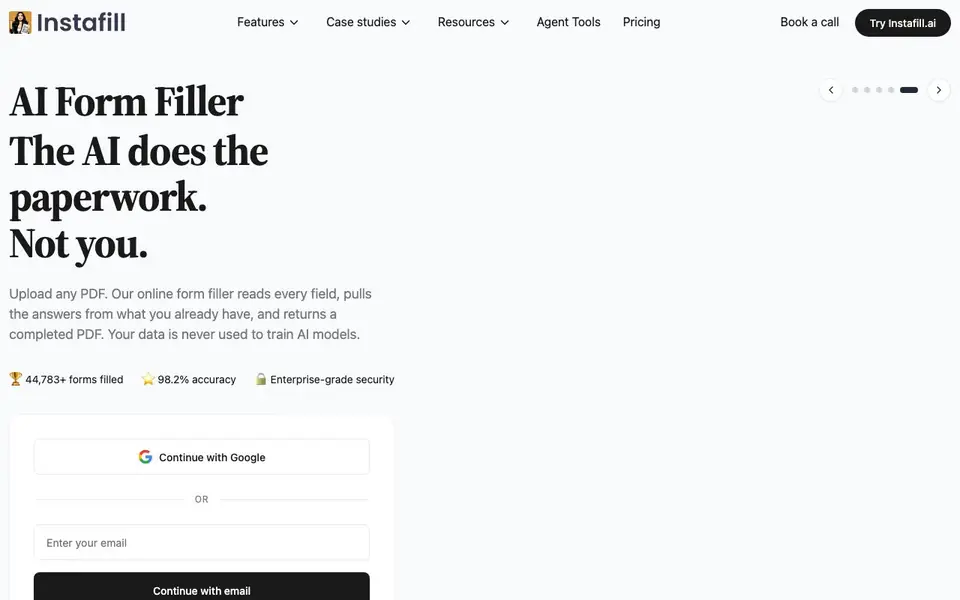
Instafill.ai is an online form filler that handles PDF and Word documents for you. It reads every field in your document, pulls the answers from information you already have, and returns a completed PDF. The tool emphasizes that your data is never used to train AI models, and it offers enterprise-grade security.
To use it, you upload a document, and the AI fills in the fields automatically. You can start by continuing with Google or email. The tool reports filling over 44,000 forms with 98.2% accuracy, and it can complete a form in about 53 seconds.
It suits businesses that deal with repetitive paperwork, such as healthcare, construction, legal, government, real estate, insurance, and financial services. Case studies show it automating rebate applications, insurance authorizations, credentialing packets, and permit forms, saving hours of manual work.
Instafill.ai features
- Automatic field detection: The AI reads every field in your PDF or Word document without manual setup.
- Data reuse: Pulls answers from your existing information to fill forms quickly.
- Batch processing: Handles multiple forms at once, like batch filing for tax or compliance documents.
- Enterprise security: Your data is never used to train AI models, with enterprise-grade protection.
- Accuracy tracking: Reports 98.2% accuracy on filled forms, with over 44,000 forms completed.
What you can do with Instafill.ai
- Automate HVAC rebate applications for a construction company.
- Fill insurance authorization forms for therapy providers.
- Complete credentialing packets for hospitals in minutes.
- Process city permit forms for contractors in seconds.
How to get started with Instafill.ai
- Go to Instafill.ai and click 'Try Instafill.ai'.
- Sign in with Google or your email.
- Upload your PDF or Word document and let the AI fill it automatically.
Tips for better results with Instafill.ai
- Upload clean, legible PDF or Word files so Instafill.ai can detect every field accurately, avoiding misreads from scanned or low-quality documents.
- Review the filled output field by field before submitting, since Instafill.ai reports 98.2% accuracy, meaning roughly 1 in 50 fields may need manual correction.
- Use Instafill.ai for repetitive forms like rebates, authorizations, or permits where you can reuse existing data, cutting preparation time from hours to seconds.
- Test Instafill.ai on a single complex document first, like a credentialing packet, to see how it handles tables and multi-page layouts before batch processing.
Instafill.ai pricing
Instafill.ai’s homepage does not list prices. Check instafill.ai for current plans.
What to check before you rely on Instafill.ai
- Check whether the pricing page lists any plan limits, such as number of forms per month or file size, since the website does not state pricing details.
- Verify that your documents contain no sensitive personal data you are uncomfortable sharing, despite the enterprise security claim, as data handling policies are not fully detailed.
- Confirm that Instafill.ai supports the specific form formats you need, like fillable PDFs or Word templates, since the website does not list all compatible file types.
Who Instafill.ai is for
Instafill.ai suits healthcare providers, construction firms, legal practices and real estate agencies. If that is not you, the AI productivity tools below may fit better.
Similar tools compared with Instafill.ai
| Tool | What it is | Pricing |
|---|---|---|
| Instafill.ai | AI PDF and document form filler | See website |
| Mem | AI chief of staff and workspace | See website |
| Reclaim | AI calendar for work and life | Freemium |
| Otter.ai | AI meeting notetaker and transcription tool | Freemium |
| Motion | AI-powered productivity and project platform | Free trial |
Instafill.ai FAQ
What types of documents can Instafill fill?
Instafill works with PDF and Word documents. You upload any document, and the AI reads every field and fills it in for you.
Is my data safe with Instafill?
Yes. The website states that your data is never used to train AI models, and it offers enterprise-grade security.
How accurate is the form filling?
Instafill reports a 98.2% accuracy rate and has filled over 44,000 forms. It can complete a form in about 53 seconds.
Who is Instafill for?
It's for businesses that handle repetitive paperwork, like healthcare, construction, legal, government, real estate, insurance, and financial services. Case studies show it saving hours of manual work.
What file formats can Instafill.ai export after filling a form?
Instafill.ai returns a completed PDF after filling your uploaded PDF or Word document. The website does not mention exporting to other formats like Excel or CSV. If you need a different output format, check the tool's interface or contact their team for clarification.
Does Instafill.ai have a free plan or offer a trial?
The Instafill.ai website does not mention a free plan or trial. It provides a 'Try Instafill.ai' button and a 'Book a call' option, suggesting you can test it or discuss pricing directly. For specific plan details, visit the Pricing section on their site or reach out to their sales team.
Can Instafill.ai run on mobile devices or as a desktop app?
Instafill.ai is described as an online form filler, so it works through a web browser on any device with internet access, including mobile phones and tablets. The website does not mention a dedicated mobile app or desktop software. You can access it by visiting instafill.ai on your browser.


