

What is ImageToVideo AI?
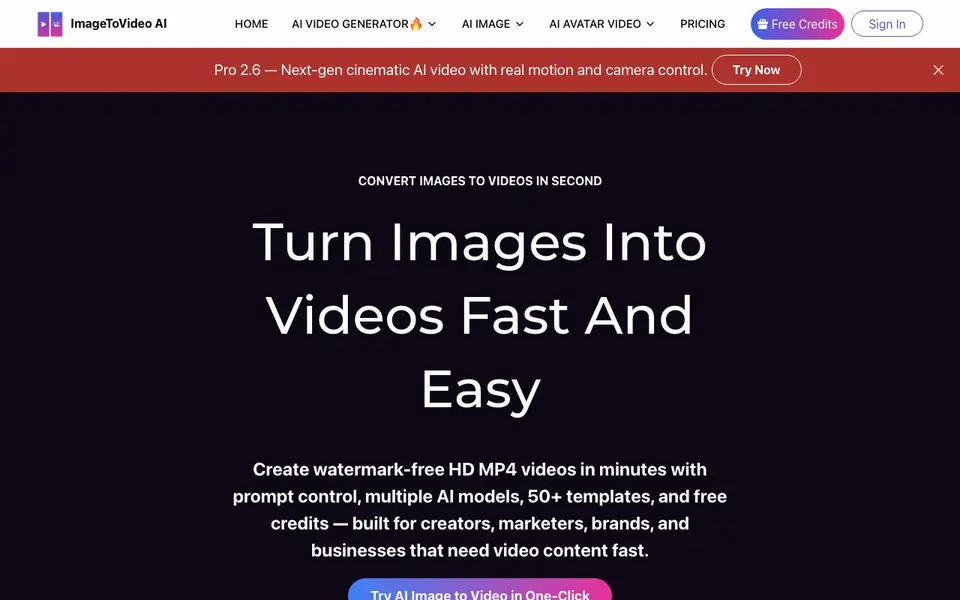
ImageToVideo AI is an online service that converts your static images or text prompts into short video clips. It is built for creators, marketers, brands, and businesses that need video content quickly. You can create product motion scenes, social media posts, cinematic storytelling, and animated characters from a single image.
You start by uploading a PNG, JPG, or WEBP image up to 16MB, or you can use the image generator. Then you pick a model — Basic 1.0, Fast 2.4, or Pro 2.6 — and choose a duration, resolution, and optional audio. The tool offers 50+ templates and effects, plus controls for camera motion and character animation. You can also extend an existing 3-second clip to 10 seconds.
The service provides free credits to try it. Pro features include 1080p export, priority generation, and access to Pro models. The website mentions watermark-free HD output and a clean finish for your videos.
ImageToVideo AI features
- Multiple AI models: Switch between Basic 1.0, Fast 2.4, and Pro 2.6 to balance speed and quality.
- 50+ templates: Ready-made styles for TikTok, Instagram Reels, and YouTube Shorts to speed up production.
- Motion control: Adjust camera movement and character animation for more dynamic scenes.
- Video extender: Expand a 3-second clip into a 10-second video while keeping character and scene consistency.
- HD export: Get crisp, watermark-free MP4 videos suitable for ads, shorts, and client work.
What you can do with ImageToVideo AI
- Turn product photos into 3D-style marketing videos with cinematic camera movement.
- Create viral social media videos for TikTok, Instagram Reels, and YouTube Shorts.
- Animate static illustrations with facial expressions and natural hair movement for storytelling.
- Generate UGC-style ad creatives for TikTok, Instagram, and Facebook without filming.
How to get started with ImageToVideo AI
- Upload an image (PNG, JPG, or WEBP up to 16MB) or use the image generator.
- Choose a model, duration, resolution, and any effects or templates you want.
- Click Generate Now and download your watermark-free HD video.
Tips for better results with ImageToVideo AI
- Upload a high-resolution image with clear subject separation and simple background, since ImageToVideo AI works best when the main object is distinct and easy to track.
- Start with the Basic 1.0 model on a 5-second clip to test your image, then switch to Pro 2.6 for final export when you need smoother motion and better camera control.
- Use the video extender on a 3-second clip to reach 10 seconds, but keep the same scene and character to avoid jarring jumps in consistency.
- Apply one of the 50+ templates for TikTok or Reels before adjusting motion, so ImageToVideo AI matches the platform's native pacing and style from the start.
ImageToVideo AI pricing
ImageToVideo AI has a free way to start, with paid plans for heavier use. Check imagetovideoai.io for current limits and prices.
What to check before you rely on ImageToVideo AI
- Confirm whether the free credits reset monthly or are one-time, since the website does not state a renewal schedule or exact credit amount.
- Check if 1080p export and Pro models are included in your plan, as the site lists them as Pro features but does not show a full price breakdown.
- Verify the output MP4's resolution and watermark status on your free tier, because the site claims watermark-free HD but does not specify limits for free users.
Who ImageToVideo AI is for
ImageToVideo AI suits creators, marketers, brands and businesses. If that is not you, the AI video generators below may fit better.
Similar tools compared with ImageToVideo AI
| Tool | What it is | Pricing |
|---|---|---|
| ImageToVideo AI | AI image and text to video maker | Freemium |
| SiVideoGen | AI video generator with multiple models | Freemium |
| FreeSiTools | Free AI image prompt generator | Free |
| SiVideoAPI | Unified API for top AI video models | Freemium |
| Runway | AI video, image, and audio creation suite | Freemium |
ImageToVideo AI FAQ
Is ImageToVideo AI free to use?
Yes, the service offers free credits so you can try it. For more advanced features like Pro models, 1080p export, and priority generation, there is a paid Pro plan that the website says can save you 65%.
What image formats can I upload?
You can upload PNG, JPG, or WEBP images up to 16MB. The website also mentions an image generator if you want to create an image first before turning it into a video.
What kind of videos can I make?
You can make product motion videos, social media clips for TikTok and Instagram, cinematic storytelling, animated characters, and UGC-style ads. You can also extend existing short clips to longer videos.
What AI models are available?
The tool offers Basic 1.0, Fast 2.4, and Pro 2.6 models. You can switch between them to balance speed, cost, and visual quality. The website also mentions an Elite 2.8 model, but details on it are not fully stated.
Can ImageToVideo AI export videos in formats other than MP4?
The ImageToVideo AI website mentions exporting watermark-free HD MP4 videos. It does not mention other export formats. For the most current list of supported export options, check the tool's official documentation or contact their support.
Does ImageToVideo AI work on mobile devices or only on desktop?
ImageToVideo AI is an online service, so you can access it through a web browser on any device with an internet connection, including smartphones and tablets. The website does not specify any device restrictions, but for the best experience, use a modern browser.
What does the free plan of ImageToVideo AI include exactly?
ImageToVideo AI offers free credits to try the service. The free plan lets you generate videos with Basic or Fast models, but Pro features like 1080p export and priority generation are part of the paid plan. For exact credit amounts and limitations, check the pricing page on the website.


