

What is GitMind?
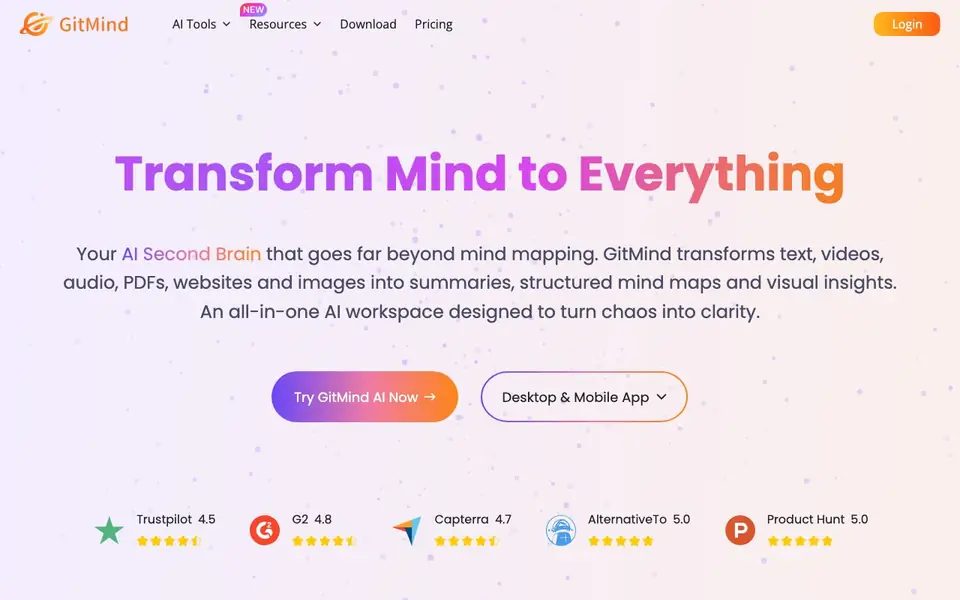
GitMind is an all-in-one AI workspace that goes beyond traditional mind mapping. It helps you transform various content types—like videos, audio, documents, PDFs, websites, and images—into clear summaries and visual diagrams. The tool is designed to simplify your work by turning complex information into organized, easy-to-understand visuals.
You start by uploading or linking your content, such as a YouTube video, podcast, article, or PDF. GitMind then extracts key insights and generates a structured mind map or summary automatically. You can also use its AI chatbot to ask questions about your materials, create diagrams from topics, and even generate infographics. The platform works on desktop and mobile apps, supporting real-time collaboration.
GitMind suits students, teachers, researchers, project managers, marketers, and designers who need to organize information quickly. It helps with studying, lesson planning, literature reviews, campaign planning, and visual concept organization. The website highlights features like article summarization, file-to-mind-map conversion, and image-to-text extraction, but does not detail specific limits or pricing tiers.
GitMind features
- AI Summarizer: Converts videos, audio, PDFs, and articles into concise text summaries with key points.
- File to Mind Map: Uploads documents or handouts and automatically organizes key points into a visual map.
- AI Chatbot: Answers questions about your uploaded materials to clarify concepts quickly.
- Image Text Extraction: Turns photos of handouts or class materials into editable text for note-taking.
- Infographic Generator: Creates clear and engaging diagrams from topics for visual communication.
What you can do with GitMind
- Summarize a YouTube video or podcast to capture main insights in minutes.
- Convert a long article into a structured mind map for easier review.
- Extract text from a photo of a handout to organize your study notes.
- Generate a visual map from a topic to plan a project or campaign.
How to get started with GitMind
- Go to GitMind's website and click 'Try GitMind AI Now' to start.
- Upload a file, paste a link, or enter a topic to generate a summary or mind map.
- Use the AI chatbot to ask questions or refine the visual output as needed.
Tips for better results with GitMind
- Upload a direct link to a YouTube video or podcast episode instead of a file, so GitMind can extract and summarize the audio content accurately.
- Use GitMind's AI chatbot to ask follow-up questions about your uploaded material, clarifying points the initial summary may have missed.
- For handwritten or printed handouts, take a clear photo and let GitMind extract the text, then review the output for errors before using it in notes.
- Generate a mind map from a topic first, then refine the structure manually, since GitMind's automatic organization may need your adjustments for complex projects.
GitMind pricing
GitMind has a free way to start, with paid plans for heavier use. Check gitmind.com for current limits and prices.
What to check before you rely on GitMind
- Check whether your plan includes enough tasks or uploads for your workload, since the website does not state specific limits for the free tier.
- Verify if the tool supports the file formats you need, as the site lists PDFs, images, and links but does not detail all supported types.
- Review GitMind's data handling and privacy policy before uploading sensitive documents, because the website does not clearly explain how your content is stored or used.
Who GitMind is for
GitMind suits students, teachers, researchers and project managers. If that is not you, the AI productivity tools below may fit better.
Similar tools compared with GitMind
| Tool | What it is | Pricing |
|---|---|---|
| GitMind | AI-powered mind mapping and brainstorming workspace | Freemium |
| Mem | AI chief of staff and workspace | See website |
| Reclaim | AI calendar for work and life | Freemium |
| Otter.ai | AI meeting notetaker and transcription tool | Freemium |
| Motion | AI-powered productivity and project platform | Free trial |
GitMind FAQ
What can GitMind do with my content?
GitMind transforms videos, audio, PDFs, websites, and images into summaries and structured mind maps. It extracts key insights, converts files to visual diagrams, and lets you ask an AI chatbot about your materials.
Is GitMind free to use?
The website describes GitMind as a free AI-powered mind mapping app, but it also has a Pricing page. This suggests a freemium model, though specific free limits or paid plan details are not stated on the homepage.
Who is GitMind best for?
GitMind suits students, teachers, researchers, project managers, marketers, and designers. Testimonials highlight uses like summarizing videos for study, converting articles to mind maps for lessons, and planning campaigns visually.
Can I collaborate with others on GitMind?
Yes, GitMind supports real-time collaboration on mind maps online. The website mentions creating and collaborating on mind maps together, making it suitable for team projects or group study sessions.
Can GitMind export my mind maps or summaries to other formats?
GitMind lets you create mind maps and summaries, but the website does not list specific export formats. To find out what export options are available, check the app's export menu after you create a map, or visit the GitMind help center for details.
Does GitMind work on both desktop and mobile devices?
Yes, GitMind offers desktop and mobile apps, so you can access your work on a computer, tablet, or phone. The website mentions both desktop and mobile app availability, but it does not specify which operating systems are supported. Check the app store or GitMind's download page for platform details.
What does the free plan of GitMind include?
GitMind is freemium, meaning there is a free version, but the website does not detail what the free plan includes or its limits. To learn what features are free and what requires payment, visit the GitMind pricing page or sign up to see your plan's features.


