

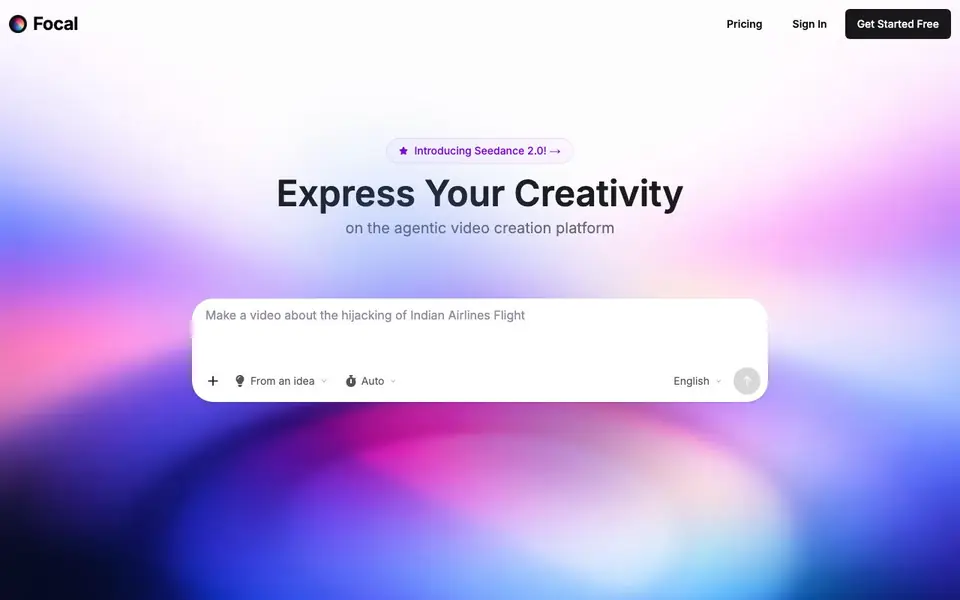
What is Focal?
Focal is an agentic video creation platform that helps you make your own TV shows and movies. You start from a script or just an idea, and Focal helps you turn it into a finished video. It brings together the latest AI models for video, images, voices, and sound effects, so you can create complete stories in one place.
You can bring your own script, and Focal will adapt it faithfully. If you only have an idea, Focal can help you write a script first. Then you edit with chat commands like "Make this conversation shorter" or "replace this with a series of over-the-shoulder shots." For finer control, traditional timeline editing tools are also available.
Focal supports consistent characters and locations, so you can generate and reuse them across your projects. It integrates models like Veo, Seedance, Kling, and Hailuo for video, GPT Image and Nano Banana for images, and ElevenLabs for voices and sound effects. The free plan gives you 100 starting credits and 10 daily credits, but only basic models and no commercial use. Paid plans start at $10 per month and include commercial rights.
Focal features
- Script to video: Bring your own script and Focal adapts it faithfully into a video.
- Idea to script: If you only have an idea, Focal helps you turn it into a script first.
- Chat editing: Edit your video with natural language commands like shortening conversations or changing shots.
- Timeline editing: Traditional timeline tools let you polish your work with precision.
- Consistent characters and locations: Generate and reuse characters and locations across your projects.
What you can do with Focal
- Create short films or episodes from your own scripts.
- Turn a rough idea into a full video story with AI assistance.
- Produce consistent character-driven content for series.
- Edit existing video projects with chat commands for faster iteration.
How to get started with Focal
- Sign up for a free account on Focal's website.
- Start with a script you already have, or describe an idea and let Focal help you write one.
- Generate your video, then refine it using chat commands or the timeline editor.
Tips for better results with Focal
- Start with a complete written script rather than a vague idea, since Focal adapts your own script faithfully and gives you more control over the final video.
- Use chat commands in Focal to make specific changes like shortening a conversation or swapping shot types, then switch to timeline editing for fine polish.
- Generate consistent characters and locations once in Focal, then reuse them across scenes to keep your story visually coherent without regenerating assets.
- Check your credit balance before long projects, because Focal's free plan gives only 100 starting credits plus 10 daily, which may run out quickly.
- Test Focal with a short scene first to learn how its integrated models like Veo and Seedance handle your style, before committing to a full episode.
Focal pricing
Focal has a free way to start, with paid plans for heavier use. Check focalml.com for current limits and prices.
What to check before you rely on Focal
- Confirm whether your intended use requires commercial rights, since Focal's free plan is personal use only and paid plans start at $10 per month.
- Verify which models are available on your plan, because free access only includes basic image and video models, not the best ones like Veo.
- Check if Focal exports video in the formats you need for your workflow, as the website does not list supported export formats or resolutions.
- Review Focal's data and privacy policy for how your scripts and generated content are stored, since the website does not state this clearly.
Who Focal is for
Focal suits content creators, filmmakers, storytellers and video marketers. If that is not you, the AI video generators below may fit better.
Similar tools compared with Focal
| Tool | What it is | Pricing |
|---|---|---|
| Focal | Agentic AI video creation platform | Freemium |
| SiVideoGen | AI video generator with multiple models | Freemium |
| FreeSiTools | Free AI image prompt generator | Free |
| SiVideoAPI | Unified API for top AI video models | Freemium |
| Runway | AI video, image, and audio creation suite | Freemium |
Focal FAQ
Which AI models does Focal support?
Focal integrates best-in-class models for video, images, and voices. For video, it supports Veo, Seedance, Kling, and Hailuo. For images, it includes GPT Image, Nano Banana (Pro), Z-Image, Flux Klein, and Seedream. For voices, it uses ElevenLabs, InWorld, and OpenAI, plus ElevenLabs for sound effects.
Can I use my outputs commercially?
Yes, anything you make on a paid plan is yours to use commercially. The free plan is for personal use only. So if you need commercial rights, you'll need to subscribe to a paid plan.
What does the free plan include?
The free plan gives you 100 starting credits and 10 daily credits when those run out. It only includes basic image and video models, and generations are slower. There's no commercial use on the free plan.
How do I get support if I have questions?
You can talk directly to the Focal team through the Support button in the top right corner when you're logged in. Alternatively, you can email them at founders@focalml.com.
What video formats and resolutions can Focal export?
Focal's website does not specify the exact export formats or resolutions. You can check the platform's export settings after creating a project, or contact Focal support through the Support button or founders@focalml.com for details.
Does Focal work on mobile devices or only in a web browser?
Focal's website does not mention a mobile app or specific device requirements. It appears to be a web-based platform, so you likely access it through a browser on your computer. For confirmation, check the site's system requirements or contact support.
Can I use Focal to create videos for a specific job, like YouTube or advertising?
Yes, Focal can help you create videos for various purposes, including short films, episodes, and character-driven series. Since paid plans include commercial rights, you can use your outputs for YouTube or ads. The free plan is for personal use only, so check your plan's terms.


