

What is FastlyConvert?
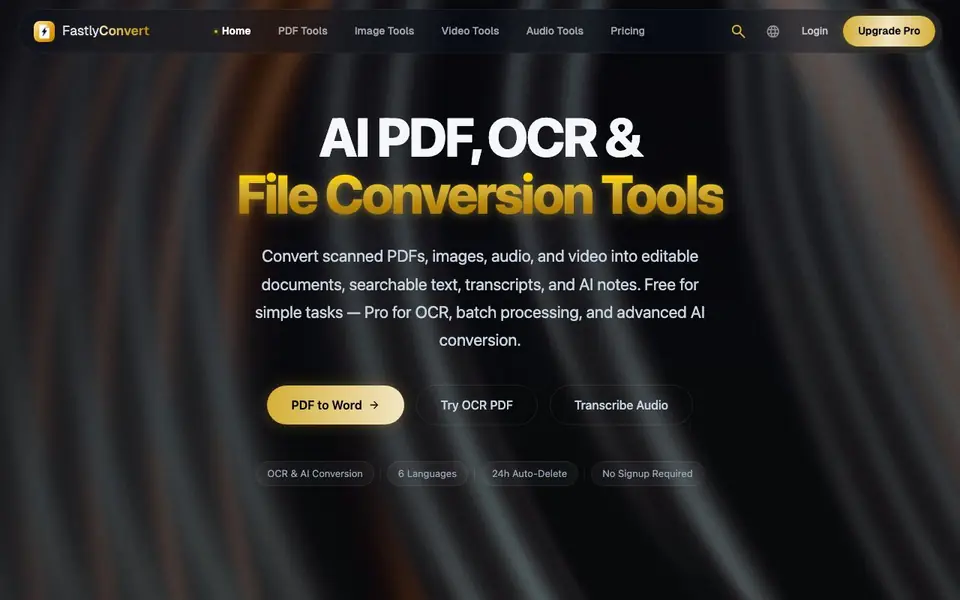
FastlyConvert is an online file conversion platform that handles PDF, image, video, and audio formats. It offers over 40 tools, including PDF to Word, image compression, video conversion, and AI-powered speech-to-text. You can use it directly in your browser without installing any software.
To get started, you upload your file, choose a conversion option, and download the result. The platform uses industry-standard tools like FFmpeg, Whisper, and OpenAI for quality. It supports 100+ formats and 6 languages, with features like batch processing and OCR for scanned documents.
FastlyConvert is built for privacy. Files are automatically deleted from servers within 24 hours, transfers are encrypted, and no human accesses your data. You can start with free daily credits without signing up. A Pro plan offers higher limits and priority processing for advanced tasks.
FastlyConvert features
- PDF to Word conversion: Converts PDFs to editable Word documents with formatting preservation.
- AI transcription: Turns audio and video into text with high accuracy, exporting to TXT, SRT, or VTT.
- OCR for scanned PDFs: Extracts text from scanned documents to make them searchable and editable.
- Batch processing: Handles multiple files at once, like converting 50+ PDFs in minutes.
- Auto-delete privacy: Removes your uploaded files from servers within 24 hours automatically.
What you can do with FastlyConvert
- Convert scanned PDFs into editable Word documents for work.
- Transcribe meeting recordings into text notes for review.
- Compress large videos to fit email size limits.
- Resize images for social media posts quickly.
How to get started with FastlyConvert
- Go to the FastlyConvert website and choose a tool like PDF to Word or Transcribe Audio.
- Upload your file from your device—no account or signup is needed.
- Click convert and download your result once processing finishes.
Tips for better results with FastlyConvert
- Start with free daily credits for simple conversions like PDF to Word or image resizing, and save Pro for OCR, batch, or AI transcription tasks.
- For scanned PDFs, use FastlyConvert's OCR tool before converting to Word so the text becomes searchable and editable instead of a static image.
- When transcribing audio, upload clear recordings with minimal background noise to improve FastlyConvert's Whisper accuracy, and choose TXT, SRT, or VTT based on your needs.
- Use FastlyConvert's batch processing to convert multiple files at once, like 50+ PDFs, but verify the output formatting on a few samples before committing to large jobs.
FastlyConvert pricing
FastlyConvert has a free way to start, with paid plans for heavier use. Check fastlyconvert.com for current limits and prices.
What to check before you rely on FastlyConvert
- Check if your free daily credits cover the file size and number of conversions you need, since the website does not list specific credit limits or daily caps.
- Confirm whether the Pro plan's pricing and features match your usage, as the website shows a freemium label but does not state exact prices or plan details.
- Verify that the 24-hour auto-delete and encrypted transfers meet your data privacy requirements, and note that the website does not specify retention after deletion or third-party data handling.
Who FastlyConvert is for
FastlyConvert suits professionals, students, content creators and small business owners. If that is not you, the AI transcription tools below may fit better.
Similar tools compared with FastlyConvert
| Tool | What it is | Pricing |
|---|---|---|
| FastlyConvert | AI PDF, OCR, and file converter | Freemium |
| Otter.ai | AI meeting notetaker and transcription tool | Freemium |
| Fireflies.ai | AI meeting assistant for transcription and notes | Freemium |
| Fathom | AI notetaker for online meetings | Freemium |
| Turboscribe | Unlimited audio and video transcription | Freemium |
FastlyConvert FAQ
What is FastlyConvert?
It's an online file conversion platform supporting PDF, image, video, and audio formats. You get 40+ tools like PDF to Word, image compression, video conversion, and AI speech-to-text, all in your browser with no software install.
Is FastlyConvert really free?
Yes, every user gets free daily conversion credits with no account required. Core tools are free indefinitely. For higher limits and priority processing, there's an affordable Pro plan.
Are my files safe?
Yes. Uploaded files are automatically and permanently deleted from servers within 24 hours. Transfers use encrypted HTTPS connections, and no human ever accesses your files.
What formats and languages are supported?
The site says it supports 100+ formats and 6 languages. It doesn't list exactly which languages, so check the website for the full list if you need a specific one.
Can I use FastlyConvert without creating an account?
Yes, FastlyConvert lets you start converting files immediately without signing up. You get free daily credits that don't require an account or a credit card. This is stated on the FastlyConvert homepage under the 'No Account Required' section. For higher limits, you can upgrade to a Pro plan.
What can FastlyConvert export or connect to?
FastlyConvert exports converted files in various formats, such as PDF to Word, Excel, PPT, images, and more. For AI transcription, it exports to TXT, SRT, or VTT. The website does not mention any direct integrations with other apps or cloud services. Check the tool's export options on each conversion page for details.
Does FastlyConvert work on mobile devices?
FastlyConvert is a browser-based tool, so you can use it on any device with a web browser, including smartphones and tablets. The website doesn't specify dedicated mobile apps, but the responsive design should work on mobile. For best results, use a modern browser on your device.


