

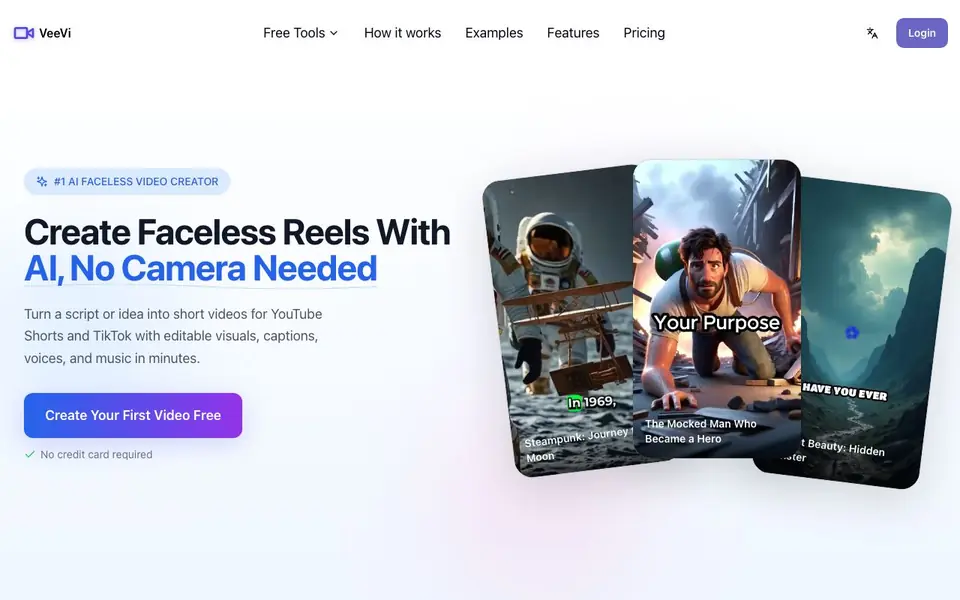
What is FacelessVideos?
FacelessVideos is a tool for creating short videos without showing your face. You start with a topic, script, or hook, and it drafts a ready-to-edit video. You can then shape each scene by rewriting image prompts, uploading your own pictures, or turning stills into short animations.
The workflow is simple: enter your starting point, adjust scenes and visuals, then export. You can pick from multiple languages, AI voices, and visual styles. Captions are customizable in font, color, timing, size, and placement. A music library and direct publishing to YouTube are included.
It suits creators making story clips, explainers, or themed channels for YouTube Shorts, TikTok, and Reels. The free plan gives you one video, one auto caption, and 30 AI credits. Paid plans start at $19 per month for 15 videos, with more videos and credits at higher tiers.
FacelessVideos features
- AI Video Drafting: Turns a topic, script, or idea into a ready-to-edit short video draft.
- Animated Visuals: Adds motion and scene generation to make static ideas feel more alive.
- Multiple Languages: Supports 14+ languages so you can create videos for different audiences.
- Flexible Visual Styles: Offers a range of looks so your videos do not all feel the same.
- Caption Styling: Adjusts font, color, timing, size, and placement to match your format.
What you can do with FacelessVideos
- Create faceless story clips for TikTok without being on camera.
- Produce themed channel videos for YouTube Shorts with consistent visuals.
- Turn a rough script into a finished explainer video with AI voiceover.
- Make romance or tutorial videos with customizable captions and music.
How to get started with FacelessVideos
- Start with a topic, rough script, or hook on the website.
- Shape every scene by editing image prompts, uploading pictures, or adding animation.
- Export the finished video for YouTube Shorts, TikTok, or Reels, or keep editing.
Tips for better results with FacelessVideos
- Start with a specific hook or rough script instead of a broad topic, so FacelessVideos drafts scenes that match your intended story arc and reduce editing time.
- Open each scene and rewrite the image prompt or upload your own pictures to make the visuals match your channel style, rather than accepting the default template look.
- Use the caption styling options to adjust font, color, timing, size, and placement for each platform, since YouTube Shorts, TikTok, and Reels have different safe zones.
- Export your first video early and review the timing and voiceover before refining further, so you can learn how FacelessVideos handles pacing and make targeted tweaks.
FacelessVideos pricing
FacelessVideos has a free way to start, with paid plans for heavier use. Check facelessvideos.app for current limits and prices.
What to check before you rely on FacelessVideos
- Check the free plan limits before relying on it: you get one video, one auto caption, and 30 AI credits, with files kept for only 7 days.
- Verify whether the paid plan you need covers your expected monthly video output, since pricing starts at $19 per month for 15 videos.
- Confirm the export formats and direct publishing options on the website, as the website does not list specific file types or platform integration details.
Who FacelessVideos is for
FacelessVideos suits content creators, social media marketers, YouTube Shorts makers and TikTok influencers. If that is not you, the AI video generators below may fit better.
Similar tools compared with FacelessVideos
| Tool | What it is | Pricing |
|---|---|---|
| FacelessVideos | AI faceless short video creator | Freemium |
| SiVideoGen | AI video generator with multiple models | Freemium |
| FreeSiTools | Free AI image prompt generator | Free |
| SiVideoAPI | Unified API for top AI video models | Freemium |
| Runway | AI video, image, and audio creation suite | Freemium |
FacelessVideos FAQ
How does the faceless video generator work?
You enter a topic, script, or idea. The tool drafts a short video with scenes, visuals, captions, and voices. You can then edit each scene before exporting the final video.
Is there a free plan?
Yes. The free plan gives you one faceless video, one auto caption, and 30 AI credits one-time. Files are kept for 7 days, and exports are watermark-free in HD.
Can I customize the video style?
Yes. You can rewrite image prompts per scene, upload your own pictures, turn stills into animations, and choose from multiple visual styles, AI voices, and caption settings.
What platforms can I publish to?
The tool supports one-click publishing to YouTube. It also exports videos formatted for YouTube Shorts, TikTok, and Reels.
Does FacelessVideos let me upload my own images or animations?
Yes, FacelessVideos lets you upload your own pictures and turn stills into short animations. You can also rewrite image prompts for each scene. This gives you control over the visuals so the final video matches your style, not just a template.
What does the free plan of FacelessVideos include exactly?
The free plan gives you one faceless video, one auto caption, and 30 AI credits, all one-time. Your files are kept for 7 days. You can export and download the video in watermark-free HD quality. It’s a good way to test the tool before paying.
Can I use FacelessVideos on my phone or tablet?
The FacelessVideos website does not mention specific device support, so it’s unclear if it works on phones or tablets. For the best experience, check the site’s help or contact them directly to confirm which devices are supported.


