

What is Faceless.video?
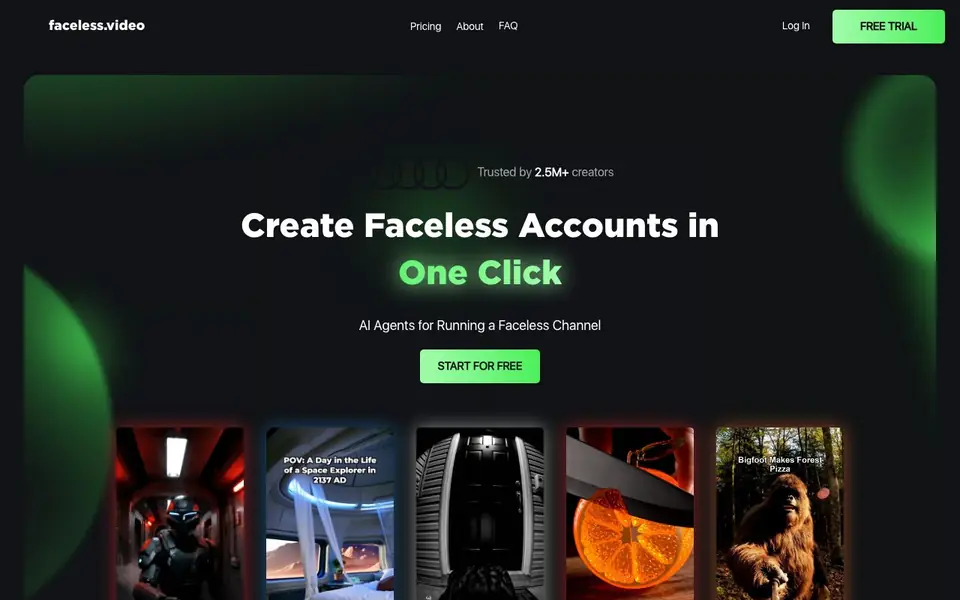
Faceless.video is an AI-powered content system for short-form video. It turns text into videos and posts them to your TikTok, Instagram Reels, or YouTube Shorts account. The tool is designed for creators who want to run a faceless channel without being on camera.
You start by choosing a niche from proven formats. Then AI agents generate a video draft. You can customize the draft to match your voice and style before publishing. You can also set a schedule for automatic drafts, then edit before posting or let them go live as is.
The tool is trusted by over 2.5 million creators. It also offers AI avatars for business, helping companies run daily video content for e-books, dropshipping, e-commerce, brick-and-mortar, and physical products. You can try creating a free video on the website.
Faceless.video features
- One-click faceless accounts: Creates a faceless account setup in a single click, so you can start quickly.
- AI video generation: Converts your text into a video draft automatically, saving you production time.
- Full customization: Lets you edit any field, background, or font in the video before publishing.
- Scheduled posting: Sets a schedule for automatic drafts, keeping your content flowing consistently.
- AI avatars for business: Provides AI agents to run daily video content for various business types.
What you can do with Faceless.video
- Start a faceless TikTok channel by choosing a niche and letting AI generate videos.
- Automate daily video posting to Instagram Reels without being on camera.
- Create consistent YouTube Shorts content with scheduled AI drafts.
- Run a business's video marketing with AI avatars for products or services.
How to get started with Faceless.video
- Choose your niche from a proven format to avoid starting from scratch.
- Let AI agents generate a video draft from your text.
- Customize the video or set a schedule for automatic posting to your accounts.
Tips for better results with Faceless.video
- Start by picking a proven niche from the available formats so the AI agents generate a draft that already fits a tested style, saving you time on rework.
- Use Faceless.video's full customization to edit fields, backgrounds, and fonts in each draft so the final video matches your voice before you schedule it.
- Set a schedule for automatic drafts to keep content flowing, but review each draft before posting if you want to maintain quality control over your channel.
- Test Faceless.video with a free video first to see how the AI handles your text, then adjust your input style based on the output you get.
Faceless.video pricing
Faceless.video has a free way to start, with paid plans for heavier use. Check faceless.video for current limits and prices.
What to check before you rely on Faceless.video
- Check the pricing page for plan limits on video generation or posting frequency, since the site labels it freemium but does not list specific caps.
- Verify whether the free trial includes full customization and scheduling features, as the website does not state what the trial restricts.
- Review the privacy policy and terms to see how your video drafts and account data are handled, since the site does not detail data practices here.
Who Faceless.video is for
Faceless.video suits content creators, social media marketers, business owners and dropshippers. If that is not you, the AI video generators below may fit better.
Similar tools compared with Faceless.video
| Tool | What it is | Pricing |
|---|---|---|
| Faceless.video | AI content system for faceless short-form video | Freemium |
| SiVideoGen | AI video generator with multiple models | Freemium |
| FreeSiTools | Free AI image prompt generator | Free |
| SiVideoAPI | Unified API for top AI video models | Freemium |
| Runway | AI video, image, and audio creation suite | Freemium |
Faceless.video FAQ
Do I need to make videos for this to work?
No, you don't need to make videos yourself. The AI agents generate video drafts from text, and you can customize them before posting. The tool is designed for faceless content creation.
Can I edit a video before it's posted?
Yes, you can fully customize the video draft to match your voice and style before publishing. You can change fields, backgrounds, and fonts. You can also set a schedule for drafts and edit them before they go live.
What if I don't want videos posted publicly?
The website does not specify options for keeping videos private. You can check the FAQ section or contact support for details on posting controls and privacy settings.
Is Faceless.video free to use?
The website says you can start for free and offers a free trial. It also has a pricing page, so there are likely paid plans. Check the pricing page for exact costs and what each plan includes.
Does Faceless.video work on my phone or only on a computer?
Faceless.video is a web-based tool, so you can access it from any device with a browser, including phones, tablets, and computers. The website does not mention a dedicated mobile app, but you can use it directly in your mobile browser.
Can Faceless.video connect to my TikTok, Instagram, or YouTube account automatically?
Faceless.video is designed to post videos to your TikTok, Instagram Reels, or YouTube Shorts accounts. The website does not specify the exact connection method, but it states the tool posts to these platforms. Check the platform settings or contact support for details on linking accounts.
What does the free plan of Faceless.video include?
Faceless.video offers a free trial, and you can create a free video on the website. The pricing is labeled freemium, but the website does not list the specific limits of the free plan. For exact details on what the free version includes, check the pricing page or sign up to see the available features.


