

What is explainroo?
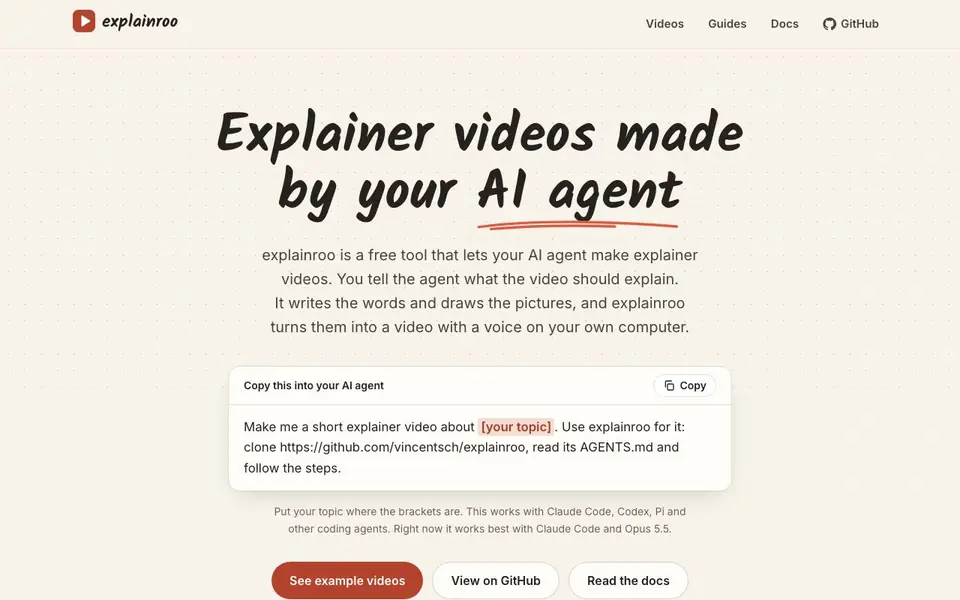
explainroo is a free, open source tool that turns your AI agent into an explainer video creator. You tell the agent what topic the video should cover. The agent writes the script and draws the visuals, and explainroo assembles them into a video with a voiceover, all on your own computer.
To use it, you copy a short prompt into your coding agent, such as Claude Code, Codex, or Pi. The prompt tells the agent to clone the explainroo repository, read its instructions, and follow the steps. You just replace the placeholder with your topic. The tool works best with Claude Code and Opus 5.5, according to the website.
This suits anyone who already works with coding agents and wants quick, narrated explainer videos without cloud services or API keys. The site notes it is free, open source, and runs locally. You can see example videos and read guides and docs on the website.
explainroo features
- Local execution: Runs entirely on your own computer, so your data stays with you.
- No API key needed: Works without requiring any external API key, keeping setup simple.
- AI agent integration: Designed to work with coding agents like Claude Code, Codex, and Pi.
- Script and visuals: Your agent writes the narration and draws the pictures for the video.
- Voiceover included: Turns the script into a spoken voiceover as part of the video output.
What you can do with explainroo
- Create a short explainer video about a product feature for your team.
- Generate a tutorial video explaining a technical concept to beginners.
- Produce a narrated overview of a project or process for stakeholders.
- Make a quick demo video for a blog post or documentation page.
How to get started with explainroo
- Copy the provided prompt from the explainroo website into your coding agent.
- Replace the placeholder with your video topic.
- Let the agent clone the repository, read the instructions, and follow the steps to generate the video.
Tips for better results with explainroo
- Replace the bracketed topic in the prompt with a specific, narrow subject like 'how to reset a password' to get a focused script and visuals from your agent.
- Run explainroo with Claude Code and Opus 5.5 for the best results, as the website states this combination works most reliably right now.
- Review the AGENTS.md file after your agent clones the repository so you understand the exact steps it will follow before you let it generate the video.
- Test explainroo on a short, low-stakes topic first to see how the script, visuals, and voiceover come together before using it for a real project.
explainroo pricing
explainroo is free to use according to its website.
What to check before you rely on explainroo
- Confirm your coding agent can clone a GitHub repository and run local scripts, since explainroo requires that workflow and the website does not list other installation methods.
- Check that your computer has enough storage and processing power for video generation, as explainroo runs entirely locally and the site does not state minimum hardware requirements.
- Verify the output video format and resolution before relying on it for distribution, because the website does not specify what file types or quality settings explainroo produces.
Who explainroo is for
explainroo suits developers, technical content creators and AI agent users. If that is not you, the AI video generators below may fit better.
Similar tools compared with explainroo
| Tool | What it is | Pricing |
|---|---|---|
| explainroo | AI agent explainer video maker | Free |
| SiVideoGen | AI video generator with multiple models | Freemium |
| FreeSiTools | Free AI image prompt generator | Free |
| SiVideoAPI | Unified API for top AI video models | Freemium |
| Runway | AI video, image, and audio creation suite | Freemium |
explainroo FAQ
What is explainroo?
explainroo is a free, open source tool that lets your AI agent create explainer videos. You give it a topic, and the agent writes the script, draws visuals, and adds a voiceover, all on your own computer.
Does explainroo require an API key?
No, explainroo does not need an API key. It runs locally on your computer, which keeps things simple and private. The website emphasizes that no API key is required.
Which AI agents work with explainroo?
The website says explainroo works with coding agents like Claude Code, Codex, and Pi. It notes that it works best with Claude Code and Opus 5.5.
Is explainroo free to use?
Yes, explainroo is free and open source, released under the MIT license. The website states it is free and does not mention any paid plans.
What video formats can explainroo export?
The explainroo website does not specify the video file formats it can export. Since it runs locally, the output format may depend on the tools it uses internally. For exact details, check the explainroo docs or GitHub repository, which are linked on the website.
Does explainroo work on Windows, macOS, or Linux?
The explainroo website does not list specific operating system requirements. Because it runs locally and is open source, it may work on multiple platforms, but the site doesn't confirm this. To see supported systems, check the explainroo docs or GitHub page.
What does the free plan of explainroo include?
explainroo is entirely free, with no paid tiers mentioned. The free version includes local execution, no API key requirement, script and visual generation by your AI agent, and a voiceover. There are no limitations or premium features listed on the website.


