

What is EVY - your AI co-creator?
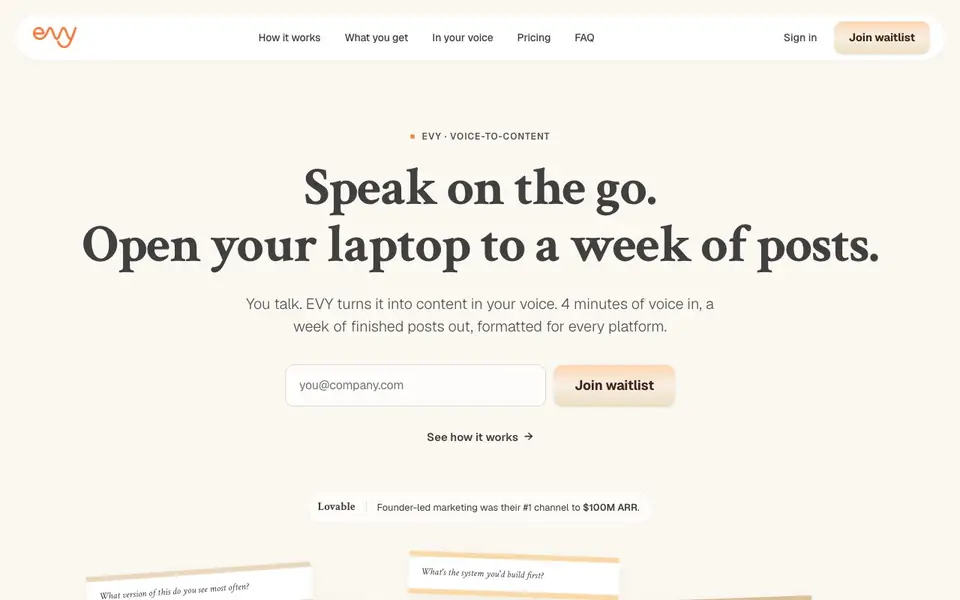
EVY is a voice-to-content tool that turns short voice memos into a week's worth of social media posts. You talk for a few minutes, and EVY captures, transcribes, and turns your thoughts into drafts formatted for platforms like LinkedIn, X, and Instagram. It aims to capture your natural speaking style, including your phrasing and opinions, so the content sounds like you.
You start by opening the mobile app and speaking your idea, even for just 30 seconds. EVY then asks follow-up questions to sharpen your thinking, pulls in your past posts for context, and drafts finished posts. When you open your laptop, you find a queue of ready-to-review drafts. You can edit, approve, and schedule or post them directly.
EVY suits founders, marketers, and anyone who wants to post consistently but lacks time to write. It emphasizes consistency over virality, drawing on examples like Lovable's founder-led marketing. The website does not state specific pricing or platform integrations beyond the core social channels, so you may need to check for those details.
EVY - your AI co-creator features
- Voice capture: Record short voice notes on mobile and EVY transcribes them into text.
- Idea sharpening: EVY asks questions and pulls past posts to refine your thoughts.
- Multi-format drafts: Generates text posts, carousels, and threads for different platforms.
- Voice matching: Writes in your style, using your phrasing and operating beliefs.
- Review queue: Prepares a week of drafts for you to edit, approve, and schedule.
What you can do with EVY - your AI co-creator
- Capture ideas while walking or driving and turn them into LinkedIn posts.
- Turn a 4-minute voice memo into a week of X threads and Instagram carousels.
- Maintain a consistent posting schedule without sitting down to write daily.
- Repurpose a single idea into multiple platform-specific formats.
How to get started with EVY - your AI co-creator
- Open the mobile app and speak your idea for 30 seconds to a few minutes.
- Answer EVY's follow-up questions to sharpen the idea while on the move.
- Open your laptop to review, edit, and approve the queued drafts, then post.
Tips for better results with EVY - your AI co-creator
- Speak naturally for at least 30 seconds, including your specific phrasing and opinions, so EVY can capture your authentic voice and generate drafts that sound like you.
- Use EVY's follow-up questions while you're on the move to sharpen your idea, then review the drafts on your laptop and edit them before approving or scheduling.
- Record ideas in short bursts throughout your week, such as while walking or driving, and let EVY turn those 4-minute memos into a queue of 8-12 posts ready for review.
- Check each draft EVY produces for accuracy and tone, then edit directly in the queue to ensure the final posts match your intended message before you schedule them.
EVY - your AI co-creator pricing
EVY - your AI co-creator’s homepage does not list prices. Check evy.so for current plans.
What to check before you rely on EVY - your AI co-creator
- Confirm whether EVY offers a free plan or trial, since the website does not list any pricing details or subscription costs.
- Verify which social media platforms EVY supports beyond LinkedIn, X, and Instagram, as the website does not specify integrations for other channels.
- Check EVY's data privacy and storage policies for your voice recordings and drafts, since the website does not state how your content is handled or protected.
Who EVY - your AI co-creator is for
EVY - your AI co-creator suits founders, marketers, content creators and solo professionals. If that is not you, the AI productivity tools below may fit better.
Similar tools compared with EVY - your AI co-creator
| Tool | What it is | Pricing |
|---|---|---|
| EVY - your AI co-creator | Voice-to-content social media post generator | See website |
| Mem | AI chief of staff and workspace | See website |
| Reclaim | AI calendar for work and life | Freemium |
| Otter.ai | AI meeting notetaker and transcription tool | Freemium |
| Motion | AI-powered productivity and project platform | Free trial |
EVY - your AI co-creator FAQ
How does EVY turn voice into posts?
You speak into the mobile app, and EVY transcribes your voice. It then asks questions to refine your idea, pulls in your past posts for context, and drafts posts formatted for platforms like LinkedIn, X, and Instagram.
Is EVY free to use?
The website does not state pricing details. It currently offers a waitlist to join, so you may need to sign up to learn about costs or plans.
Who is EVY for?
It's for people who want to post consistently on social media but lack writing time, like founders, marketers, and content creators. It's designed for those who have ideas on the go but struggle to sit down and write.
What platforms does EVY support?
The site mentions LinkedIn, X, and Instagram as examples. It formats posts for each platform's style, including text posts, threads, and carousels, but doesn't list all supported platforms.
Does EVY let you export your drafts or connect to scheduling tools like Buffer or Hootsuite?
The EVY website does not mention exporting drafts or connecting to third-party scheduling tools. It describes reviewing, approving, and scheduling or posting drafts directly from the app. For specifics on export options or integrations, check the EVY app or contact support.
What devices and platforms can you use EVY on?
EVY works on mobile for recording voice memos and on a laptop for reviewing and posting drafts. The website shows a mobile app and a laptop interface, but it does not specify whether it supports tablets, desktop apps, or web browsers. Check the app store listing or EVY's website for device compatibility details.
Does EVY require an account, and what does the free plan include?
The EVY website does not state whether you need an account or what a free plan includes. It mentions joining a waitlist and signing in, but pricing details are not listed. To find out about account requirements and free features, check the EVY sign-up page or contact their team directly.


