

What is EmailTriager?
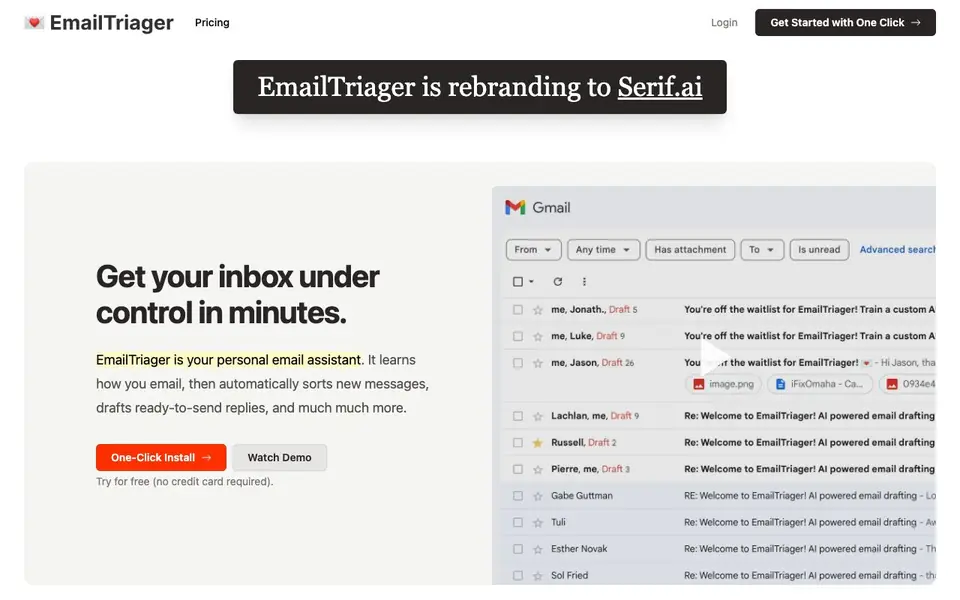
EmailTriager is a personal email assistant that plugs into your Gmail. It learns how you write by training on your past emails, then works in the background to organize new messages and draft replies for you. The goal is to turn email from a mental burden into a simple task of reviewing and sending drafts.
Once you install it with one click, it automatically trains on your email history. New drafts appear directly in Gmail, so you don't need to change your workflow or learn how to train an AI model. You just review the pre-written replies, tweak them if needed, and hit send. The tool also sorts incoming emails, flagging which ones need a response.
The service is rebranding to Serif.ai. It is verified by a Google-designated third-party security auditor and is CASA Tier 2 accredited. Your emails are never used to train general AI models; only you have access to your private AI model. It suits anyone overwhelmed by email who wants to save time and mental bandwidth.
EmailTriager features
- True Voice: Learns your writing style from past emails to draft replies that sound like you.
- One-click install: Adds to Gmail without needing a Chrome extension or changing your workflow.
- Automatic sorting: Organizes incoming emails and identifies which ones need a response.
- Ready-to-send drafts: Creates complete reply drafts in the background, ready for you to review.
- Private AI model: Your emails are used only for your personal assistant, not to train general models.
What you can do with EmailTriager
- Draft replies to customer questions about image credits and usage.
- Sort through a flooded inbox after being away for an hour.
- Respond to support emails in your own voice without typing from scratch.
- Reduce the mental load of deciding which emails need attention.
How to get started with EmailTriager
- Go to EmailTriager's website and click 'Get Started with One Click'.
- Connect your Gmail account—no credit card is required for the free trial.
- Let it train on your past emails, then review and send the drafts it creates in Gmail.
Tips for better results with EmailTriager
- Install EmailTriager and let it train on your past emails before judging its drafts, since it needs your history to learn your True Voice and match your style.
- Review every draft EmailTriager creates before sending, especially for sensitive replies, because it learns from your old emails and may repeat outdated phrasing or tone.
- Use EmailTriager to sort your inbox after you return from a break, and focus on the flagged 'Needs Response' messages to cut down your decision time.
- Tweak drafts that EmailTriager generates by editing them directly in Gmail, then send, so the tool can learn from your corrections and improve future replies.
- checks
EmailTriager pricing
EmailTriager has a free way to start, with paid plans for heavier use. Check emailtriager.com for current limits and prices.
What to check before you rely on EmailTriager
- Check your Gmail account type and permissions before installing EmailTriager, since the website does not state whether it works with free Gmail or only Google Workspace accounts.
- Verify what the freemium plan includes, because the website does not list any limits on drafts, sorting, or training volume for the free tier.
- Confirm how EmailTriager handles email deletion or account closure, as the site does not state whether your private AI model or data is removed when you stop using it.
Who EmailTriager is for
EmailTriager suits busy professionals, customer support teams, small business owners and Gmail users. If that is not you, the AI productivity tools below may fit better.
Similar tools compared with EmailTriager
| Tool | What it is | Pricing |
|---|---|---|
| EmailTriager | AI email assistant that drafts replies | Freemium |
| Mem | AI chief of staff and workspace | See website |
| Reclaim | AI calendar for work and life | Freemium |
| Otter.ai | AI meeting notetaker and transcription tool | Freemium |
| Motion | AI-powered productivity and project platform | Free trial |
EmailTriager FAQ
How does EmailTriager learn my writing style?
It trains on your past emails to create a private AI model that mimics your tone, phrasing, and sign-off. This is called True Voice, and it means drafts sound like you, not a generic AI.
Is EmailTriager free to use?
The website says you can try it for free without a credit card. It doesn't state whether there are paid plans, so check the pricing page on the site for current details.
Does EmailTriager work with any email provider?
The site specifically mentions it plugs into Gmail. It doesn't list support for other providers, so if you use a different service, you may need to check with the company.
Is my email data safe with EmailTriager?
The site says it is verified by a Google-designated third-party security auditor and is CASA Tier 2 accredited. Your emails are never used to train general AI models—only your private assistant uses them.
Does EmailTriager require a Chrome extension or any other browser add-on?
No, EmailTriager does not require a Chrome extension. It installs directly into your Gmail with one click, so you don't need to change your browser setup or workflow. The drafts and sorting features appear inside Gmail itself. If you have questions about specific browser compatibility, check the EmailTriager website for details.
What does the free plan of EmailTriager include?
The EmailTriager website says you can try it for free without providing a credit card. It does not list specific limits for the free plan, such as the number of emails processed or features included. To see exactly what the free plan covers, check the pricing page on the EmailTriager website.
Can EmailTriager export my drafts or connect to other apps like Slack or CRM tools?
The EmailTriager website does not mention exporting drafts or connecting to other apps beyond Gmail. It focuses on working within Gmail to sort messages and create reply drafts. If you need integration with other tools, check the EmailTriager website or contact their support for the latest information.


