

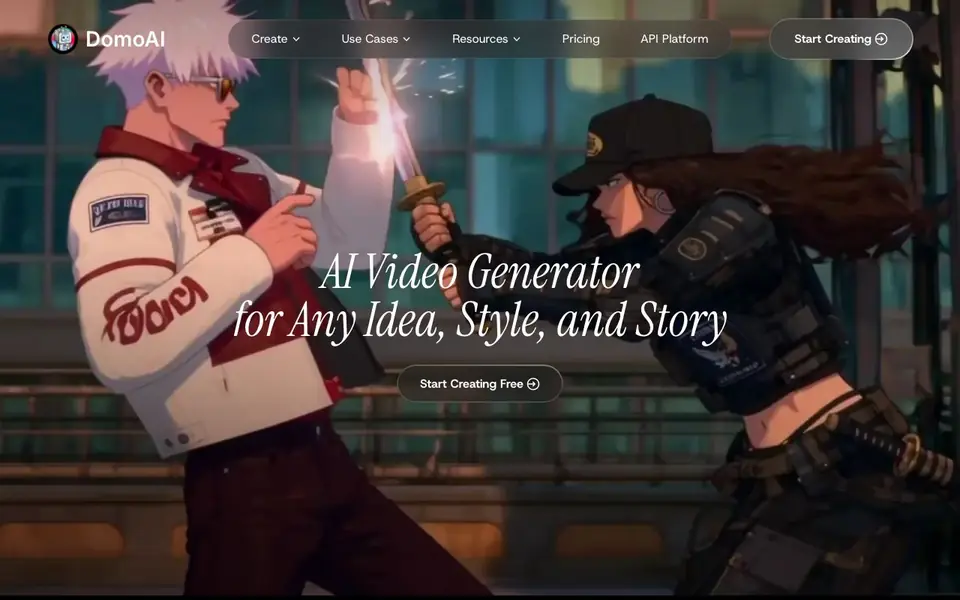
What is DomoAI?
DomoAI is an all-in-one AI creative studio for making videos. You can start from a text prompt, a static image, or existing footage, and turn it into finished animation. It supports many workflows, including video-to-video restyling, image-to-video animation, character animation, and talking avatars that speak your script.
You pick a mode, upload your content or type a prompt, and choose a style or reference. The AI handles the heavy work, like motion, lip sync, and background removal. You can also use the Omni Reference feature to blend image, video, and audio references into one consistent video. The platform integrates several AI models, including DomoAI's own 2.5, plus Seedance 2.5 and MiniMax H3.
It suits creators who want quick, stylized videos without complex editing. The site mentions smart editing tools like background removal, video upscaling, and lip sync auto-match. You can also browse community templates and remix them with your own content. The site claims over 5 million creators use it, but it does not list specific limits or pricing details beyond a free start.
DomoAI features
- Omni Reference: Blend image, video, and audio references into one consistent video.
- Video to Video: Transform existing footage into anime, realistic, or custom styles.
- Talking Avatar: Create lifelike avatars that speak your script with realistic speech.
- Lip Sync Auto-Match: Automatically synchronize audio with video for perfect lip sync.
- Video Upscaler: Enhance video resolution and quality using AI upscaling technology.
What you can do with DomoAI
- Turn a text prompt into a dynamic video scene.
- Animate a static image with smooth motion.
- Restyle your footage into anime or cartoon style.
- Create a talking avatar for your script.
- Upscale old or low-quality video footage.
How to get started with DomoAI
- Go to the DomoAI website and click Start Creating Free.
- Choose a mode like Text to Video, Image to Video, or Video to Video.
- Upload your content or type a prompt, then pick a style or reference and generate.
Tips for better results with DomoAI
- Start with a clear text prompt or reference image to guide DomoAI's style and motion, avoiding vague descriptions that lead to inconsistent results.
- Use Omni Reference in DomoAI to blend image, video, and audio inputs for a consistent video, especially when you need multiple elements to match.
- For talking avatars, upload a clean audio clip with clear speech to improve lip sync accuracy, and review the output to catch any mismatches.
- Experiment with different models like Seedance 2.5 or MiniMax H3 in DomoAI to see which handles your specific scene better, as each has unique strengths.
- When restyling footage, choose a reference video or image that closely matches the desired look, since DomoAI uses it to transfer style and motion effectively.
DomoAI pricing
DomoAI has a free way to start, with paid plans for heavier use. Check domoai.app for current limits and prices.
What to check before you rely on DomoAI
- Check the free plan's limits on video length, resolution, or number of generations, as the website does not list specific restrictions.
- Verify whether DomoAI retains or uses your uploaded content for training, since the site does not state its data privacy policy.
- Confirm the export formats and whether watermarks are applied to free videos, as the website does not mention these details.
- Review the pricing page for paid tiers, as the site only says 'free start' without listing costs or feature differences.
Who DomoAI is for
DomoAI suits content creators, social media marketers, animators and video hobbyists. If that is not you, the AI video generators below may fit better.
Similar tools compared with DomoAI
| Tool | What it is | Pricing |
|---|---|---|
| DomoAI | AI video generator and animation studio | Freemium |
| SiVideoGen | AI video generator with multiple models | Freemium |
| FreeSiTools | Free AI image prompt generator | Free |
| SiVideoAPI | Unified API for top AI video models | Freemium |
| Runway | AI video, image, and audio creation suite | Freemium |
DomoAI FAQ
What can I create with DomoAI?
You can make videos from text, images, or footage. It supports animation, style transfer, talking avatars, and character animation. You can also upscale videos and remove backgrounds.
Is DomoAI free to use?
The site says Start Creating Free, which suggests a free tier. It also has a Pricing page, so likely there are paid plans. Exact free limits are not stated on the homepage.
Who is DomoAI for?
It is for creators who want to make stylized videos quickly, such as social media content, anime-style clips, or talking head videos. It also suits those who want to remix community templates.
What AI models does DomoAI use?
It uses its own DomoAI 2.5 model, plus integrated models like Seedance 2.5 from ByteDance and MiniMax H3. For images, it uses GPT Image 2 and Nano Banana.
What file formats can I export from DomoAI?
The DomoAI website does not list specific export file formats. It focuses on generating finished videos from your inputs, but you should check the app or pricing page for details on export options and any limitations.
Does DomoAI work on mobile devices?
The DomoAI website does not mention whether it runs on mobile devices. It likely works through a web browser, but for confirmation about mobile apps or device support, check the official site or contact support.
What does the free plan of DomoAI include?
The DomoAI website says you can start creating for free, but it does not list specific limits or features for the free plan. For exact details on what the free tier includes, visit the pricing page on the official site.


