

What is Documentation.AI?
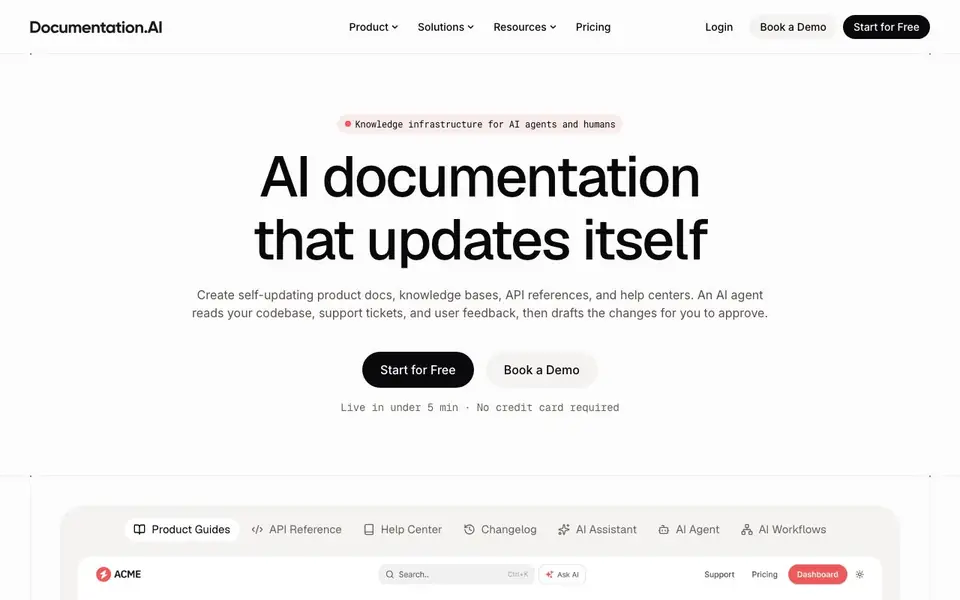
Documentation.AI is a documentation platform that keeps your product docs, knowledge bases, API references, and help centers up to date automatically. An AI agent monitors your codebase, support tickets, and user feedback, then drafts changes for you to review and approve. It is designed for both human readers and AI systems, with structured content that LLMs and search engines can easily parse.
You start by choosing a workflow template, like Documentation Update from Code, and connect the repositories it should watch. The agent runs after a pull request merge or on a schedule, reading your code changes and drafting updates. It reports what it changed and why, and you approve or reject each change before it goes live.
The platform includes a web editor with drag-and-drop blocks, or you can write in Markdown and MDX with Git sync. It also offers an AI assistant for users to ask questions in your docs, an interactive API playground, and an MCP server to share up-to-date docs with other AI tools. The site mentions product teams at Shiprocket, Seclore, and Protecto use it.
Documentation.AI features
- AI Documentation Agent: Workflows run after merges or on a schedule, drafting doc updates as commits for your review.
- AI Assistant in docs: Users ask questions inside your docs and get instant, cited answers.
- Structured content: Headings, code blocks, and parameters are structured for precise LLM chunking and retrieval.
- MCP server: Stream real-time spec changes to any model that supports the Model Context Protocol.
- Docs as code: Write in Markdown/MDX with Git sync, branches, PRs, and preview builds.
What you can do with Documentation.AI
- Keep API references updated automatically after code changes.
- Create a self-updating help center from support tickets and feedback.
- Build a knowledge base that AI agents can read accurately.
- Publish product guides with a web editor and drag-and-drop blocks.
How to get started with Documentation.AI
- Start for free on the website, no credit card required.
- Pick a workflow template and connect the repositories to watch.
- Set a trigger, let the agent draft updates, then approve or reject changes.
Tips for better results with Documentation.AI
- Connect Documentation.AI to your repositories and set triggers after pull request merges so the agent drafts updates while code changes are fresh and context is clear.
- Review every draft Documentation.AI produces, checking the summary and changed files, before approving, since the agent's suggestions may miss nuances in your product's intent.
- Use Documentation.AI's structured content features like headings and code blocks to improve LLM retrieval, ensuring AI assistants surface precise sections for users.
- Start with a workflow template like Documentation Update from Code to match Documentation.AI's agent to your existing docs structure, then adjust schedules based on your release frequency.
- Pair Documentation.AI with your support ticket system so the agent drafts help center updates from real user feedback, reducing manual triage of recurring issues.
Documentation.AI pricing
Documentation.AI has a free way to start, with paid plans for heavier use. Check documentation.ai for current limits and prices.
What to check before you rely on Documentation.AI
- Check Documentation.AI's freemium plan limits for workflow runs, storage, or team seats, since the website does not specify exact caps or pricing tiers.
- Verify that your repositories and support tools integrate with Documentation.AI before committing, as the site lists examples but not a full integration catalog.
- Confirm Documentation.AI's data handling for your codebase and tickets, since the site does not state specific privacy or retention policies for uploaded content.
Who Documentation.AI is for
Documentation.AI suits product teams, developers, documentation writers and enterprises. If that is not you, the AI productivity tools below may fit better.
Similar tools compared with Documentation.AI
| Tool | What it is | Pricing |
|---|---|---|
| Documentation.AI | Self-updating documentation and knowledge base platform | Freemium |
| Mem | AI chief of staff and workspace | See website |
| Reclaim | AI calendar for work and life | Freemium |
| Otter.ai | AI meeting notetaker and transcription tool | Freemium |
| Motion | AI-powered productivity and project platform | Free trial |
Documentation.AI FAQ
How does the AI agent keep my docs updated?
You set a trigger, like after a pull request merge or on a schedule. The agent reads your code changes, support tickets, and user feedback, then drafts updates. You review and approve every change before it goes live.
Can I write docs in my own code editor?
Yes. The platform supports docs as code with Markdown and MDX, full Git sync, branches, pull requests, and preview builds. You can also use the built-in web editor with drag-and-drop blocks.
Is there a free plan?
The website says you can start for free with no credit card required. It also mentions pricing and a demo booking, but it does not state the details of the free plan or paid tiers on the homepage.
Who is Documentation.AI for?
It is for product teams, developers, and documentation writers at startups and enterprises. The site mentions product teams at Shiprocket, Seclore, and Protecto trust it, and it suits teams that want docs to stay current with their product.
Can Documentation.AI export my docs to other formats or platforms?
The Documentation.AI website does not mention specific export formats or direct integrations with external platforms. It focuses on publishing via its web editor or docs-as-code with Git sync. For details on export options, check the pricing page or contact their team.
Does Documentation.AI run on Windows, Mac, or Linux?
Documentation.AI is a cloud-based platform, so it runs in any web browser on Windows, Mac, or Linux. The website does not mention a desktop app or specific operating system requirements. You can access it from any device with internet and a modern browser.
What does the free plan of Documentation.AI include?
The website says you can start for free with no credit card required and be live in under 5 minutes. It does not list the specific limits of the free plan, such as the number of docs, workflows, or users. For exact free plan details, check the pricing page.


