

What is Colossyan Creator?
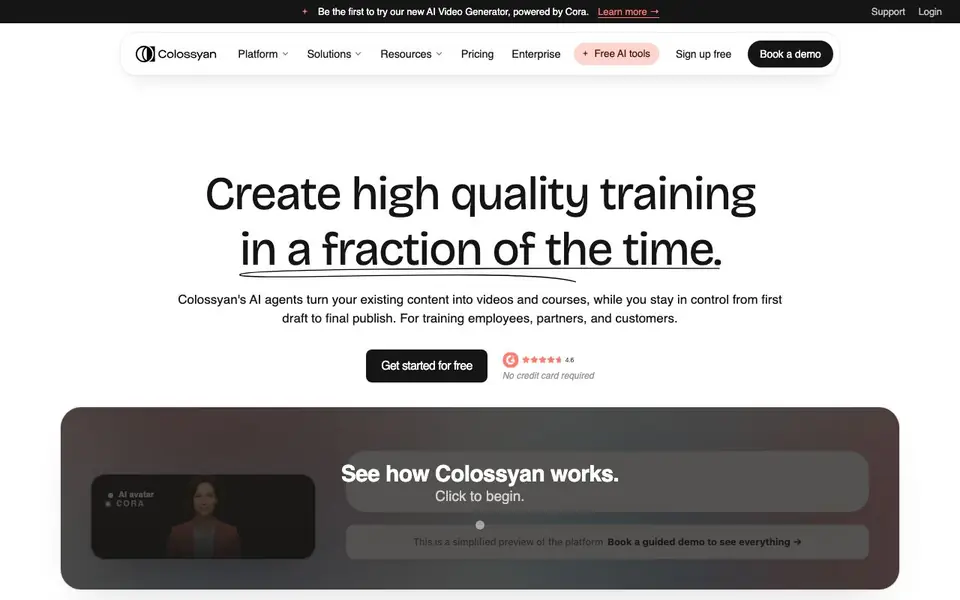
Colossyan Creator is an AI video generator built for workplace training and enablement. It turns your existing documents, slide decks, PDFs, or simple prompts into complete videos and courses. You stay in control from the first draft to the final publish, editing and approving every scene before anything renders.
You start by uploading a file or typing a prompt. The AI agent, named Cora, drafts a video or full course scene by scene. You review, edit, and approve each part. The platform applies your logo, colors, and chosen avatars automatically, so the output matches your brand from the start. No video production skills are needed.
Colossyan suits teams creating onboarding, compliance, enablement, and internal updates. It supports interactive elements like quizzes and branching, localization into 100+ languages, and SCORM export for your LMS. The site mentions enterprise-grade security features like SOC 2 Type II and GDPR compliance. Some features, like keeping content current, are noted as coming soon.
Colossyan Creator features
- AI agent drafting: Cora creates a video or course draft from your documents, decks, or prompts.
- Scene-by-scene approval: You edit and approve every scene before anything renders.
- Brand customization: Your logo, colors, and avatars are applied automatically to match your brand.
- Interactive elements: Add quizzes, branching scenarios, and clickable action buttons to boost engagement.
- Multi-language localization: Reach teams in 100+ languages from a single source video or course.
What you can do with Colossyan Creator
- Create onboarding videos from your existing HR documents.
- Build compliance training courses with quizzes and SCORM export.
- Localize training content for global teams in multiple languages.
- Produce internal updates with AI avatars that match your brand.
How to get started with Colossyan Creator
- Sign up for free on the Colossyan website — no credit card required.
- Upload a document, slide deck, PDF, or URL, or type a prompt to start.
- Review the AI-drafted scenes, edit as needed, and approve to render your video or course.
Tips for better results with Colossyan Creator
- Upload a complete document or slide deck instead of a short prompt so Cora has enough context to draft accurate scenes you can approve quickly.
- Review and edit every scene Colossyan Creator drafts before rendering, since nothing renders until you approve it, keeping you in control of the final output.
- Apply your brand logo, colors, and chosen avatars in Colossyan Creator at the start so every video matches your brand automatically from the first frame.
- Use Colossyan Creator's interactive features like quizzes and branching to turn passive videos into active learning experiences for your training audience.
Colossyan Creator pricing
Colossyan Creator has a free way to start, with paid plans for heavier use. Check colossyan.com for current limits and prices.
What to check before you rely on Colossyan Creator
- Check the free plan's limits on video length, number of videos, or exports, since the website does not state specific freemium restrictions.
- Verify whether SCORM export and localization into 100+ languages are available on your plan, as the site does not specify plan-level access.
- Confirm data privacy and security features like SOC 2 Type II and GDPR apply to your account, since the site mentions them but not for free tiers.
Who Colossyan Creator is for
Colossyan Creator suits HR and L&D teams, training managers, internal communications teams and enterprise organizations. If that is not you, the AI video generators below may fit better.
Similar tools compared with Colossyan Creator
| Tool | What it is | Pricing |
|---|---|---|
| Colossyan Creator | AI video and course creator | Freemium |
| SiVideoGen | AI video generator with multiple models | Freemium |
| FreeSiTools | Free AI image prompt generator | Free |
| SiVideoAPI | Unified API for top AI video models | Freemium |
| Runway | AI video, image, and audio creation suite | Freemium |
Colossyan Creator FAQ
What is Colossyan?
Colossyan is an AI platform that turns your existing knowledge into training and enablement content. You bring documents, briefs, or expertise, and the platform handles video creation, course structure, interactivity, localization, and delivery in one place.
How is Colossyan different from other AI video tools?
Most AI video tools stop at video creation. Colossyan is a full platform: you create videos with AI avatars, build structured courses, add interactive elements, localize into 100+ languages, and manage everything in one workflow. No need to stitch together separate tools.
What features does Colossyan include?
The platform includes 300+ AI avatars and voiceovers, video and course creation from PDFs and presentations, interactive elements like branching scenarios and quizzes, multi-language localization, team collaboration, versioning without re-recording, and SCORM export for LMS delivery.
Is there a free plan?
Yes, the website says you can 'sign up free' and 'get started for free' with no credit card required. It also mentions a free AI tools section, but details on the free plan's limits are not stated on the homepage. Check the pricing page for specifics.
Can Colossyan Creator export videos to SCORM or integrate with an LMS?
Yes, Colossyan Creator supports SCORM export, which lets you upload your completed courses to a Learning Management System (LMS). The website highlights this feature for delivering training content. For specific LMS compatibility details, check the platform's documentation or contact their support team.
Does Colossyan Creator offer a free plan, and what does it include?
Colossyan Creator has a freemium pricing model, and the website states you can get started for free with no credit card required. The free plan likely includes basic features, but the site does not detail its exact limits. For specifics on what the free plan covers, visit the pricing page or sign up to see the available features.
Can Colossyan Creator be used on any device or platform?
Colossyan Creator is a web-based platform, so you can access it through a browser on most devices, including desktop computers and laptops. The website does not mention dedicated mobile apps or offline use. For the best experience, use a modern browser and check the platform's system requirements if needed.


