

What is Capturelab?
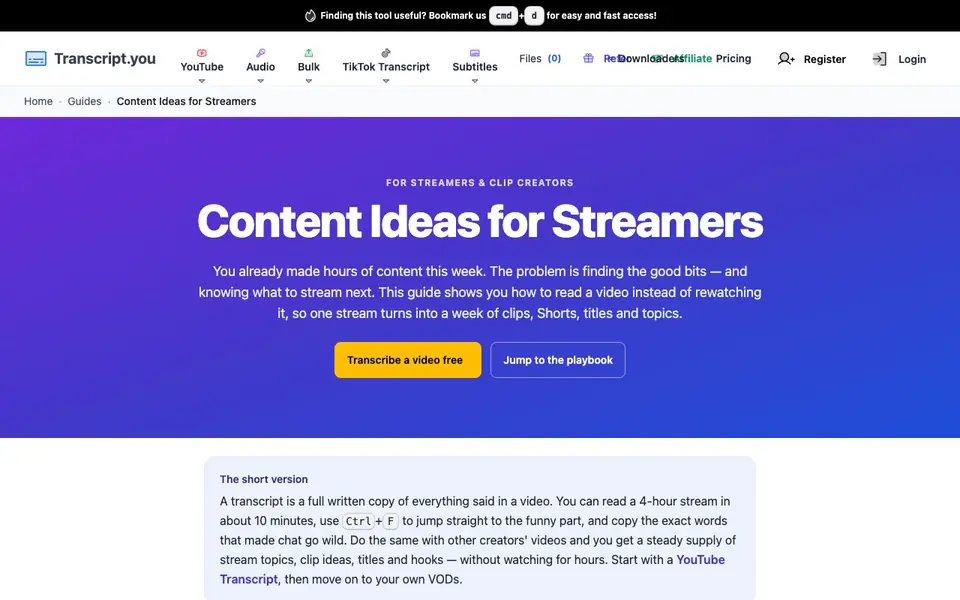
Capturelab is a practical guide and toolset for streamers and clip creators. It shows you how to turn hours of video into readable text, so you can find the best moments without rewatching everything. The site covers YouTube videos, Shorts, TikToks, audio files, and more, with matching tools for each source.
You start by pasting a link or uploading a file. The tool gives you a transcript with timestamps. You can search for keywords, skim quickly, and copy exact lines for titles or hooks. You can also feed the text into AI tools for more ideas.
This suits streamers who want to turn one stream into a week of content. It also helps you learn from other creators by comparing their openings and topics. The site notes that reading a 4-hour stream takes about 10 minutes, versus 35–50 minutes of scrubbing.
Capturelab features
- YouTube Transcript: Paste a link to get a transcript of any public YouTube video in seconds.
- Video Transcript: Upload an MP4 or VOD file and get a full text version with timestamps.
- Audio Transcript: Upload podcast audio or voice recordings and get searchable text.
- Bulk processing: Handle multiple videos at once to save time on content review.
- Timestamped output: See exactly when each line was said, so you can jump to clip moments.
What you can do with Capturelab
- Turn a 4-hour VOD into a week of clips and Shorts.
- Find funny or viral moments by searching your transcript for keywords.
- Generate stream topics by reading other creators' transcripts.
- Write titles and hooks using your own real spoken words.
How to get started with Capturelab
- Pick the tool that matches your source: YouTube link, file upload, or audio.
- Paste the link or upload your file and wait for the transcript.
- Search, skim, and copy lines with timestamps to find clips and ideas.
Tips for better results with Capturelab
- Paste a YouTube link into Capturelab first to test its speed and accuracy before uploading your own VODs, so you know what to expect from longer files.
- Use Capturelab's timestamps to jump straight to the exact second a funny line appears, then copy that line for your clip title or hook without scrubbing.
- Search your transcript for keywords like "clutch" or "no way" to surface viral moments you missed live, then build a queue of clips from one pass.
- Feed Capturelab's transcript text into an AI tool for extra title ideas, but always edit the output to match your real spoken words and tone.
Capturelab pricing
Capturelab’s homepage does not list prices. Check transcript.you for current plans.
What to check before you rely on Capturelab
- Check whether Capturelab's free tier covers bulk processing or only single files, since the site does not list any plan limits or pricing details.
- Verify that your uploaded MP4 or audio files are deleted after processing, because the website does not state its data retention or privacy policy.
- Confirm that Capturelab exports transcripts in a format you can use, like plain text or CSV, since the site does not specify available export options.
Who Capturelab is for
Capturelab suits streamers, clip creators, YouTubers and TikTok creators. If that is not you, the AI transcription tools below may fit better.
Similar tools compared with Capturelab
| Tool | What it is | Pricing |
|---|---|---|
| Capturelab | Video transcript tool for streamers | See website |
| Otter.ai | AI meeting notetaker and transcription tool | Freemium |
| Fireflies.ai | AI meeting assistant for transcription and notes | Freemium |
| Fathom | AI notetaker for online meetings | Freemium |
| Turboscribe | Unlimited audio and video transcription | Freemium |
Capturelab FAQ
What does Capturelab do?
It gives you written transcripts of videos, so you can read instead of watch. You can search for moments, copy exact quotes, and use the text for clips, titles, and stream ideas.
Is there a free plan?
The site mentions you can transcribe a video free, but it does not state details about limits or paid plans. Check the pricing page on the website for current options.
Who is this for?
It is aimed at streamers and clip creators who make lots of video content. It helps you repurpose your own VODs and learn from other creators without spending hours watching.
What types of videos can I transcribe?
You can use it for YouTube videos, Shorts, TikToks, exported VODs, OBS recordings, MP4 files, podcast audio, and voice notes. Each source has a matching tool.
Can Capturelab export transcripts to a file or another app?
The Capturelab website does not mention exporting transcripts to files or other apps. It focuses on providing transcripts with timestamps for reading and searching. For details on export options, check the tool's interface after you paste a link or upload a file, or contact support.
Does Capturelab work on mobile devices?
The Capturelab website does not specify whether it works on mobile devices. Since it is a web-based tool, you can likely access it through a mobile browser, but the site does not confirm this. Check the tool's behavior on your phone or look for any app mentioned in the footer.
What does the free plan on Capturelab include?
The Capturelab website mentions a free option to transcribe a video, but it does not list the limits of the free plan. You can start by transcribing a video for free, but details like length or number of videos are not stated. For exact limits, try the free option or check the pricing page.


