

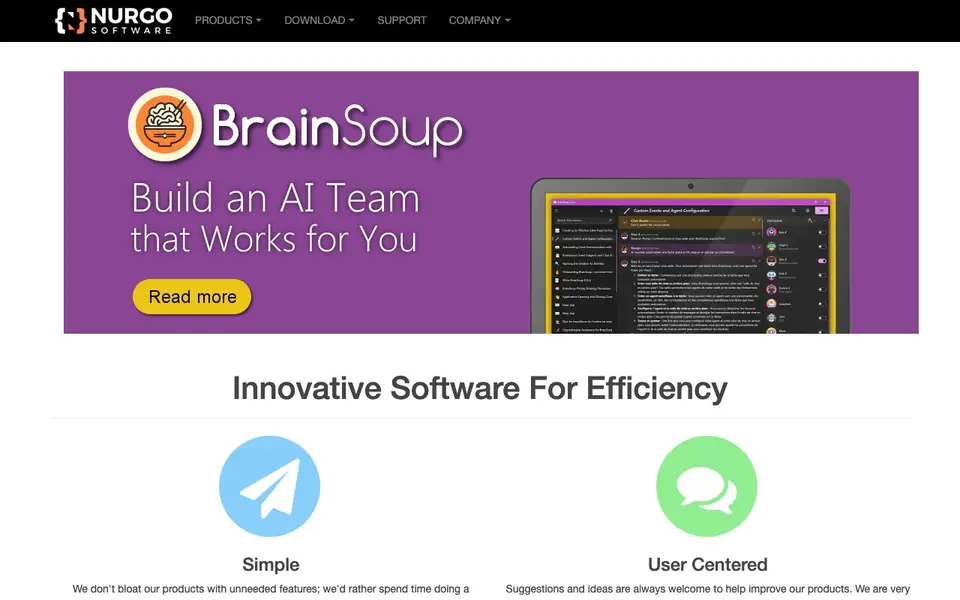
What is BrainSoup?
BrainSoup, by Nurgo Software, is a suite of desktop utilities focused on window management. The company is known for AquaSnap and TidyTabs, which help you organize and manage open windows on your computer. The tools are designed to be simple and user-centered, avoiding unnecessary features.
You can use these tools to snap windows into place, create tabs for multiple windows, and generally keep your desktop clutter-free. The software is privacy-friendly, meaning it does not collect your data, and the company is committed to not sharing personal information. Support is available if you need it, though the products are designed to be reliable.
These tools suit anyone who works with many windows at once, such as office workers, developers, or multitaskers. the website does not mention specific pricing or a free plan, so you may need to check the website for details. The focus is on doing a few things very well rather than adding many features.
BrainSoup features
- Window snapping: Arrange windows neatly on your screen with simple drag-and-drop actions.
- Tabbed windows: Combine multiple windows into tabs to reduce taskbar clutter.
- Privacy-friendly: No user data collection, keeping your information safe.
- Simple design: No bloat, only essential features for efficient window management.
- User-centered updates: Improvements based on user feedback and suggestions.
What you can do with BrainSoup
- Organize multiple open windows into a clean grid for better focus.
- Turn several related windows into tabs to switch between them quickly.
- Reduce desktop clutter when working on complex projects with many apps.
- Improve your daily workflow with tools that are easy to learn and use.
How to get started with BrainSoup
- Visit Nurgo Software's website and go to the Products section.
- Choose AquaSnap or TidyTabs based on your window management needs.
- Download and install the software, then start arranging your windows.
Tips for better results with BrainSoup
- Drag any window to a screen edge with BrainSoup to snap it into place, then repeat for other windows to build a tidy grid quickly.
- Use BrainSoup to combine related windows into tabs, then switch between them with a single click to reduce taskbar clutter.
- Start with one tool, like window snapping, and practice it for a day before adding tabs, so you learn each feature thoroughly.
- Give BrainSoup feedback on what feels awkward; the makers say they turn user suggestions into actual product improvements.
BrainSoup pricing
BrainSoup’s homepage does not list prices. Check nurgo-software.com for current plans.
What to check before you rely on BrainSoup
- Check whether BrainSoup offers a free trial or a paid license, since the website does not list any pricing or plan details.
- Confirm which operating systems BrainSoup supports, because the site does not state system requirements or platform compatibility.
- Verify how BrainSoup handles your data in practice, even though the site claims no collection, by reviewing its privacy policy directly.
Who BrainSoup is for
BrainSoup suits office workers, developers, multitaskers and productivity enthusiasts. If that is not you, the AI productivity tools below may fit better.
Similar tools compared with BrainSoup
| Tool | What it is | Pricing |
|---|---|---|
| BrainSoup | Window management and desktop productivity tools | See website |
| Mem | AI chief of staff and workspace | See website |
| Reclaim | AI calendar for work and life | Freemium |
| Otter.ai | AI meeting notetaker and transcription tool | Freemium |
| Motion | AI-powered productivity and project platform | Free trial |
BrainSoup FAQ
What does BrainSoup do?
BrainSoup is the brand for Nurgo Software's desktop utilities, mainly AquaSnap and TidyTabs. These tools help you manage windows on your computer, like snapping them to screen edges or grouping them into tabs, to make multitasking easier.
Is BrainSoup free to use?
The website does not state whether the tools are free or paid. You would need to check the product pages on Nurgo Software's site for pricing details or download options.
Who is BrainSoup for?
It's for anyone who works with many windows at once, such as office workers, developers, or people who like to keep their desktop organized. The tools are simple and user-friendly, so they suit both beginners and advanced users.
What can I make or connect with BrainSoup?
The tools don't connect to other apps; they work directly with your desktop. You can use them to organize your open windows, like snapping them into place or creating tabs, which helps you manage your existing applications more efficiently.
What operating systems does BrainSoup run on?
BrainSoup is a desktop utility suite, so it runs on Windows. The website does not mention support for macOS or Linux, so if you use a different operating system, check the download page for the latest system requirements.
Does BrainSoup require an account or internet connection to work?
BrainSoup is designed as a local desktop utility, and the website does not mention needing an account or an internet connection for its core features. For the most accurate details, check the product page or contact support directly.
Can BrainSoup export or sync my window layouts?
The website does not mention any export or sync features for window layouts. BrainSoup focuses on window management, so if you need to save or share layouts, check the product documentation or contact support to see if such features are available.


