

What is BlabbyAI Speech to text?
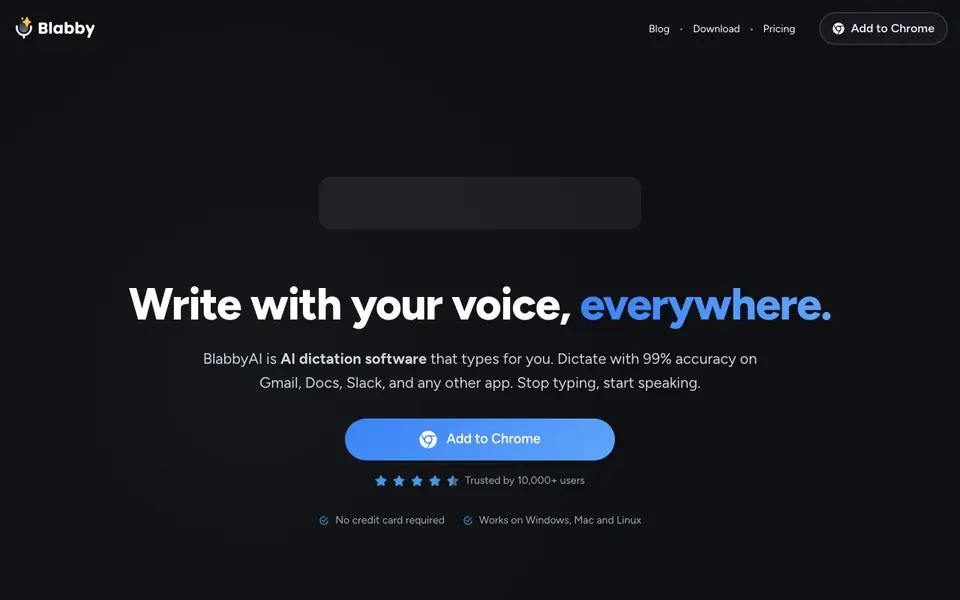
BlabbyAI is a Chrome extension that lets you dictate text instead of typing. It works on Gmail, Docs, Slack, and over 50,000 other websites. You click a microphone icon or use a shortcut, speak naturally, and your words appear as punctuated text. It uses OpenAI's Whisper v3 Turbo for high accuracy, even with accents and fast speech.
You can customize it to fit your workflow. Add custom spellings for names or jargon, set your own keyboard shortcuts, and choose from over 90 languages with auto-detection. AI modes let you fix grammar, translate to English, or rewrite text as a professional email. You can even create custom modes for tasks like meeting notes or reports.
BlabbyAI suits professionals like doctors, writers, and project managers who want to write faster. It works on Chromium-based browsers like Chrome, Edge, and Opera, and on Windows, Mac, and Linux. The website says it is trusted by over 10,000 users and requires no credit card to start, but it does not list specific pricing details.
BlabbyAI Speech to text features
- AI Modes: Automatically fix grammar, translate to English, or rewrite text as a professional email.
- Whisper Accuracy: Uses OpenAI's Whisper v3 Turbo to understand accents and fast speech with natural punctuation.
- Custom Spelling: Add your own names, jargon, or acronyms so the AI gets them right every time.
- Works Everywhere: Adds a dictation button to every text field on the web, from CRMs to social media.
- Auto-Detect Language: Supports over 90 languages and automatically detects which one you are speaking.
What you can do with BlabbyAI Speech to text
- Dictate patient notes directly into your medical records system.
- Write blog posts or book chapters by speaking instead of typing.
- Reply to emails quickly in Gmail or Outlook with voice input.
- Create meeting notes in Slack or Notion without manual typing.
How to get started with BlabbyAI Speech to text
- Add the BlabbyAI extension to your Chrome browser from the website.
- Click the microphone icon next to any text field or use your custom hotkey.
- Speak naturally, and the AI will transcribe and format your words as text.
Tips for better results with BlabbyAI Speech to text
- Add custom spellings for your names, jargon, and acronyms before dictating so BlabbyAI transcribes them correctly the first time, saving you from manual edits.
- Set your own keyboard shortcut like Ctrl+Space to start and stop recording instantly, keeping your hands on the keyboard and your flow uninterrupted.
- Create custom AI modes for repetitive tasks like meeting notes or reports, describing your formatting rules in plain English so BlabbyAI applies them consistently.
- Use BlabbyAI's AI modes to fix grammar or rewrite text as a professional email after dictating, especially when you speak informally but need polished output.
- Test BlabbyAI on a few different websites you use daily, since it works on over 50,000 sites but may behave differently on less common text fields.
BlabbyAI Speech to text pricing
BlabbyAI Speech to text’s homepage does not list prices. Check blabby.ai for current plans.
What to check before you rely on BlabbyAI Speech to text
- Check whether BlabbyAI's free tier has usage limits or requires a subscription, since the website does not list specific pricing details.
- Verify that your browser is Chromium-based like Chrome, Edge, or Opera, as BlabbyAI does not support other browsers like Firefox or Safari.
- Confirm that your data and dictated text are handled securely, as the website does not state its privacy policy or data retention practices.
- Review whether BlabbyAI supports exporting your dictated text to formats you need, since the website only mentions typing into text fields.
- Check if BlabbyAI works offline or requires an internet connection, as the website does not specify its connectivity requirements.
Who BlabbyAI Speech to text is for
BlabbyAI Speech to text suits doctors, writers, project managers and developers. If that is not you, the AI transcription tools below may fit better.
Similar tools compared with BlabbyAI Speech to text
| Tool | What it is | Pricing |
|---|---|---|
| BlabbyAI Speech to text | AI dictation Chrome extension for voice typing | See website |
| Otter.ai | AI meeting notetaker and transcription tool | Freemium |
| Fireflies.ai | AI meeting assistant for transcription and notes | Freemium |
| Fathom | AI notetaker for online meetings | Freemium |
| Turboscribe | Unlimited audio and video transcription | Freemium |
BlabbyAI Speech to text FAQ
Does BlabbyAI work on any website?
Yes, the extension adds a dictation button to every text field on the web. The site says it works on over 50,000 websites, including Gmail, Docs, and Slack.
Is BlabbyAI free to use?
The website says no credit card is required to start, but it does not state whether there is a free plan or paid tiers. Check the Pricing page on their site for current details.
What languages does BlabbyAI support?
It supports over 90 languages and can automatically detect which language you are speaking. This makes it useful for multilingual users.
Can I customize how BlabbyAI formats my text?
Yes, you can create custom modes for tasks like emails or notes. You can also add custom spellings for names and jargon, and set your own keyboard shortcuts.
Does BlabbyAI export or connect to other apps like Notion or Outlook?
BlabbyAI works on any website you use in a Chromium-based browser, including Gmail, Docs, Slack, and over 50,000 others. It adds a dictation button to every text field on the web, so it can type into Notion, Outlook, or any other web app. The website does not mention direct integrations or exports beyond this browser-based approach.
What does the BlabbyAI free plan include?
BlabbyAI requires no credit card to start, and the website says it is trusted by over 10,000 users. It does not list specific pricing details or what a free plan includes. To find out what you get without paying, check the Pricing page on blabby.ai for the most current information.
Can BlabbyAI be used on a phone or tablet?
BlabbyAI is a Chrome extension that works on Chromium-based browsers like Chrome, Edge, and Opera, and on Windows, Mac, and Linux operating systems. The website does not mention support for mobile devices like phones or tablets. For the latest device compatibility, visit the official blabby.ai website.


