

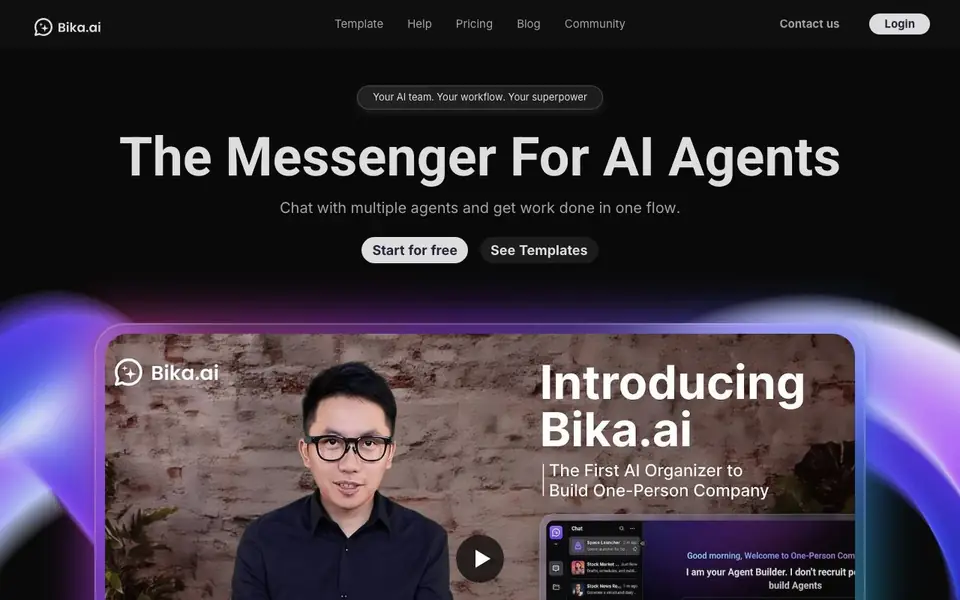
What is Bika.ai?
Bika.ai is an AI organizer designed for one-person companies. It combines AI agents, automation, databases, dashboards, and documents into a single platform. You can chat with multiple agents and get work done in one flow. It positions itself as a messenger for AI agents, helping you coordinate tasks across different functions.
You start by choosing from template apps, such as an AI Programmer, X/Twitter Manager, or Email Marketer. You can clone and install these templates, then customize them for your own use. The platform lets you build agentic apps using natural language, combining AI agents, automation, databases, forms, dashboards, and wikis. You can also watch replays to learn how to build these apps step by step.
This tool suits solo founders, product managers, and small teams who want to automate repetitive tasks. the website says features like advanced permissions management and a rich variety of triggers and actions in automation. It also notes the product is young with potential for growth, so some features may still be evolving.
Bika.ai features
- AI agents: Chat with multiple agents to handle different tasks in one conversation flow.
- Automation templates: Install pre-built automation workflows and customize them with minor tweaks.
- Database and dashboards: Organize information and visualize data alongside your agents and automations.
- Document generation: Create business, internal, HR, and requirements documents with AI assistance.
- Natural language building: Build agentic apps from scratch using plain language instructions.
What you can do with Bika.ai
- Automate your GitHub issue creation with ready-to-use templates.
- Draft and schedule tweets with an AI-powered Twitter assistant.
- Generate marketing copy and visual concepts for product launches.
- Track U.S. stock news and get structured reports with key insights.
How to get started with Bika.ai
- Sign up and start for free on the Bika.ai website.
- Browse the template library and clone an agentic app template that fits your need.
- Customize the template and use natural language to adjust the agents, automation, and data.
Tips for better results with Bika.ai
- Start by cloning a template app like AI Programmer or Email Marketer, then customize it to match your exact workflow before building from scratch.
- Use Bika.ai's natural language builder to describe your process step by step, and test each agent interaction to refine the responses.
- Watch the replays to see how others assemble agents, databases, and automations, then apply those patterns to your own projects.
- Combine multiple agents in one conversation flow to handle tasks like drafting tweets and tracking stock news without switching tools.
- checks
Bika.ai pricing
Bika.ai has a free way to start, with paid plans for heavier use. Check bika.ai for current limits and prices.
What to check before you rely on Bika.ai
- Check whether the free plan includes enough automation runs and database records for your workload, as the website does not list specific limits.
- Verify if your data is stored securely and whether export options exist for databases and documents, since the site does not state these details.
- Confirm that the automation triggers and actions you need are available in your plan, as the website only mentions a rich variety without specifics.
Who Bika.ai is for
Bika.ai suits solo founders, product managers, small teams and marketers. If that is not you, the AI productivity tools below may fit better.
Similar tools compared with Bika.ai
| Tool | What it is | Pricing |
|---|---|---|
| Bika.ai | AI organizer with agents and automation | Freemium |
| Mem | AI chief of staff and workspace | See website |
| Reclaim | AI calendar for work and life | Freemium |
| Otter.ai | AI meeting notetaker and transcription tool | Freemium |
| Motion | AI-powered productivity and project platform | Free trial |
Bika.ai FAQ
What can I build with Bika.ai?
You can build agentic apps that combine AI agents, automation, databases, forms, dashboards, and wikis. Templates include an AI Programmer, X/Twitter Manager, and Email Marketer, which you can customize.
Is there a free plan?
Yes, the website says you can start for free. It also mentions a reasonable price for purchases, suggesting there are paid plans available beyond the free tier.
Who is Bika.ai for?
It is designed for one-person companies, but also suits product managers, project teams, and small teams. The templates cater to roles like marketers, developers, and HR professionals.
Do I need coding skills to use it?
No. You can build apps using natural language. The AI Programmer template, for example, transforms ideas into HTML pages without coding. The platform focuses on vibe working.
Does Bika.ai offer a mobile app or desktop app?
The Bika.ai website does not mention a dedicated mobile or desktop app. You can access the platform through your web browser. For the latest information on device support, check the official website or contact their support team.
Can I export data from Bika.ai to other tools like Excel or Google Sheets?
The Bika.ai website does not specify export options to Excel or Google Sheets. It mentions databases and dashboards for organizing and visualizing data, but export capabilities are not detailed. For specific export features, refer to the platform's documentation or help section.
What integrations does Bika.ai support with other apps like Slack or Zapier?
The Bika.ai website does not list integrations with apps like Slack or Zapier. It focuses on its own AI agents, automation, and templates. For a complete list of supported integrations, check the platform's help center or contact support.


