
What is BetterWispr?
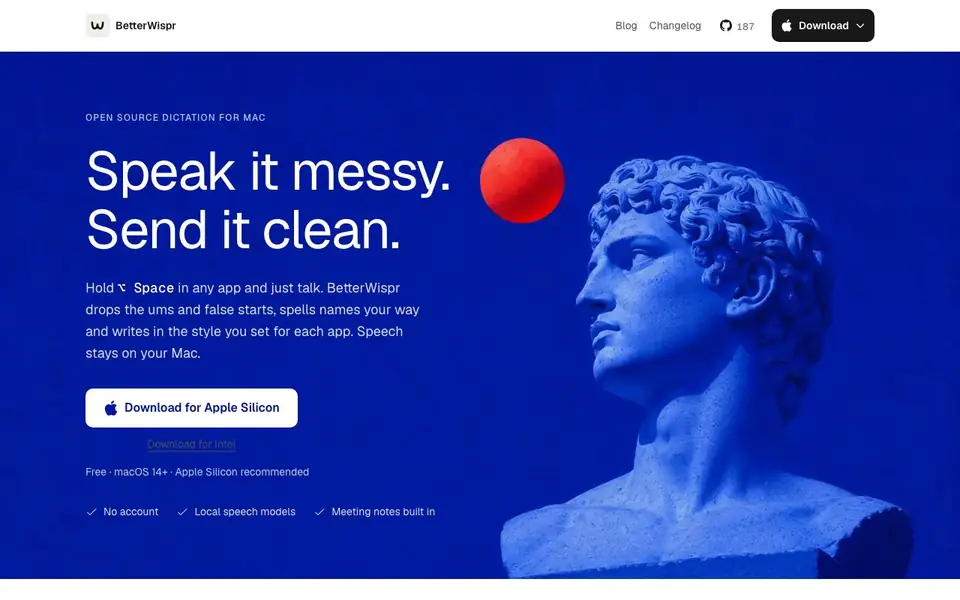
BetterWispr is a free, open-source dictation app for macOS that turns your speech into clean, formatted text. It runs entirely on your Mac, using local speech models, so your voice never leaves your device. No account is needed, and it works offline after the initial model download.
To use it, you hold Option + Space in any app, speak naturally, and release the key to have your words transcribed and inserted. It cleans up ums, false starts, and repeats, and can apply a style you set for each app—like casual for messages or formal for email. You can also use voice commands to add punctuation or delete the last sentence.
BetterWispr includes a built-in meeting notetaker that separates your mic from other speakers, and uses Apple Intelligence or Ollama to summarize decisions and action items. It tracks your dictation history and insights, and you can teach it your own names and terms. It's designed for anyone who wants fast, private dictation on a Mac, with support for multiple languages and models.
BetterWispr features
- Local speech models: Transcribes on your Mac with no cloud fallback, keeping your speech private.
- App-specific styles: Set a tone for each app, from casual to formal, applied automatically.
- Meeting notes: Separates your mic from others and generates summaries and action items.
- Voice commands: Say comma, question mark, or scratch that to control formatting while dictating.
- Learned words: Add hints and replacements so BetterWispr spells names and terms your way.
What you can do with BetterWispr
- Dictate emails and messages in a casual or formal style per app.
- Take meeting notes that summarize decisions and action items automatically.
- Write long documents hands-free with cleanup of ums and false starts.
- Use voice commands to add punctuation or delete sentences while speaking.
How to get started with BetterWispr
- Install BetterWispr and follow the welcome guide to set permissions and download your first speech model.
- Place your cursor in a text field, hold Option + Space, and speak what you want to write.
- Release the key to transcribe, and clean text appears in the app you were using.
Tips for better results with BetterWispr
- Hold Option and Space to dictate, then release to insert text; use press-to-toggle mode for longer sessions to avoid holding the key down continuously.
- Set a distinct style for each app, like casual for Messages and formal for email, so BetterWispr automatically formats your tone without manual edits.
- Teach BetterWispr your names and terms by fixing words in History or after pasting, so it spells them correctly in future dictations.
- Use voice commands like comma, question mark, and scratch that while speaking to control punctuation and deletions, keeping your hands off the keyboard.
- For meeting notes, rely on the built-in notetaker to separate your mic from others, then let Apple Intelligence or Ollama summarize decisions and action items.
BetterWispr pricing
BetterWispr is free to use according to its website.
What to check before you rely on BetterWispr
- Check that your Mac runs macOS 14 or later and has an Apple Silicon chip, since Intel support exists but Apple Silicon is recommended for best performance.
- Verify which speech model you select supports your language, as Parakeet covers 25 European languages and Japanese, but Whisper covers more—confirm before relying on it.
- Confirm that your chosen API key for Sarvam AI, Smallest AI, or OpenAI compatible providers is valid and has sufficient quota, since the website does not state pricing or limits.
- Review the cleanup level you set, as Medium uses Apple Intelligence or Ollama for edits, which requires those services to be available and configured on your Mac.
Who BetterWispr is for
BetterWispr suits macOS users, writers, professionals and privacy-conscious individuals. If that is not you, the AI transcription tools below may fit better.
Similar tools compared with BetterWispr
| Tool | What it is | Pricing |
|---|---|---|
| BetterWispr | Local dictation app for macOS | Free |
| Otter.ai | AI meeting notetaker and transcription tool | Freemium |
| Fireflies.ai | AI meeting assistant for transcription and notes | Freemium |
| Fathom | AI notetaker for online meetings | Freemium |
| Turboscribe | Unlimited audio and video transcription | Freemium |
BetterWispr FAQ
Is BetterWispr really free?
Yes, BetterWispr is free and open source under the Apache 2.0 license. There are no paid plans mentioned on the website, and no account is required to use it.
Does BetterWispr work offline?
Yes, after you download the speech models once, BetterWispr works offline. All transcription happens on your Mac, with no cloud fallback, so your speech never leaves your device.
What Macs are supported?
BetterWispr requires macOS 14 or later. Apple Silicon is recommended, but there is also a download for Intel Macs. You can choose from several built-in models like Parakeet and Whisper.
Can I use BetterWispr with any app?
Yes, you can dictate into any Mac app by holding Option + Space. If an app blocks pasting, the text is copied to your clipboard so nothing is lost. The website doesn't list specific incompatible apps.
Does BetterWispr require an account to use?
No, BetterWispr does not require an account. The website states 'No account' and the profile confirms that no account is needed. You can download and use the app directly on your Mac without signing up.
What languages does BetterWispr support for dictation?
BetterWispr supports multiple languages. The website mentions Parakeet covers English, Japanese, and 25 European languages, and Whisper covers more. You can also choose your own API for additional options. For specific language details, check the app's model list on the website.
Can BetterWispr export or integrate with other apps?
BetterWispr types text directly into any app you are using, so it works with all apps. The website does not mention exporting files or connecting to other services. For integration details, refer to the app's documentation or support page.


