

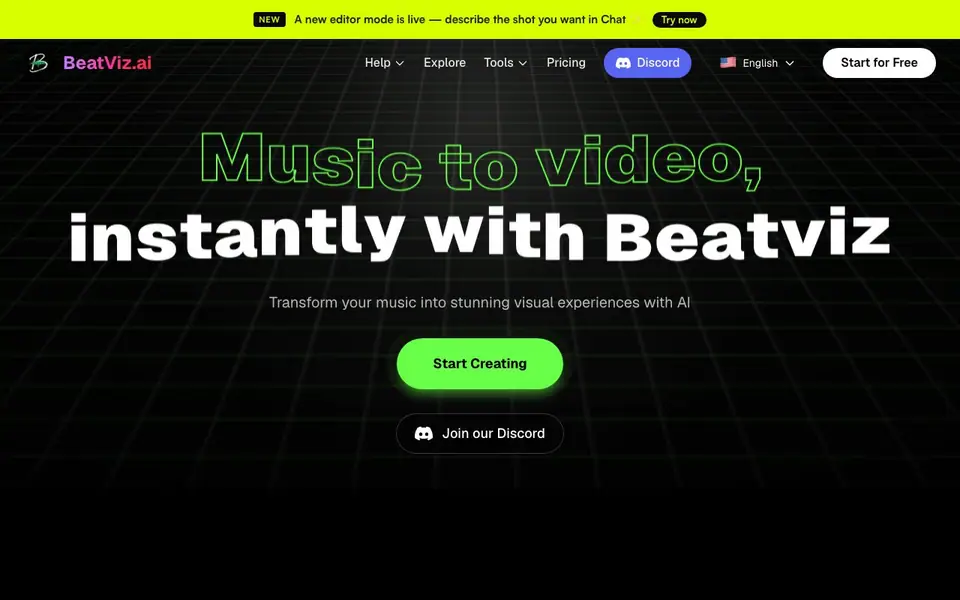
What is BeatViz AI: The Ultimate AI Music Video Generator?
BeatViz AI is an all-in-one tool that creates music videos from your tracks. It combines AI music generation with video creation, so you can go from an idea to a finished visual in one place. The platform uses top AI models from companies like Google, OpenAI, and ByteDance to keep your videos powered by advanced technology.
You start by uploading your music track. The AI detects the rhythm and beat (BPM) to build a visual framework that matches your song. Then you guide the creation through three modes: Chat, where you describe shots conversationally; Workflow, a step-by-step process for building your project; and Editor, which gives you full timeline control to refine every scene and detail.
BeatViz suits musicians, content creators, and anyone who wants professional-looking music videos without film school or expensive equipment. The site mentions a new editor mode and a free start option, but it does not list specific pricing tiers or limits on the free plan. You can check the Pricing page for current plan details.
BeatViz AI: The Ultimate AI Music Video Generator features
- Chat mode: Describe the shot you want in chat and the AI plans scenes for you.
- Beat sync: AI detects rhythm and BPM to align visuals with your music.
- Workflow mode: Guided step-by-step creation from idea to finished video.
- Editor mode: Full timeline control to shape every scene and sequence.
- Top AI models: Integrates models from Google, OpenAI, and ByteDance.
What you can do with BeatViz AI: The Ultimate AI Music Video Generator
- Upload a song and generate a beat-synced music video in minutes.
- Turn a Suno AI song into a visual music video quickly.
- Create a cinematic video from an audio track without editing skills.
- Use chat to direct AI for specific shots and styles.
How to get started with BeatViz AI: The Ultimate AI Music Video Generator
- Go to BeatViz.ai and click Start for Free.
- Upload your music track or use the chat to describe your video.
- Pick a mode—Chat, Workflow, or Editor—to generate and refine your video.
Tips for better results with BeatViz AI: The Ultimate AI Music Video Generator
- Start with a clean, high-quality track so BeatViz AI can detect the BPM accurately and sync visuals to the beat without drift.
- Use Chat mode in BeatViz AI to describe each shot in detail, mentioning camera angles and mood, to get scenes closer to your vision.
- Switch to Editor mode in BeatViz AI after generating to fine-tune scene timing and fix any awkward transitions before exporting.
- Test different style prompts in Workflow mode on a short section of your song to see which visual direction fits before committing.
BeatViz AI: The Ultimate AI Music Video Generator pricing
BeatViz AI: The Ultimate AI Music Video Generator has a free way to start, with paid plans for heavier use. Check beatviz.ai for current limits and prices.
What to check before you rely on BeatViz AI: The Ultimate AI Music Video Generator
- Check the Pricing page for current plan details, since the website does not list specific tiers or limits on the free plan.
- Confirm what export formats and resolutions BeatViz AI supports, as the site does not state these anywhere.
- Review the privacy policy to see how your uploaded music and generated videos are stored or used, since the site does not mention data handling.
Who BeatViz AI: The Ultimate AI Music Video Generator is for
BeatViz AI: The Ultimate AI Music Video Generator suits musicians, content creators, YouTubers and AI enthusiasts. If that is not you, the AI video generators below may fit better.
Similar tools compared with BeatViz AI: The Ultimate AI Music Video Generator
| Tool | What it is | Pricing |
|---|---|---|
| BeatViz AI: The Ultimate AI Music Video Generator | AI music video generator for musicians | Freemium |
| SiVideoGen | AI video generator with multiple models | Freemium |
| FreeSiTools | Free AI image prompt generator | Free |
| SiVideoAPI | Unified API for top AI video models | Freemium |
| Runway | AI video, image, and audio creation suite | Freemium |
BeatViz AI: The Ultimate AI Music Video Generator FAQ
What does BeatViz AI do?
BeatViz AI turns your music into a music video. You upload a track, and the AI detects the beat to create synchronized visuals. You can guide the process with chat, a step-by-step workflow, or a full editor.
Is BeatViz AI free to use?
The site has a 'Start for Free' button, suggesting a free plan is available. It does not state whether there are paid plans or what the free tier includes. Check the Pricing page on the website for details.
Who is BeatViz AI for?
It is for musicians, content creators, and YouTubers who want to make music videos without complex skills or expensive equipment. The site says 'zero film school required,' so beginners can use it too.
Can I edit my video after generating it?
Yes. The Editor mode gives you full creative control with a professional timeline. You can shape every scene, sequence, and detail exactly the way you want, combining AI generation with manual editing.
What file formats can BeatViz AI export my music video in?
BeatViz AI does not list specific export formats on its website. You can check the app or the Help section after you start creating to see what export options are available for your finished video.
Does BeatViz AI work on mobile devices or only on desktop?
BeatViz AI is a web-based tool, so you can access it from any device with a browser, including phones and tablets. The website does not mention dedicated mobile apps, so you would use it through your browser.
What does the free plan on BeatViz AI include?
BeatViz AI offers a free start option, but the website does not specify what the free plan includes, such as video length, watermarks, or usage limits. For exact details on the free plan, visit the Pricing page on the BeatViz AI website.


