

What is Animaker?
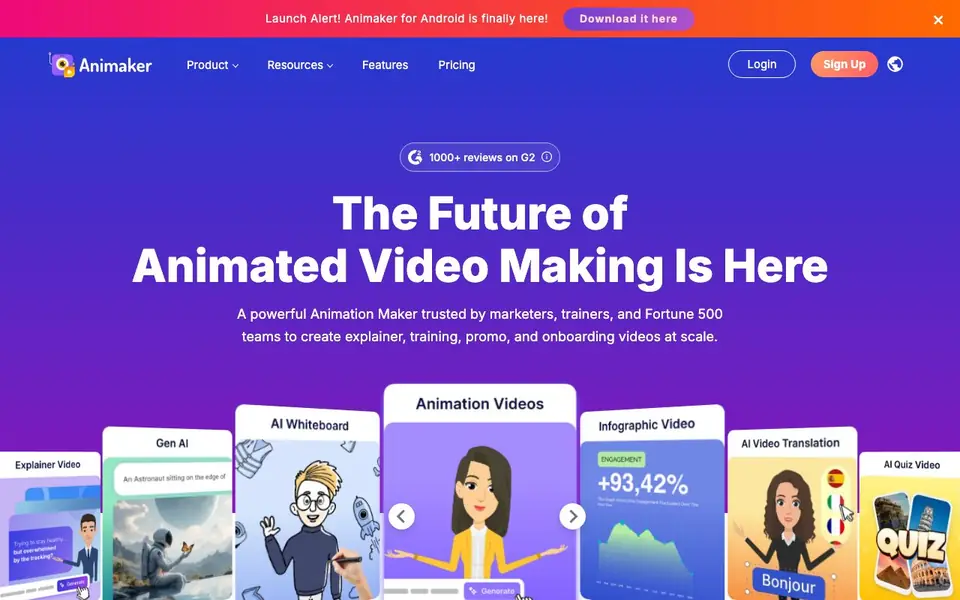
Animaker is an online animation platform that lets you create animated videos from a single text prompt. It is designed for beginners and professionals alike, with tools for explainer videos, training content, promos, and onboarding videos. The platform is trusted by marketers, trainers, and Fortune 500 teams, with over 35 million users worldwide.
To get started, you type your video idea or choose a sample prompt. You then build a conversation with the AI to refine your script and visuals. After that, you can customize the animation using the character builder, assets, and templates before exporting and sharing your video.
Animaker includes AI subtitles with 99% accuracy in 130+ languages, plus 1,800+ human-like voices across 200+ languages. It also offers one-click video translation into 100+ languages. The platform has 100M+ stock media, 70K+ icons, and 30K+ music tracks. You can create videos for L&D, HR, marketing, internal comms, or personal projects like birthday wishes.
Animaker features
- Text-to-video creation: Type your idea in plain language and get an animated video draft in minutes.
- Character builder: Create billions of unique animated characters to match your brand or story.
- AI subtitles and voices: Get 99% accurate subtitles in 130+ languages and choose from 1,800+ voices.
- One-click translation: Translate your animated videos into 100+ languages with a single click.
- Template library: Pick from thousands of templates to make professional videos in under five minutes.
What you can do with Animaker
- Create explainer videos for your product or service quickly.
- Build training videos that simplify complex concepts for learners.
- Make onboarding and compliance videos for new employees.
- Produce promo videos to engage followers and clients.
How to get started with Animaker
- Choose your animation category and type your video idea or pick a sample prompt.
- Build a conversation with the AI to refine your script and visuals.
- Refine the animation, then export and share your video.
Tips for better results with Animaker
- Start with a clear, specific prompt describing your video's purpose and audience, then refine it through the AI conversation to improve the script and visuals.
- Use Animaker's character builder to create characters that match your brand or story, then customize templates to speed up production while keeping your video unique.
- Review and edit the AI-generated subtitles and voiceovers before exporting, even though Animaker claims high accuracy, to catch any errors in your final video.
- Export your video in the format you need and test playback on your target platform, since Animaker's free plan may limit resolution or watermarks.
Animaker pricing
Animaker has a free way to start, with paid plans for heavier use. Check animaker.com for current limits and prices.
What to check before you rely on Animaker
- Check Animaker's pricing page for what the free plan includes, since the website does not list specific limits on exports, watermarks, or video length.
- Verify whether your intended use case, like commercial projects, is allowed under the free plan, as the site does not state licensing terms clearly.
- Confirm that Animaker supports the export formats and platforms you need, because the website does not specify available file types or resolutions.
Who Animaker is for
Animaker suits marketers, HR teams, L&D course creators and internal comms teams. If that is not you, the AI video generators below may fit better.
Similar tools compared with Animaker
| Tool | What it is | Pricing |
|---|---|---|
| Animaker | Online animated video creation platform | Freemium |
| SiVideoGen | AI video generator with multiple models | Freemium |
| FreeSiTools | Free AI image prompt generator | Free |
| SiVideoAPI | Unified API for top AI video models | Freemium |
| Runway | AI video, image, and audio creation suite | Freemium |
Animaker FAQ
What is Animaker?
Animaker is an online animation platform that lets you create studio-quality animated videos in minutes using a text prompt. You do not need prior animation or design experience to use it.
Is Animaker free?
Animaker offers a free plan to start creating. The website mentions starting for free, but it does not state the exact limits of the free plan or what paid plans include.
What types of videos can you create with Animaker?
You can create explainer videos, training content, promos, onboarding videos, and personal projects like birthday wishes or wedding invites. Templates cover many categories.
Does Animaker support AI voiceovers?
Yes. Animaker offers 1,800+ human-like voices across 200+ languages and accents. It also provides AI subtitles with 99% accuracy in 130+ languages.
Can Animaker export videos in 4K resolution?
The Animaker website does not mention specific export resolutions like 4K. It focuses on creating and sharing videos, but for exact export options, check the pricing page or contact support. You can likely find this information in the app's export settings after you start a project.
Does Animaker have a mobile app for iOS or Android?
Animaker has a dedicated Android app, as announced on their website. The site does not mention an iOS app. For the latest availability, check the official app stores or the Animaker website. You can use the Android app to create and edit videos on the go.
What does the Animaker free plan include?
The Animaker website labels the tool as freemium, meaning there is a free version. The site does not list the exact limits of the free plan, such as video length or exports. To see what's included, visit the pricing page or sign up and check the plan details in your account.


