

What is aivideogenerator.me?
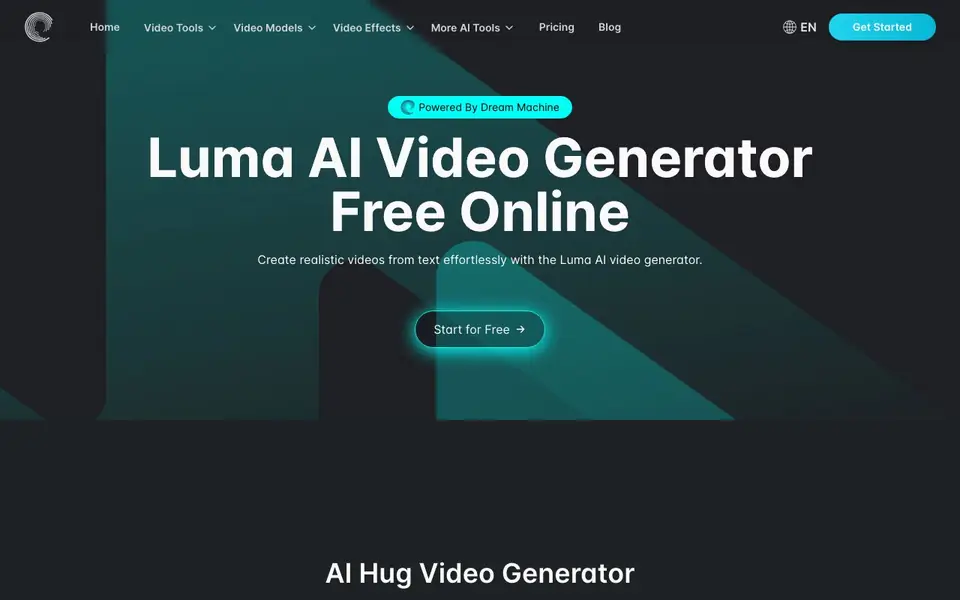
AIVideoGenerator.me is an online tool that creates videos from text descriptions. It uses Luma AI's Dream Machine model to turn your words into realistic moving scenes. The site also offers themed generators for specific video types like hugs, dances, and kisses.
You start by typing a prompt describing what you want to see. You can also upload an image to animate it. The tool then processes your request and produces a video you can watch and download. Example prompts on the site show scenes like a father and son hugging under a tree or animals dancing in a forest.
This tool suits creators who want quick video clips without complex editing software. The site mentions it is free to start and offers a pricing page for more details. It also covers other AI video models and effects, making it a useful hub for experimenting with different generation styles.
aivideogenerator.me features
- Text to video: Type a description and get a realistic video clip generated for you.
- Image to video: Upload a picture and make it move with smooth, lifelike motion.
- Themed generators: Use dedicated tools for specific scenes like hugs, dances, and kisses.
- Multiple AI models: Access different video generation models like Veo 3, Wan 2.2, and Kling.
- Free to start: Begin creating videos without paying, with paid options available.
What you can do with aivideogenerator.me
- Create a short clip of a person hugging a family member.
- Animate a still photo of your pet into a dancing scene.
- Generate a romantic video of a couple kissing for a project.
- Produce a quick video of someone doing push-ups for fitness content.
How to get started with aivideogenerator.me
- Go to the website and click the 'Get Started' or 'Start for Free' button.
- Type your video description into the prompt box or upload an image.
- Generate the video and preview it, then download or share your result.
Tips for better results with aivideogenerator.me
- Write specific prompts that describe the action, setting, and lighting, like 'a father and son hugging under a tree at sunset,' to get more realistic clips from AIVideoGenerator.me.
- Upload a clear, high-resolution image when using the image-to-video feature on AIVideoGenerator.me, as blurry or low-quality photos will produce less lifelike motion.
- Try the themed generators for hugs, dances, or kisses first, since they are pre-tuned for those scenes and often give better results than writing a generic prompt.
- Experiment with different AI models like Veo 3 or Kling on AIVideoGenerator.me for the same prompt, as each model produces distinct styles and motion quality.
aivideogenerator.me pricing
aivideogenerator.me has a free way to start, with paid plans for heavier use. Check aivideogenerator.me for current limits and prices.
What to check before you rely on aivideogenerator.me
- Check the pricing page before committing, as the site labels itself freemium but does not list specific free limits or paid plan costs on the homepage.
- Verify the privacy policy to see how your uploaded images and generated videos are stored or used, since the website does not state this information.
- Confirm the maximum video length and resolution you can generate, as the site does not mention these details anywhere on its main pages.
Who aivideogenerator.me is for
aivideogenerator.me suits content creators, social media users, marketers and hobbyists. If that is not you, the AI video generators below may fit better.
Similar tools compared with aivideogenerator.me
| Tool | What it is | Pricing |
|---|---|---|
| aivideogenerator.me | AI video generator from text | Freemium |
| SiVideoGen | AI video generator with multiple models | Freemium |
| FreeSiTools | Free AI image prompt generator | Free |
| SiVideoAPI | Unified API for top AI video models | Freemium |
| Runway | AI video, image, and audio creation suite | Freemium |
aivideogenerator.me FAQ
What does this tool do?
It generates videos from text prompts or images using AI. You describe a scene, and the tool creates a realistic video clip for you.
Is it free to use?
The site says you can start for free. It also has a pricing page, which suggests there are paid plans for additional features or usage.
Who is this tool for?
It is for anyone who needs quick video clips without editing software, including content creators, marketers, and casual users.
What AI models does it support?
It is powered by Luma AI's Dream Machine. The site also mentions other models like Veo 3, Wan 2.2, and Kling for different video generation options.
What video formats and download options does aivideogenerator.me offer?
The aivideogenerator.me website does not specify the exact video formats or download options available. To find this information, check the pricing page or the help section on the site. You can also contact support at support@aivideogenerator.me for details.
Can I use aivideogenerator.me on my mobile phone or tablet?
The aivideogenerator.me website does not mention specific device support or whether it has a mobile app. Since it is an online tool, you may be able to access it through a web browser on any device. For confirmation, check the site's help section or contact support.
Does aivideogenerator.me require me to create an account to use it?
The aivideogenerator.me website does not state whether an account is required. It mentions you can start for free, but account requirements are not listed. To find out, visit the pricing page or the help section, or reach out to support at support@aivideogenerator.me.


