

What is AIPRM?
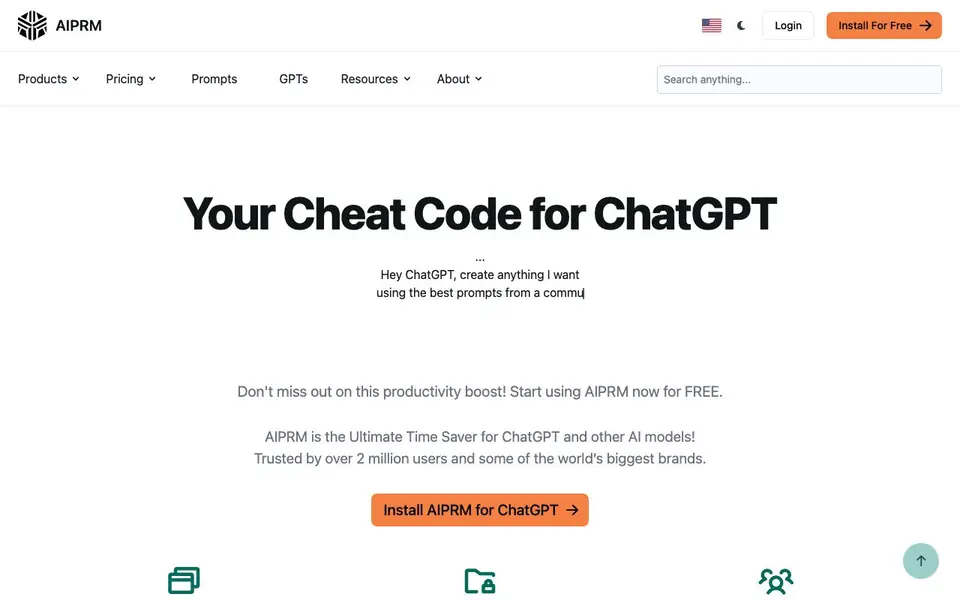
AIPRM is a browser extension that adds a large library of prompts to ChatGPT and other AI models. It is designed to save you time by giving you tested, community-approved prompts instead of writing your own from scratch. The library includes over 5,400 public prompts, each reviewed and used by the community.
You install the extension and then pick a prompt from the library when you use ChatGPT. You can also create your own private prompts and organize them for reuse, either for yourself or your team. The extension works with Custom GPTs, letting you manage prompts for each one.
AIPRM suits marketers, content creators, and business owners who use ChatGPT regularly. The site says it is trusted by over 2 million users. You can start for free with access to the public prompt library, and there are paid plans for more features.
AIPRM features
- Prompt Library: Access over 5,400 public prompts, each reviewed and approved by the community.
- Private Prompts: Create and organize your own prompts for personal or team use.
- Custom GPT Integration: Browse and manage prompts for your Custom GPTs.
- 1-Click Prompts: Apply a prompt instantly to get focused AI responses without typing.
- Team Collaboration: Share and reuse prompts across your team for consistent output.
What you can do with AIPRM
- Generate blog posts and articles with structured prompts.
- Create marketing copy for social media or ads.
- Draft emails and business documents faster.
- Improve ChatGPT responses for research or analysis tasks.
How to get started with AIPRM
- Install the AIPRM extension for free from the website.
- Open ChatGPT or Claude and select a prompt from the library.
- Customize the prompt if needed and run it to get your output.
Tips for better results with AIPRM
- Start with the most-used public prompts in AIPRM, sorted by popularity, to see what the community approves before you customize anything.
- Create private prompts in AIPRM for your recurring tasks, then test and refine them over time to lock in consistent output.
- Use AIPRM's 1-click prompts to apply a structured template instantly, then edit the output rather than writing from scratch each time.
- Organize your AIPRM prompts into folders for different projects or team members, so you can reuse them without searching the whole library.
AIPRM pricing
AIPRM has a free way to start, with paid plans for heavier use. Check aiprm.com for current limits and prices.
What to check before you rely on AIPRM
- Check whether the free plan covers the prompts you need, since AIPRM's site lists paid plans but does not state specific limits or prices.
- Verify that AIPRM works with your browser and ChatGPT version, as the site does not list supported browsers or compatibility details.
- Review AIPRM's privacy policy for how your prompt data is handled, since the site does not clearly state data retention or sharing practices.
Who AIPRM is for
AIPRM suits marketers, content creators, business owners and ChatGPT users. If that is not you, the AI productivity tools below may fit better.
Similar tools compared with AIPRM
| Tool | What it is | Pricing |
|---|---|---|
| AIPRM | AI prompt library and ChatGPT extension | Freemium |
| Mem | AI chief of staff and workspace | See website |
| Reclaim | AI calendar for work and life | Freemium |
| Otter.ai | AI meeting notetaker and transcription tool | Freemium |
| Motion | AI-powered productivity and project platform | Free trial |
AIPRM FAQ
What does AIPRM do?
AIPRM is a browser extension that adds a library of over 5,400 prompts to ChatGPT and other AI models. It helps you get better, more focused responses without writing your own prompts from scratch.
Is AIPRM free?
Yes, you can start for free with access to the public prompt library. The website also mentions paid plans for additional features, but it does not list specific prices.
Who is AIPRM for?
AIPRM is for anyone who uses ChatGPT regularly, including marketers, content creators, and business owners. It is especially useful for teams that want to standardize prompts and save time.
Can I create my own prompts?
Yes, AIPRM lets you create private prompts and organize them for continuous use. You can also share them with your team, making it easy to reuse effective prompts.
Does AIPRM work on mobile devices or only on desktop browsers?
AIPRM is a browser extension, so it works in desktop browsers like Chrome, Firefox, or Edge. The website does not mention a mobile app or mobile browser support. To check if it works on your specific mobile setup, visit the AIPRM website or browser extension store.
What can AIPRM export or connect to besides ChatGPT and Claude?
AIPRM is designed to work with ChatGPT and Claude, as shown on the website. It does not mention exporting prompts or connecting to other tools like Zapier or Google Sheets. For details on integrations or export options, check the AIPRM website or contact their support.
Does AIPRM require an account to use the free plan?
AIPRM offers a free plan with access to over 5,400 public prompts. The website does not explicitly state whether an account is required for the free plan. To find out, you can start the installation process or check the AIPRM website's FAQ or sign-up page.


