

What is aicut?
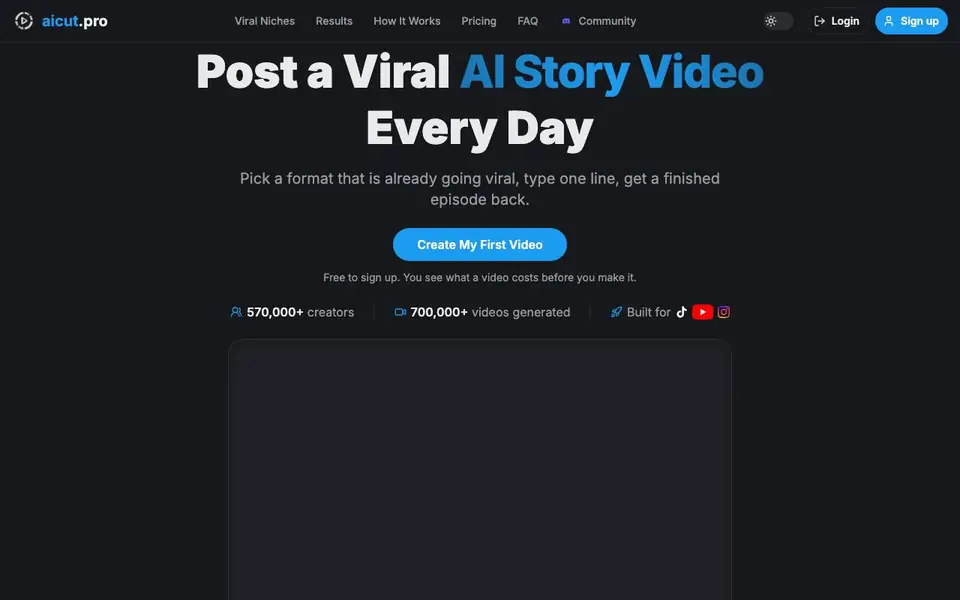
Aicut is an AI video generator built for creators who run faceless YouTube, TikTok, and Instagram channels. You pick a story format that is already trending, type one line, and Aicut writes the script, casts characters, records voices, and renders scenes into a finished vertical video. The site shows 30 story formats ranked by current views, so you can choose what is working right now.
To start, you sign up for free and pick a format, or paste a TikTok link to recreate a video that is already winning. Aicut handles the script, cast, voices, and rendering. You can download and publish yourself, or set an automation campaign that posts daily to your channels at scheduled times, like TikTok at 09:00 and YouTube at 19:00. You can also connect AI assistants like Claude or ChatGPT to request videos, and Aicut prices the job before spending anything.
Aicut suits creators who want to post consistently without editing timelines or recording voiceovers. It includes a timeline editor for manual tweaks, clips and subtitles, image and audio generation, and dance videos where characters copy moves. The site reports over 570,000 creators and 700,000 videos generated, but does not state specific pricing details beyond free sign-up and per-video costs shown before you make one.
aicut features
- Trending story formats: Choose from 30 formats ranked by current views across platforms.
- Full auto-render: Script, cast, voices, and scenes are generated into a finished vertical video.
- Recreate any video: Paste a TikTok link to rebuild a winning video as your own.
- Automation campaigns: Set a format, voice, and schedule for daily posting without opening the app.
- Timeline editor: Manually adjust layers, effects, and audio for fine control.
What you can do with aicut
- Start a faceless YouTube channel with daily story videos.
- Post viral-style TikTok videos without filming or recording.
- Recreate a trending video format from a link.
- Automate a content schedule across TikTok, Instagram, and YouTube.
How to get started with aicut
- Sign up for free on the Aicut website.
- Pick a viral story format or paste a TikTok link to recreate.
- Type one line, then let Aicut render the video; download or set a posting schedule.
Tips for better results with aicut
- Pick a trending format from the ranked list on Aicut, then type a one-line idea that matches the format's style to get a script and scenes that fit the current trend.
- Paste a TikTok link into Aicut to recreate a winning video, then tweak the script or cast in the timeline editor to make it your own before rendering.
- Set an automation campaign in Aicut with your schedule, like TikTok at 09:00 and YouTube at 19:00, to post daily without opening the app each time.
- Check the per-video cost Aicut shows before you make one, then compare formats or adjust your idea to keep spending within your budget for regular posting.
aicut pricing
aicut has a free way to start, with paid plans for heavier use. Check aicut.pro for current limits and prices.
What to check before you rely on aicut
- Confirm what your free plan includes, since Aicut only states free sign-up and per-video costs shown before creation, not specific free limits or features.
- Check if Aicut's automation campaign supports all your target platforms, as the site mentions TikTok, Instagram, and YouTube but does not list every integration.
- Verify the export formats and video resolution Aicut provides, because the website does not state download options or quality settings beyond finished vertical videos.
Who aicut is for
aicut suits faceless channel creators, social media marketers, content entrepreneurs and TikTok and YouTube creators. If that is not you, the AI video generators below may fit better.
Similar tools compared with aicut
| Tool | What it is | Pricing |
|---|---|---|
| aicut | AI video generator for faceless channels | Freemium |
| SiVideoGen | AI video generator with multiple models | Freemium |
| FreeSiTools | Free AI image prompt generator | Free |
| SiVideoAPI | Unified API for top AI video models | Freemium |
| Runway | AI video, image, and audio creation suite | Freemium |
aicut FAQ
What does Aicut do?
Aicut turns a one-line idea into a finished vertical video with script, voiceover, and scenes. It offers 30 trending story formats and can recreate videos from TikTok links.
Is Aicut free?
Signing up is free, and you see what a video costs before you make it. The site does not state whether there is a free plan with limits or only paid plans after sign-up.
Who is Aicut for?
It is for creators running faceless YouTube, TikTok, or Instagram channels who want to post daily without filming or editing manually. It also suits those who want to automate posting.
Can Aicut post videos automatically?
Yes. You can set an automation campaign with a format, voice, and schedule, and it generates and publishes to your channels daily without you opening the app.
Can Aicut export videos in formats other than vertical?
Aicut focuses on vertical videos for TikTok, Instagram, and YouTube Shorts. The website does not mention exporting in other aspect ratios like horizontal or square. If you need a different format, check the in-app timeline editor or contact support to see if it is possible.
Does Aicut integrate with social media platforms for direct posting?
Yes, Aicut lets you set automation campaigns that post daily to TikTok, Instagram, and YouTube at scheduled times. The website shows examples like TikTok at 09:00 and YouTube at 19:00. It does not list other platforms, so check the app for the full list of connected channels.
What does the free plan in Aicut include?
Aicut is free to sign up, and you can create your first video without paying. The website does not specify limits on the free plan, such as number of videos or features. You see the cost per video before you make it, so you can decide if it fits your budget.


