

What is AI Takeaway?
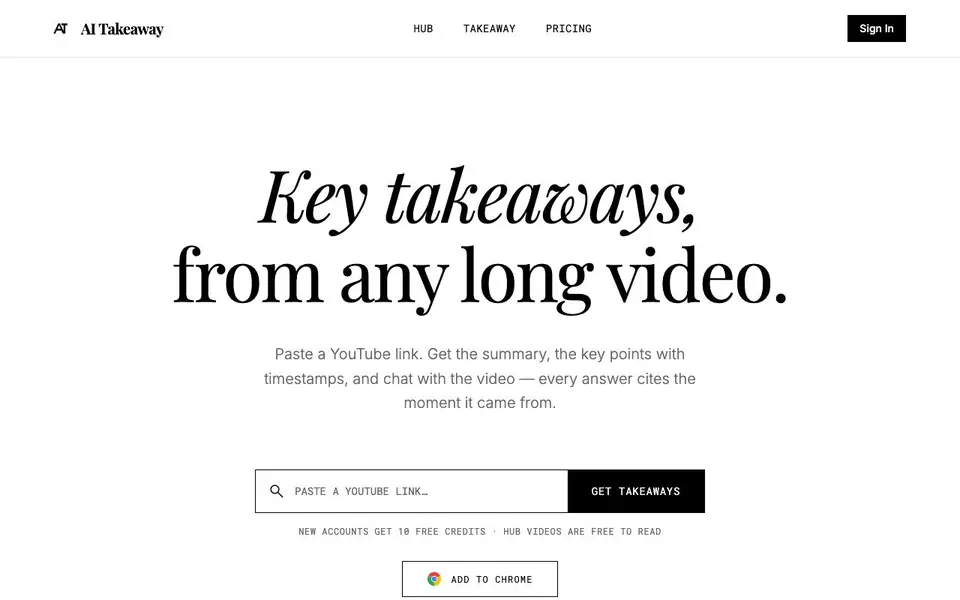
AI Takeaway helps you get the most out of long YouTube videos. Paste a link and it generates a summary, key takeaways with timestamps, and a full searchable transcript. You can also chat with the video, and every answer cites the exact moment it came from.
Start by pasting a YouTube link or using the Chrome extension while watching. The summary and takeaways appear in seconds. Click any timestamp to jump straight to that part of the video. For deeper questions, use the chat feature to ask about specific topics and get cited answers.
The Hub offers a hand-picked collection of AI and tech talks, already broken down and free to read. New accounts get 10 free credits, and each takeaway uses 10 credits while each chat question uses 1. Some videos without captions, or live or private ones, can't be processed, but credits are returned automatically.
AI Takeaway features
- Summary: Get the whole video in a few sentences to decide if it's worth your time.
- Chat with citations: Ask questions and get answers that cite the exact video moment.
- Full transcript: Searchable and timestamped transcript for finding exact words.
- Key takeaways with timestamps: Click a timestamp to jump directly to the important part.
- Chrome extension: Get takeaways without leaving YouTube, with nothing running until you click.
What you can do with AI Takeaway
- Summarize long tech talks or interviews quickly.
- Jump to specific moments in a video using timestamped takeaways.
- Ask clarifying questions about video content with cited answers.
- Browse the Hub for hand-picked AI and tech talks already broken down.
How to get started with AI Takeaway
- Paste a YouTube link on the AI Takeaway website or install the Chrome extension.
- Click 'Get Takeaways' and wait for the summary and key takeaways to appear.
- Click timestamps to jump to moments, or use the chat feature to ask questions.
Tips for better results with AI Takeaway
- Paste a YouTube link directly on AI Takeaway to get a summary and timestamped takeaways in seconds, then click any timestamp to jump straight to that part of the video.
- Use AI Takeaway's chat feature to ask specific questions about the video, and rely on the cited moments to verify each answer against the actual footage.
- Check if the video has captions before processing, since AI Takeaway cannot handle videos without them, live streams, or private videos, and credits are returned automatically if it fails.
- Browse the Hub on AI Takeaway for free to read summaries and takeaways from hand-picked AI and tech talks, saving your credits for videos you choose yourself.
AI Takeaway pricing
AI Takeaway has a free way to start, with paid plans for heavier use. Check aitakeaway.net for current limits and prices.
What to check before you rely on AI Takeaway
- Verify that the YouTube video has captions enabled, because AI Takeaway cannot process videos without captions, live streams, or private videos, even though credits are refunded on failure.
- Check your credit balance before starting, since each takeaway uses 10 credits and each chat question uses 1, and the website does not state what happens when you run out of free credits.
- Confirm that the Chrome extension only activates when you click it, as the website states nothing runs until you click, but does not specify supported browsers or any installation requirements.
Who AI Takeaway is for
AI Takeaway suits students, researchers, tech enthusiasts and professionals. If that is not you, the AI productivity tools below may fit better.
Similar tools compared with AI Takeaway
| Tool | What it is | Pricing |
|---|---|---|
| AI Takeaway | YouTube video summarizer and chat companion | Freemium |
| Mem | AI chief of staff and workspace | See website |
| Reclaim | AI calendar for work and life | Freemium |
| Otter.ai | AI meeting notetaker and transcription tool | Freemium |
| Motion | AI-powered productivity and project platform | Free trial |
AI Takeaway FAQ
What is AI Takeaway?
AI Takeaway turns long YouTube videos into a short summary and key takeaways, each linked to the moment it comes from. You can also chat with the video, and the Hub offers hand-picked AI and tech talks already broken down.
How is this different from ChatGPT or YouTube's own summary?
Every takeaway carries a timestamp, and one click takes you to that moment in the original video. Chat answers cite the moments they come from. The Hub is hand-picked, so you don't have to find good talks on your own.
How do credits work?
New accounts get 10 free credits. Making a takeaway for a new video uses 10 credits, and each chat question uses 1. Hub videos and takeaways you've already made are free to open again. You can top up anytime or subscribe to Pro.
What happens if a video can't be processed?
Some videos have no captions, or are live or private, and can't be turned into a takeaway. If that happens, the credits for it are returned to your balance automatically.
Does AI Takeaway offer a mobile app or desktop app?
The AI Takeaway website mentions a Chrome extension for use while watching YouTube, but it does not mention any dedicated mobile or desktop apps. You can use the web version in any browser on your device, and the extension works within Chrome on desktop.
Can AI Takeaway export summaries or transcripts to a file?
The AI Takeaway website does not mention any export options for summaries, takeaways, or transcripts. It focuses on viewing and interacting with content on the site. If you need to save this information, you would likely need to copy it manually from the page.
Does AI Takeaway require an account to use the free credits?
Yes, AI Takeaway states that new accounts get 10 free credits. You need to sign up to receive these credits and to create takeaways or chat with videos. Hub videos are free to read without using credits, but an account is still required to access them.


