

What is AI STUDIOS?
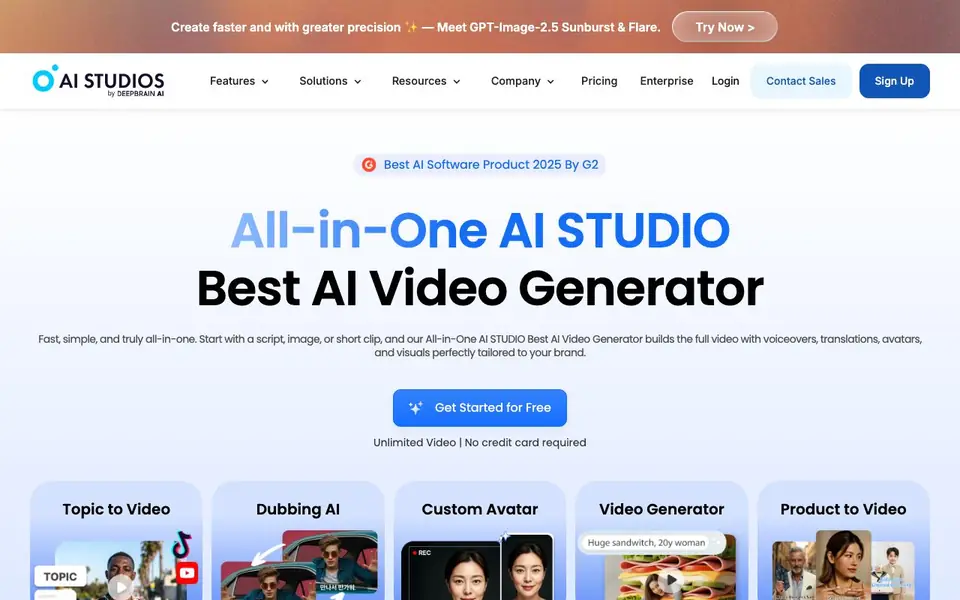
AI STUDIO is an all-in-one AI video generator that turns your script, image, or short clip into a complete video. It adds voiceovers, translations, avatars, and visuals tailored to your brand. You get access to over 2,000 ready-to-use AI avatars, 150+ text-to-speech languages, and 7,000+ video templates. The platform also includes dubbing, translation, and editing tools in one simple workspace.
To get started, you sign up and choose your starting point: a script, an image, or a short clip. The AI builds your video with a suitable avatar and voiceover. You can then edit, translate, and publish directly from the same workspace. For custom avatars, you upload a short video or photo, and the AI creates a lifelike avatar in about five minutes. You can also create product avatars that hold items naturally.
AI STUDIO suits HR teams, YouTube creators, and businesses that need training videos, marketing content, or customer support avatars. It offers interactive video features, including quizzes and branching scenarios, and supports SCORM export for learning management systems. The website mentions unlimited video with no credit card required for getting started, and it has been recognized as a best AI software product by G2 in 2025.
AI STUDIOS features
- 2000+ AI avatars: Choose from ready-to-use avatars or create custom ones from photos, videos, or products.
- Text-to-video generation: Turn scripts, images, or clips into full videos with voiceovers and visuals automatically.
- AI dubbing and translation: Translate and dub videos into 150+ languages with lip-sync and voice cloning.
- Interactive video builder: Add quizzes, polls, and branching scenarios to create engaging training courses.
- Custom LLM integration: Train your AI with company documents or connect OpenAI, Claude, or Gemini for brand-specific responses.
What you can do with AI STUDIOS
- Create training videos with AI avatars and interactive quizzes for your team.
- Dub and translate your existing videos to reach a global audience in 150+ languages.
- Build a custom avatar from a short video to represent your brand consistently.
- Deploy an interactive avatar on your website to handle customer questions 24/7.
How to get started with AI STUDIOS
- Sign up for a free account on the AI STUDIO website.
- Choose a starting point: a script, an image, or a short clip.
- Let the AI generate your video, then edit, translate, and publish it from the workspace.
Tips for better results with AI STUDIOS
- Start with a clear, detailed script so AI Studios can match the right avatar and voiceover to your content, saving you editing time later.
- Use AI Studios' custom avatar feature by uploading a short video of yourself, then reuse that avatar across projects for consistent brand representation.
- Experiment with AI Studios' interactive video tools, adding quizzes and branching scenarios, to turn a simple explainer into an engaging training module.
- When dubbing or translating, review the lip-sync output in AI Studios and adjust the voice settings to match the original speaker's tone and pace.
AI STUDIOS pricing
AI STUDIOS has a free way to start, with paid plans for heavier use. Check aistudios.com for current limits and prices.
What to check before you rely on AI STUDIOS
- Check whether the free plan includes commercial usage rights for your videos, since the website mentions unlimited video but does not state licensing terms.
- Verify the export formats available for your projects, especially if you need SCORM for an LMS; the website mentions SCORM but does not list all export options.
- Confirm the data privacy policy for uploaded videos and custom avatars, as the website does not specify how your content is stored or used.
Who AI STUDIOS is for
AI STUDIOS suits HR teams, YouTube creators, marketers and business owners. If that is not you, the AI video generators below may fit better.
Similar tools compared with AI STUDIOS
| Tool | What it is | Pricing |
|---|---|---|
| AI STUDIOS | All-in-one AI video generator with avatars | Freemium |
| SiVideoGen | AI video generator with multiple models | Freemium |
| FreeSiTools | Free AI image prompt generator | Free |
| SiVideoAPI | Unified API for top AI video models | Freemium |
| Runway | AI video, image, and audio creation suite | Freemium |
AI STUDIOS FAQ
What can I create with AI STUDIO?
You can create full videos from scripts, images, or clips, with AI avatars, voiceovers, and translations. It also supports interactive training videos with quizzes and branching scenarios, plus custom avatars from photos or videos.
Is AI STUDIO free to use?
The website says you can get started for free with unlimited video and no credit card required. It also mentions pricing and enterprise plans, so there are paid options for more advanced features.
Who is AI STUDIO for?
It is designed for HR training, YouTube creators, and businesses that need professional videos. It also suits customer service teams that want interactive avatars to handle conversations across channels.
Can I create my own custom avatar?
Yes. You can upload a short video recording or a photo to create a custom avatar. The website says it takes about five minutes and allows you to customize appearance, voice, tone, and personality.
What file formats can I export from AI STUDIO?
AI STUDIO supports SCORM export for learning management systems, which is useful for training courses. The website does not list other specific export formats like MP4 or MOV. To see the full list of export options, check the platform's help center or contact their support team.
Does AI STUDIO work on mobile devices?
The website mentions that AI STUDIO can be deployed on iOS and Android for interactive avatars, but it does not specify if the video creation and editing tools are available on mobile. For details on which devices and platforms support the full AI STUDIO workspace, check the official documentation or contact support.


