
What is ADRs for AI?
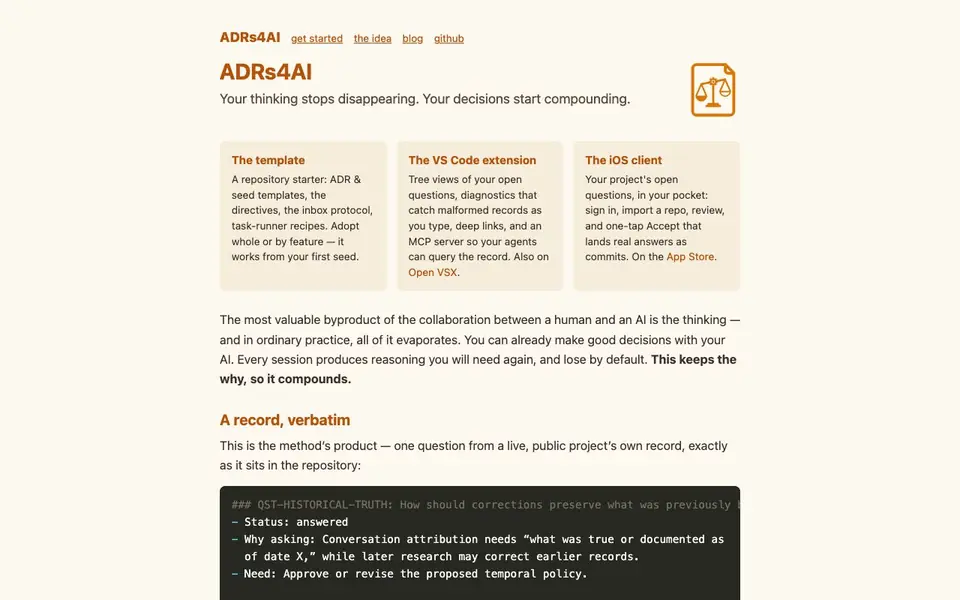
ADRs4AI is a toolkit for deliberative programming. It helps you keep the thinking behind your decisions instead of losing it. The product includes a repository starter with templates, a VS Code extension, and an iOS client.
You start by creating a repository from a template. You fill in a CLAUDE.md file and commit it. Then you dump your thinking into a seed, and your AI chunks it into ADRs that preserve your words, options, reasoning, and open questions. You answer the first question it stakes, and every open question is findable with a grep.
The VS Code extension shows tree views of open questions and catches malformed records as you type. The iOS client lets you review and accept answers from your phone. It suits developers and teams who work with AI and want to keep the reasoning for future reference.
ADRs for AI features
- Repository starter: Includes ADR and seed templates, directives, inbox protocol, and task-runner recipes.
- VS Code extension: Shows tree views of open questions and diagnostics for malformed records.
- MCP server: Lets your agents query the decision record directly.
- iOS client: Lets you review open questions and accept answers as commits from your phone.
- Open VSX support: The extension is also available on Open VSX.
What you can do with ADRs for AI
- Capture your thinking into a seed before starting work.
- Let your AI chunk your thoughts into structured ADRs.
- Answer open questions with one-tap accept on mobile.
- Search all open questions with a single grep command.
How to get started with ADRs for AI
- Create a repository from the template using the provided command.
- Fill in the CLAUDE.md file and commit it to start the record.
- Dump your thinking into a seed and let your AI structure it into ADRs.
Tips for better results with ADRs for AI
- Write your seed in your own words before letting ADRs4AI chunk it, so the generated ADRs preserve your actual reasoning and options rather than the AI's paraphrase.
- Answer the first open question ADRs4AI stakes immediately, then use grep to find every remaining question so you keep the decision record complete and current.
- Use the VS Code extension's tree views and diagnostics as you type to catch malformed records early, keeping your ADR repository clean and searchable.
- Review open questions on the iOS client when you are away from your desk, and accept answers as commits so your record stays updated without blocking on desktop work.
ADRs for AI pricing
ADRs for AI’s homepage does not list prices. Check adrs.systems for current plans.
What to check before you rely on ADRs for AI
- Check whether the free repository starter includes all templates you need, since the website does not state any pricing or plan limits for the toolkit.
- Verify that your team can adopt the workflow, as the site does not specify supported platforms beyond VS Code, iOS, and Open VSX.
- Confirm how your seed data and ADR records are stored and exported, because the website does not mention data retention, privacy, or export formats.
Who ADRs for AI is for
ADRs for AI suits developers, AI-assisted teams and technical founders. If that is not you, the AI productivity tools below may fit better.
Similar tools compared with ADRs for AI
| Tool | What it is | Pricing |
|---|---|---|
| ADRs for AI | AI decision record toolkit | See website |
| Mem | AI chief of staff and workspace | See website |
| Reclaim | AI calendar for work and life | Freemium |
| Otter.ai | AI meeting notetaker and transcription tool | Freemium |
| Motion | AI-powered productivity and project platform | Free trial |
ADRs for AI FAQ
What does ADRs4AI do?
It captures the reasoning behind decisions made with AI. You dump your thinking, the AI structures it into ADRs, and you answer open questions. The record stays in your repository.
Is there a free plan?
The website does not state pricing details. You can check the Get started page or the GitHub repository for more information.
Who is it for?
It's for developers and teams who work with AI and want to keep the reasoning behind decisions. It suits anyone using AI assistants like Claude or others.
What can I make with it?
You can create decision records (ADRs) from your thinking, track open questions, and manage answers. It works with your repository and your AI agent.
What can ADRs4AI export or connect to?
ADRs4AI stores your decision records in a Git repository, so you can export them by cloning or pushing that repo. It also includes an MCP server that lets your AI agents query the decision record directly. The website doesn't mention other export formats or integrations beyond these.
Which devices or platforms does ADRs4AI run on?
ADRs4AI works on any platform where you can use Git and a text editor, since it's repository-based. It also has a VS Code extension (available on Open VSX) and an iOS client for reviewing and accepting answers from your phone. The website doesn't mention a desktop app or Android version.
Does ADRs4AI require an account?
The iOS client requires you to sign in, as it says 'sign in, import a repo, review, and one-tap Accept.' For the repository starter and VS Code extension, you don't need an account—you just create a repo from a template and use it locally. The website doesn't specify account requirements for the other parts.


