
What is Zeemo?
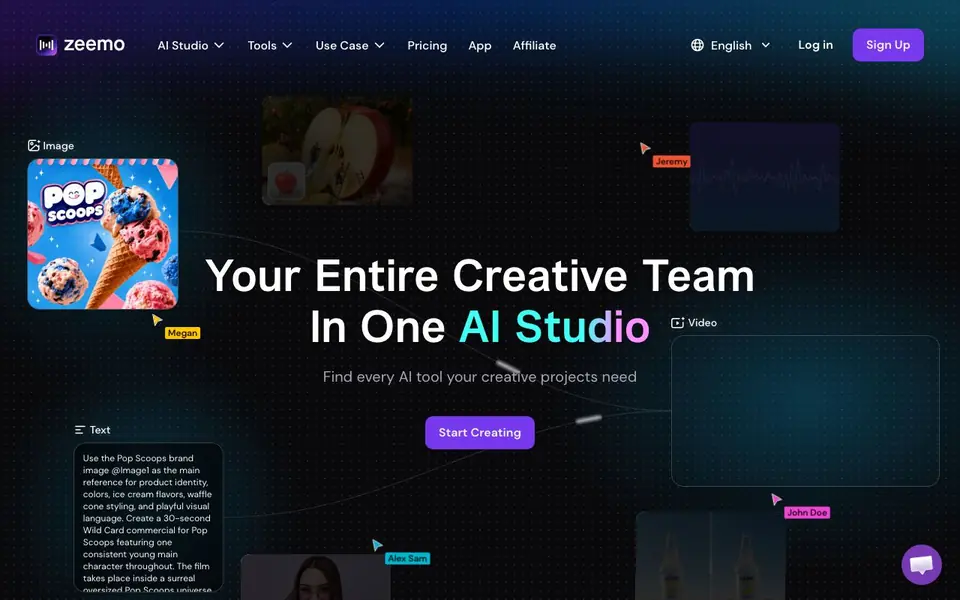
Zeemo is an all-in-one AI studio that brings together the creative tools you need for video, image, audio, captions, and music. Instead of switching between different apps, you can handle your entire creative project in one place. The platform is designed to act like a full creative team, covering everything from generating visuals to adding sound and captions.
You start by describing your project, like a commercial or social video. Zeemo can generate images from text, create videos, turn text into speech, upscale images, and add captions to your videos. You can use the brand image as a reference to keep your visuals consistent, and then build out the full piece without leaving the studio.
Zeemo suits content creators, marketers, and small teams who want a single workflow for producing polished media. The website highlights the convenience of having every AI tool in one place, but it does not list specific pricing details or a free plan. You can explore the tools and use cases from the main menu to see what fits your project.
Zeemo features
- AI video generation: Create videos from text prompts with consistent characters and style.
- Image generation: Generate images from text descriptions for your projects.
- Text to speech: Turn written scripts into spoken audio for your videos.
- Image upscaling: Enhance and enlarge images for higher quality output.
- Caption generation: Automatically add captions to your videos.
What you can do with Zeemo
- Create a 30-second commercial for a brand with a consistent main character.
- Generate images for a product identity and visual style.
- Add voiceover narration to a video from a script.
- Upscale images to improve quality before publishing.
How to get started with Zeemo
- Sign up for a Zeemo account from the website.
- Choose a tool like video, image, or caption from the studio.
- Enter your text prompt or upload your media to start creating.
Tips for better results with Zeemo
- Start each project by writing a detailed text prompt that describes your main character, style, and scene, since Zeemo builds visuals and video directly from that description.
- Upload a brand image as a reference in Zeemo before generating assets, so your colors, product identity, and visual language stay consistent across images and video.
- Use Zeemo's text-to-speech feature to create your voiceover from a script, then combine it with generated visuals to assemble the full commercial in one workflow.
- Generate captions for your final video inside Zeemo rather than exporting and adding them elsewhere, which keeps the entire production process in one place.
Zeemo pricing
Zeemo’s homepage does not list prices. Check zeemo.ai for current plans.
What to check before you rely on Zeemo
- Check whether Zeemo's pricing page lists plan costs or a free tier, because the website does not state any specific pricing details.
- Verify what output formats and resolution Zeemo supports for video and images, since the site does not mention export options or file types.
- Review Zeemo's data and privacy policy to understand how your uploaded brand images and generated content are stored or used, as this is not described on the site.
Who Zeemo is for
Zeemo suits content creators, marketers and small creative teams. If that is not you, the AI video editors below may fit better.
Similar tools compared with Zeemo
| Tool | What it is | Pricing |
|---|---|---|
| Zeemo | All-in-one AI creative studio | See website |
| SiVideoGen | AI video generator with multiple models | Freemium |
| Descript | AI video and audio text-based editor | Freemium |
| InVideo | Agentic AI video editor and maker | Freemium |
| VEED | AI video creation and editing platform | See website |
Zeemo FAQ
What can I create with Zeemo?
You can generate videos, images, audio, captions, and music. The website shows examples like creating a commercial with a consistent character and using a brand image for style.
Does Zeemo offer a free plan?
The website does not state whether there is a free plan or trial. Check the Pricing page on Zeemo's website for current plan details.
Who is Zeemo for?
It is for creators, marketers, and teams who need multiple AI tools for creative projects. The platform aims to replace switching between separate apps.
Can I use my own images in Zeemo?
Yes, the website shows using a brand image as a reference for generating new content, so you can upload or reference your own images.
What can Zeemo export or connect to?
The Zeemo website does not mention specific export formats or integrations with other apps. You can check the main menu or contact Zeemo support to see if the tool offers the export options or connections you need for your workflow.
Which devices or platforms does Zeemo run on?
The Zeemo website does not specify which devices or platforms the tool supports. You can look for an 'App' section in the main menu or reach out to Zeemo directly to confirm whether it works on your device or operating system.
Does Zeemo require an account to use?
The Zeemo website shows 'Log in' and 'Sign Up' options, which suggests you likely need an account to use the tool. For details on account requirements and what you can do without signing up, check the sign-up page or Zeemo's help resources.


