
What is YTVidHub?
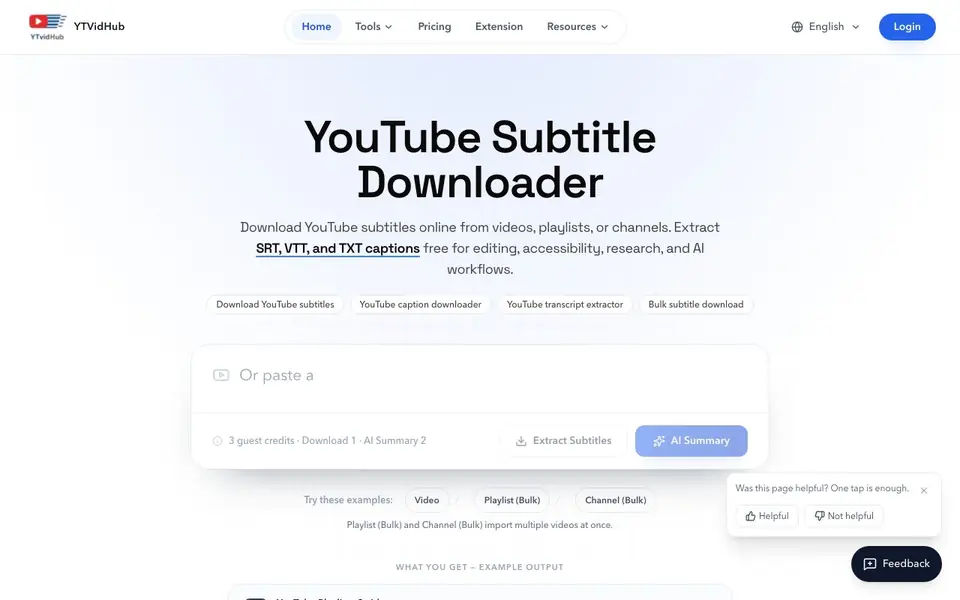
YTVidHub is a free online tool that lets you download subtitles and captions from YouTube videos, playlists, or entire channels. You can export them as SRT, VTT, or TXT files. It also offers an AI-powered video summarizer to get quick overviews of video content.
To use it, you paste a YouTube link, choose the language you want, and pick your preferred file format. The tool extracts creator-uploaded or auto-generated subtitles. For bulk work, you can import multiple videos from a playlist or channel and download all subtitles as a single ZIP file. There's also a Chrome extension that lets you download subtitles directly on YouTube with one click, without copying URLs.
The tool is designed for editors, researchers, students, and anyone who needs clean transcript text for notes, repurposing, or AI workflows. The website mentions a free plan with guest credits and a sign-up option that gives you 5 downloads instantly. The Chrome extension is described as free forever with no limits or registration required.
YTVidHub features
- Bulk download: Import entire playlists or channels and get all subtitles in one ZIP file.
- Multiple formats: Export subtitles as SRT, VTT, or TXT depending on your workflow.
- AI summary: Generate a quick summary of a video's content without watching it fully.
- Chrome extension: Download subtitles directly on YouTube with one click, no URL copying.
- Language selection: Choose the subtitle language you need from available tracks.
What you can do with YTVidHub
- Download SRT files for video editing in software like VLC or Premiere.
- Extract VTT captions for HTML5 video players or course platforms.
- Get TXT transcripts for research, note-taking, or content repurposing.
- Bulk download subtitles from a YouTube playlist for offline study.
How to get started with YTVidHub
- Go to YTVidHub's website and paste a YouTube video, playlist, or channel link.
- Choose the language and file format (SRT, VTT, or TXT) you want.
- Click download to get your subtitle file, or use the Chrome extension for one-click downloads.
Tips for better results with YTVidHub
- Paste a YouTube link and pick your language before choosing SRT, VTT, or TXT to match your editing or note-taking workflow.
- Use YTVidHub's bulk downloader to import a playlist or channel and get all subtitles in one ZIP file for offline study.
- Install the YTVidHub Chrome extension to grab subtitles directly on YouTube with one click, skipping URL copying entirely.
- Try the AI summary feature on long videos to get a quick overview before deciding whether to download the full transcript.
YTVidHub pricing
YTVidHub has a free way to start, with paid plans for heavier use. Check ytvidhub.com for current limits and prices.
What to check before you rely on YTVidHub
- Check the free plan's guest credit system, as the website mentions 3 guest credits but does not state how often they reset.
- Verify that the subtitle language you need is available for your video, since YTVidHub only extracts tracks that exist on YouTube.
- Confirm the export formats you need are supported, as the site lists SRT, VTT, and TXT but does not specify any others.
Who YTVidHub is for
YTVidHub suits video editors, researchers, students and content creators. If that is not you, the AI video editors below may fit better.
Similar tools compared with YTVidHub
| Tool | What it is | Pricing |
|---|---|---|
| YTVidHub | YouTube subtitle and transcript downloader | Freemium |
| SiVideoGen | AI video generator with multiple models | Freemium |
| Descript | AI video and audio text-based editor | Freemium |
| InVideo | Agentic AI video editor and maker | Freemium |
| VEED | AI video creation and editing platform | See website |
YTVidHub FAQ
Is YTVidHub free to use?
Yes, the website offers free downloads with guest credits. You get 3 guest credits to start, and signing up gives you 5 downloads instantly. The Chrome extension is described as free forever with no limits.
Can I download subtitles from a whole playlist or channel?
Yes, YTVidHub supports bulk downloads. You can paste a playlist or channel link and it will extract subtitles from all videos, then package them into a ZIP file for you.
What file formats can I export?
You can export subtitles in SRT, VTT, and TXT formats. SRT is for video editors, VTT is for web players, and TXT gives you clean readable transcript text.
Does the tool provide AI summaries?
Yes, YTVidHub includes an AI-powered video summarizer. You can use it to get a quick summary of a video's content, which is useful for research or deciding if a video is worth watching.
Does YTVidHub require an account to use?
YTVidHub offers guest credits for free use without signing up. If you create an account, you get 5 downloads instantly. The Chrome extension is free forever with no registration required. For more details on account benefits, check the pricing page on the YTVidHub website.
Can YTVidHub export subtitles in languages other than English?
Yes, YTVidHub lets you choose the subtitle language you need from the available tracks on a video. The tool extracts creator-uploaded or auto-generated subtitles in the language you select. The website does not list all supported languages, so check the tool for your specific language.
What devices or platforms does YTVidHub work on?
YTVidHub is an online tool, so it works in any web browser on your computer, tablet, or phone. There is also a Chrome extension for downloading subtitles directly on YouTube. The website does not mention other native apps or operating system support beyond the browser.


