
What is Wondershare?
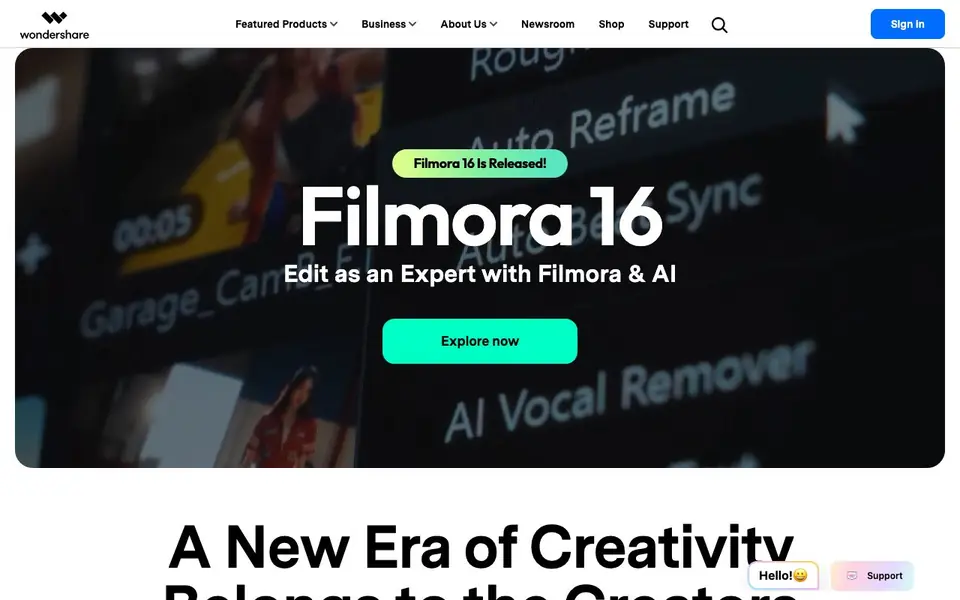
Wondershare is a platform that bundles many AI-powered creativity and productivity tools. Its main focus is video, with products like Filmora for editing and ToMoviee AI as an all-in-one creative studio. You can turn text into video, animate still images, edit clips using simple prompts, and extend existing footage with AI predictions. The suite also includes UniConverter for media conversion and enhancement, and Media.io for generating video, image, and music content.
For documents, Wondershare provides PDFelement for AI-enhanced PDF editing and e-signatures. Diagram and graphics tools like EdrawMax and EdrawMind help you create diagrams and mindmaps with AI assistance. Utility tools such as Recoverit and Dr.Fone handle data recovery and phone management. The platform is designed to support creators, professionals, and teams across various tasks.
You can start by choosing a product from the website, then explore its specific AI features. For video, you can convert scripts to video, animate images, or edit with prompts. For documents, you can edit PDFs intelligently or sign them digitally. The site mentions a range of products but does not detail pricing or free plans, so you may need to check individual product pages for those details.
Wondershare features
- Text to video: Convert written scripts into videos instantly using AI.
- Image animation: Bring static images to life with dynamic motion effects.
- Prompt-based editing: Transform videos by editing with simple text prompts.
- Video extension: Extend videos with AI predictions for consistent flow.
- AI PDF editing: Edit PDFs with AI suggestions for content and formatting.
What you can do with Wondershare
- Turn a script into a video for social media or presentations.
- Animate a still image to create engaging visual content.
- Edit a video clip using natural language prompts instead of manual tools.
- Recover lost files from a storage device with AI-powered recovery.
How to get started with Wondershare
- Visit the Wondershare website and choose a product like Filmora or ToMoviee AI.
- Open the product and explore its AI features, such as text-to-video or prompt editing.
- Use the tool to create or edit your content, then export or share your result.
Tips for better results with Wondershare
- Start with ToMoviee AI when you need an all-in-one creative studio, since it combines text-to-video, image animation, and prompt editing in one place, saving you time switching tools.
- Use Filmora for fine-grained video editing after generating a rough cut with ToMoviee AI, because Filmora gives you manual control for precise adjustments that AI prompts may miss.
- For PDF work, open your document in PDFelement and let its AI suggest content and formatting changes, then review each suggestion before accepting to keep your edits intentional.
- When animating a still image with ToMoviee AI, choose a high-resolution source photo with clear subject separation, as that gives the generative AI more detail to work with for natural motion.
- Test prompt-based video editing on a short clip first, using simple language like 'zoom in on the speaker' to see how ToMoviee AI interprets commands before applying it to longer footage.
Wondershare pricing
Wondershare’s homepage does not list prices. Check wondershare.com for current plans.
What to check before you rely on Wondershare
- Check the individual product page for pricing, because the main Wondershare site does not list prices or free plan details for any of its tools.
- Verify which file formats your chosen tool exports, since the website does not state supported output formats for video, PDF, or diagram products.
- Review the privacy policy for each tool before uploading sensitive files, as the site does not specify how AI features handle or store your data.
- Confirm the platform compatibility for each product, because the site does not indicate whether tools run on Windows, Mac, web, or mobile.
Who Wondershare is for
Wondershare suits video creators, professionals, teams and businesses. If that is not you, the AI video editors below may fit better.
Similar tools compared with Wondershare
| Tool | What it is | Pricing |
|---|---|---|
| Wondershare | AI-powered video editing and creativity suite | See website |
| SiVideoGen | AI video generator with multiple models | Freemium |
| Descript | AI video and audio text-based editor | Freemium |
| InVideo | Agentic AI video editor and maker | Freemium |
| VEED | AI video creation and editing platform | See website |
Wondershare FAQ
What is Wondershare?
Wondershare is a platform that offers a range of AI-powered tools for video editing, creation, PDF management, diagramming, and data recovery. It includes popular products like Filmora, PDFelement, and Recoverit.
Does Wondershare have a free plan?
The website does not state whether Wondershare offers a free plan. You may need to check individual product pages or contact support for pricing details.
Who is Wondershare for?
Wondershare is designed for creators, professionals, and teams who need tools for video production, document management, and data recovery. It suits both individuals and businesses.
What can I create with Wondershare?
You can create videos from text, animate images, edit videos with prompts, and extend clips. You can also edit PDFs, create diagrams and mindmaps, and recover lost files.
What devices or platforms does Wondershare run on?
Wondershare offers a range of products, and each one may run on different devices or platforms. The website does not provide a single list for all tools. To find out if a specific Wondershare product works on your device, check that product's page on the Wondershare website for system requirements.
Does Wondershare require an account to use its tools?
The Wondershare website does not clearly state whether an account is required for all its products. Some tools may need you to sign in, while others might work without one. For the exact login requirements of a particular Wondershare product, visit its product page or contact Wondershare support.
Can Wondershare export videos in different formats or to social media platforms?
The Wondershare website mentions video creation and editing features, but it does not specify export formats or direct sharing to social media platforms. For details on what export options are available in a specific Wondershare video tool like Filmora or ToMoviee AI, check that product's page for specifications.


