
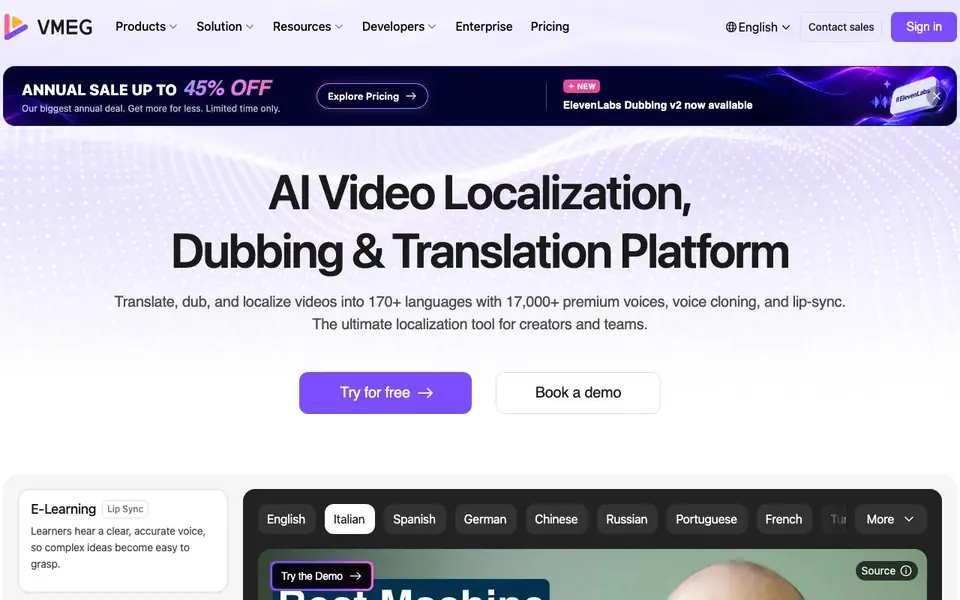
What is VMEG AI?
VMEG AI is a platform for localizing video content. It translates and dubs videos into over 170 languages using 17,000+ premium voices, voice cloning, and lip-sync. The tool is designed for creators, marketing teams, and enterprises that need to reach global audiences without re-shooting footage.
You start by uploading a video and selecting target languages. VMEG auto-identifies speakers, assigns voices, and generates bilingual subtitles. You can then fine-tune scripts, adjust speed and intonation, swap voices, and proofread side-by-side with the website text. The editor handles everything in one workspace, so you don't jump between tools.
VMEG suits e-learning, podcasts, TV shows, dramas, and marketing content. It offers a free trial, and the website mentions a premium managed delivery service where language experts handle the work for cinema-quality results. The platform is trusted by over 1,200 companies and teams worldwide.
VMEG AI features
- Multi-speaker identification: Auto-identify speakers by name and assign custom clones or premium voices.
- Bilingual script proofreading: Review source and target text side-by-side, sync, and export SRT files.
- Advanced editing: Adjust scripts, speed, intonation, or swap voices without extra credits.
- Glossary and pronunciation control: Keep terms accurate and perfect word-level pronunciation.
- Smart bilingual subtitles: Create dual-language subtitles and customize styles to match your brand.
What you can do with VMEG AI
- Localize e-learning courses so learners hear clear, accurate voices.
- Dub podcasts while keeping the host's warm, natural tone.
- Translate TV shows and dramas with consistent character emotions.
- Create multilingual marketing ads for global social media campaigns.
How to get started with VMEG AI
- Sign up for a free trial on VMEG's website.
- Upload a video and choose target languages from 170+ options.
- Use the editor to fine-tune scripts, voices, and subtitles, then export.
Tips for better results with VMEG AI
- Upload a clean video with clear speaker separation so VMEG AI can identify each speaker accurately and assign the right voices from the start.
- Use the glossary feature in VMEG AI to lock in industry terms before dubbing, so technical or brand-specific words stay consistent across all languages.
- Proofread the bilingual subtitles side-by-side in the VMEG AI editor and adjust script timing before exporting, catching errors early and saving rework.
- Swap voices or tweak intonation in VMEG AI without spending extra credits, so you can experiment with tone until the dub matches your original performance.
- Start with a short test clip in one language to check voice quality and lip-sync, then scale up to full projects once you're satisfied with the output.
VMEG AI pricing
VMEG AI has a free way to start, with paid plans for heavier use. Check vmeg.ai for current limits and prices.
What to check before you rely on VMEG AI
- Check the free trial limits on video length or number of languages before uploading a full project, since the website does not list specific trial caps.
- Verify whether the premium managed delivery service includes human review of your files, as the website mentions it but does not state exact turnaround times.
- Confirm the export formats available for your final video, since the website highlights SRT subtitle export but does not list all video output options.
- Review the pricing page for credit costs per minute of video, as the freemium label does not specify what the free tier includes beyond a trial.
- Check data handling for your uploaded videos, because the website does not clearly state retention policies or whether files are deleted after processing.
Who VMEG AI is for
VMEG AI suits creators, marketing teams, enterprises and e-learning producers. If that is not you, the AI video editors below may fit better.
Similar tools compared with VMEG AI
| Tool | What it is | Pricing |
|---|---|---|
| VMEG AI | AI video localization and dubbing platform | Freemium |
| SiVideoGen | AI video generator with multiple models | Freemium |
| Descript | AI video and audio text-based editor | Freemium |
| InVideo | Agentic AI video editor and maker | Freemium |
| VEED | AI video creation and editing platform | See website |
VMEG AI FAQ
What does VMEG AI do?
VMEG AI translates and dubs videos into over 170 languages. It uses AI voices, voice cloning, and lip-sync to keep the original emotion and timing, so your content feels natural to global audiences.
Is there a free plan?
The website says you can 'Try for free' and mentions an annual sale with up to 45% off. It doesn't specify details of a free tier or trial limits, so check the pricing page for exact terms.
Who is VMEG AI for?
It's built for creators, marketing teams, and enterprises. Use cases include e-learning, podcasts, TV shows, dramas, and branding content. The platform also offers enterprise infrastructure for large multilingual projects.
Can I control voice and pronunciation?
Yes. VMEG lets you fine-tune timbre, pitch, and emotional resonance. You can also manage a glossary and control word-level pronunciation to keep technical terms accurate.
What video formats and file sizes does VMEG AI support for upload?
VMEG AI accepts common video formats like MP4, MOV, and AVI. The website does not specify a maximum file size limit, so for very large files, check the upload screen or contact support. You can start with a short clip to test the workflow before uploading longer content.
Can VMEG AI export subtitles in SRT format?
Yes, VMEG AI lets you export SRT files for your bilingual subtitles. You can also customize subtitle styles to match your brand. This is useful if you need to add subtitles to a video on another platform or share them with a video editor.
Does VMEG AI require creating an account to use the free trial?
Yes, you need to sign in to use VMEG AI. The free trial is available after you create an account. The website does not specify how long the trial lasts or what features it includes, so check the pricing page or sign-up flow for details.


